
 User onboarding software · Independent review
UserGuiding review: pricing, features, pros and cons
UserGuiding is a no-code tool for product tours, checklists, resource centers and in-app surveys on web apps. It publishes its prices: Starter is $249 / mo billed yearly for up to 2,000 monthly active users. Reviewers rate it 4.7 out of 5 on G2 and praise its ease of use most; their most common complaints are missing features and styling limits.
By Yağmur Çiftçi · Updated 4 Nov 2026 · How we review
UserOnboarding Academy isn't owned by UserGuiding or any other tool reviewed here. No vendor reviewed this page before publication.
Visit UserGuiding ↗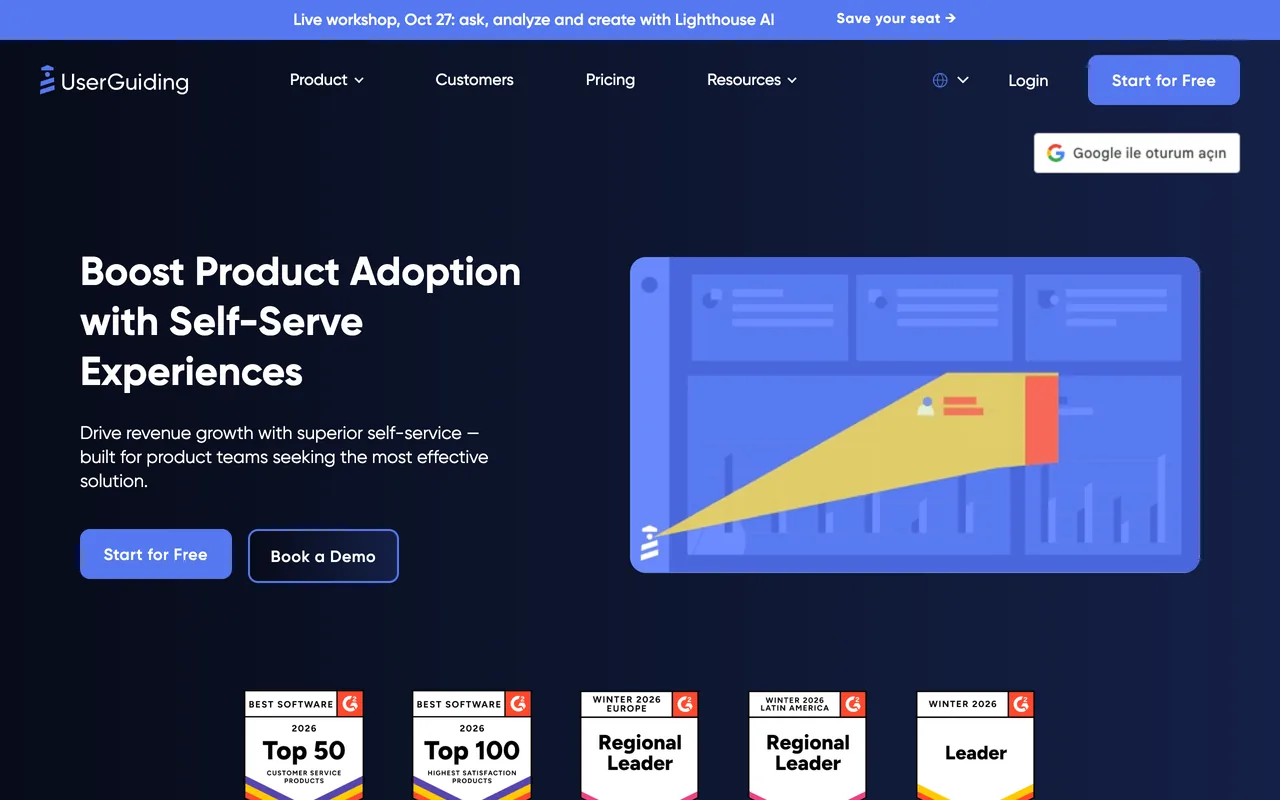
- Starts at
- $249 / moStarter, billed yearly ($2,988 / year), or $349 / mo billed monthly; the price covers up to 2,000 MAUs
- Free plan
- Not listed
- Priced by
- Monthly active users (MAUs)
- G2 rating
- 4.7 / 5782 reviews, read 3 Nov 2026
Prices checked 19 Oct 2026 · UserGuiding’s own pricing page ↗ · Plans in full
The decision in brief
Is UserGuiding right for you?
Best suited to
Teams with a web app who want to build tours, checklists and a help center without developers, and want to see the price before talking to sales.
Look elsewhere if
Products that need guides inside native mobile apps, or teams that want A/B testing and localization on the entry plan.
Where it works well
- Ease of use is the most-praised theme: 456 of the 782 G2 reviews we read
- Prices for Starter and Growth are printed on its pricing page
- Tours, hotspots, checklists, surveys, a knowledge base and a product-updates feed in one tool
- Quick install and setup comes up in 238 of the reviews we read
What to watch for
- Missing features are the most common complaint (182 of the 782 reviews we read), then styling limits (99) and friction in the builder or Chrome extension (95)
- No native mobile apps, according to its own pricing FAQ
- A/B testing, localization and custom CSS start on Growth
- Starter caps active content: 15 guides, 10 hotspots, 1 checklist and 1 survey
- Over the MAU quota, guides stop showing until you raise it or your MAU count falls back under it
UserGuiding pricing: what does it cost?
UserGuiding prices by monthly active users (MAUs) and publishes its first two plans: Starter at $249 / mo and Growth at $499 a month, both billed yearly and covering up to 2,000 MAUs. Billed monthly, they're $349 and $699 a month. Above 2,000 MAUs, and for Enterprise, the price is a quote. There's a 14-day free trial without a card and a 30-day money-back guarantee.
| Plan | Billed monthly | Billed yearly, per month | Covers | Includes |
|---|---|---|---|---|
| Starter | $349 | $249 | Price covers up to 2,000 MAUs (MAU range 0-10K) |
|
| Growth | $699 | $499 | Price covers up to 2,000 MAUs (MAU range 0-100K) |
|
| Enterprise | – | – | Custom MAU |
|
- Free trial
- 14-day free trial, no credit card needed; can be extended on request
- Refunds
- 30-day money-back guarantee
Full pricing notes
The page has a Monthly/Yearly toggle ('SAVE up to 30%') and opens on Yearly. Yearly: Starter from $249/mo ($2,988/year, 'SAVE $1,200'), Growth from $499/mo ($5,988/year, 'SAVE $2,400'). Monthly: Starter from $349/mo and Growth from $699/mo, each 'BILLED MONTHLY'. Each price covers up to 2,000 MAU: the cards say 'Starting from 2,000 MAU', and their info tooltip says the price covers up to 2,000 MAU and to book a demo for a custom quote above that. The page's HTML also holds an MAU slider, but it is hidden on the live page. Enterprise is 'Let's Talk', billed yearly, in both toggle states. The live feature table has three columns (Starter, Growth, Enterprise); Starter's 'Get Started For Free' button, like the card's 'Start for Free', links to the sign-up page. A fourth column, 'Support Essentials' (with its own 'Get Started For Free' button), is in the page's HTML but hidden at every width checked, so visitors don't see it and the page shows no free plan. Over the MAU quota, guides and other materials stop showing until the quota is raised; no overage charge. EU hosting is free on Growth and Enterprise and an add-on on Starter. Add-ons in the panel: extra material quotas, seats, containers, white-label branding. Teams switching from another tool under contract get UserGuiding free until that contract ends.
A dash means the page doesn’t print that figure. Read 19 Oct 2026 from userguiding.com/pricing, and re-checked against screenshots of the live page 19 Oct 2026.
What can UserGuiding do, and on which plans?
From UserGuiding's own pages, checked 3 Nov 2026. This is what the vendor documents, not hands-on test results; a feature missing here may simply not be on the pages we read.
Experiences
Product tours
Guides (product tours) built without code; they display in all modern web browsers.
Availability: All plans
Before you rely on it: Active guides: 15 on Starter, 40 on Growth, unlimited on Enterprise.
Source: userguiding.com/pricingTooltips and hotspots
Hotspots and tooltips, part of the in-app onboarding experiences on every plan.
Availability: All plans
Before you rely on it: Active hotspots: 10 on Starter, 40 on Growth, unlimited on Enterprise.
Source: userguiding.com/pricingChecklists
Onboarding checklists.
Availability: All plans
Before you rely on it: Active checklists: 1 on Starter, 5 on Growth, unlimited on Enterprise.
Source: userguiding.com/pricingResource center
In-app resource centers.
Availability: All plans
Source: userguiding.com/pricingKnowledge base
Knowledge base and product updates pages; private versions of both are listed on Growth.
Availability: All plans; private versions Growth plan and up
Source: userguiding.com/pricingLocalization
Multi-language content with AI-powered auto-translate; text works in all languages and scripts that modern browsers support.
Availability: Growth plan and up
Source: userguiding.com/pricingCustom CSS and themes
CSS customization and customizable themes.
Availability: Growth plan and up (custom CSS)
Before you rely on it: Customizable themes: 1 on Starter, 5 on Growth, unlimited on Enterprise.
Source: userguiding.com/pricingModals and banners
Banners for targeted top-of-page announcements; the site menu also lists Announcement Modals.
Availability: All plans
Source: userguiding.com/pricing
Feedback
In-app surveys
Customizable in-app surveys and NPS; AI insights for survey responses are listed with the AI features.
Availability: All plans
Before you rely on it: Active surveys: 1 on Starter, 5 on Growth, unlimited on Enterprise.
Source: userguiding.com/pricing
Targeting and analytics
Segmentation and targeting
Audience segmentation using user identification, custom attributes and company-level data.
Availability: All plans
Before you rely on it: Segments: up to 10 on Starter, 25 on Growth, unlimited on Enterprise.
Source: userguiding.com/pricingProduct analytics
Engagement analytics for onboarding materials with daily and weekly reports; Growth adds advanced analytics reporting.
Availability: All plans; advanced reporting Growth plan and up
Source: userguiding.com/pricingSession replay
Recordings of user sessions.
Availability: Growth plan and up
Before you rely on it: Growth includes 3,000 recordings; Enterprise is custom.
Source: userguiding.com/pricingA/B testing
A/B testing, listed together with goal tracking.
Availability: Growth plan and up
Source: userguiding.com/pricingEvent tracking
No-code event tracking.
Availability: Growth plan and up
Source: userguiding.com/pricingGoal tracking
Goal tracking, listed together with A/B testing.
Availability: Growth plan and up
Source: userguiding.com/pricing
AI
AI insights
Lighthouse AI answers questions about your product and users, flags what needs attention, and drafts segments and content.
Availability: All plans
Before you rely on it: Labeled beta on the pricing page.
Source: userguiding.com/pricingAI assistant
AI Assistant: an in-app chat widget that answers users' questions from your knowledge base, external URLs, PDFs, text snippets and guides, in the language they write in, and hands off to your support team when it can't answer.
Availability: All plans (Starter lists 'All Adoption Features + AI Assistant')
Before you rely on it: 50 free resolutions with every subscription, then billed per resolution with an optional monthly cap; guides as a source, fallback actions and a prompt modifier are on Growth and Enterprise.
Source: userguiding.com/ai-assistantMCP server
UserGuiding MCP connects your AI tools and agents to UserGuiding product data.
Availability: Not stated
Source: userguiding.com/pricingAI content creation
Lighthouse AI drafts segments, content and materials, alongside answering questions about your product and users.
Availability: All plans
Before you rely on it: Labelled beta on the pricing page.
Source: userguiding.com/pricing
Platforms and channels
Mobile apps
The pricing FAQ says native mobile apps are not supported; content displays in all modern web browsers on any device.
Availability: Not supported
Before you rely on it: Showing content on screens narrower than 800px requires contacting UserGuiding; the FAQ says that is still being tested.
Source: userguiding.com/pricingWeb apps
Guides display in all modern web browsers on any device, with no installation for end users.
Availability: Not stated
Source: userguiding.com/pricing
Integrations
CRM integrations
Salesforce (send Salesforce data to UserGuiding or track UserGuiding events there) and HubSpot.
Availability: Not stated
Before you rely on it: The pricing page lists 'Premium Integrations' on Growth without naming which integrations are premium.
Source: userguiding.com/integrationsAnalytics integrations
Send onboarding material usage and survey responses to Amplitude, Mixpanel, Google Analytics and Woopra; sync onboarding data with Segment.
Availability: Not stated
Before you rely on it: The pricing page lists 'Premium Integrations' on Growth without naming which integrations are premium.
Source: userguiding.com/integrationsSupport tool integrations
Intercom receives onboarding material data and survey responses; Slack receives survey responses.
Availability: Not stated
Source: userguiding.com/integrationsAPI and webhooks
Send or receive data between UserGuiding and any application via webhooks; Google Tag Manager can be used for user identification.
Availability: Not stated
Source: userguiding.com/integrations
Security and admin
SSO
SAML 2.0 single sign-on, with team member activity logs.
Availability: Enterprise
Source: userguiding.com/pricingData hosting
Optional hosting on an EU server in Frankfurt, Germany, instead of the US.
Availability: Growth and Enterprise; add-on on Starter
Before you rely on it: Switching to the EU server causes data loss, so the FAQ advises requesting it as early as possible.
Source: userguiding.com/pricingRoles and permissions
Team member role management.
Availability: Growth plan and up
Source: userguiding.com/pricingCompliance
SOC 2, GDPR and HIPAA compliance and a security audit are listed on Enterprise; the FAQ says UserGuiding is fully GDPR compliant.
Availability: Enterprise
Source: userguiding.com/pricing
What do UserGuiding's reviewers say?
4.7
782 reviews on G2 · read 3 Nov 2026
Reviewers most often praise ease of use (456 of the 782 reviews read), the range of in-app content such as tours, tooltips, checklists and announcements (310), the support team (298), quick install and setup (238) and building flows without developers (184). The most common criticisms are missing features (182), styling limits (99), friction in the builder and Chrome extension (95) and the learning curve (78), while 162 reviews name no dislike.
G2’s star split
- 5 stars643 reviews
- 4 stars128 reviews
- 3 stars9 reviews
- 2 stars1 reviews
- 1 stars1 reviews
G2 counts a 4.5 with the 5-star reviews.
Where the reviews we read came from
- Invited by UserGuiding 375
- Organic 325
- Invited by G2 for UserGuiding 53
- G2 charity campaign 18
- Invited by G2 11
- Incentivized 457
Praised for
- Easy to use456/782 reviews
- Flow types: tours, tooltips, checklists, modals310/782 reviews
- Customer support and success team298/782 reviews
- Quick install and setup238/782 reviews
- Builds flows without developers184/782 reviews
Criticised for
- Missing features182/782 reviews
- Styling limits99/782 reviews
- Builder or browser-extension friction95/782 reviews
- Learning curve, hard-to-find settings78/782 reviews
- Reporting and analytics depth68/782 reviews
162 of 782 name no dislike at all.
All 782 reviews on G2, each read and tagged by an AI model against a fixed list of themes. Written 2019–2026; 68 in the year before 3 Nov 2026.
- Srinivas N.
4.5/5 15 Jan 2026
PraiseEasy to use
“To create a guide, all I need to do is add URL details, triggers, and templates, and I can train any of my team members on creating guides in less than 10 minutes and get the job done.”
Invited by UserGuiding · Incentivized · UserGuiding review on G2: “Time-Saving Tool with Easy Setup”
- Verified User in Mining & Metals mid-market
5.0/5 10 Sept 2026
PraiseFlow types: tours, tooltips, checklists, modals
“It’s great when we need to share an urgent message with all our customers (for example, if the site is down), as well as for announcing new features, providing guidance on how to complete a task that isn’t done often, and supporting our knowledge base.”
Invited by UserGuiding · Incentivized · UserGuiding review on G2: “Simple to Use, Gets Urgent Customer Updates Live in Minutes”
- José Augusto B. Product Design Lead, mid-market
5.0/5 22 Oct 2025
PraiseQuick install and setup
“In just two days, we managed to integrate the platform without any difficulty, which greatly facilitated our operations.”
Organic · UserGuiding review on G2: “Quick Implementation and Cost Savings with UserGuiding”
- Verified User in Computer Software mid-market
5.0/5 9 Apr 2026
ComplaintMissing features
“The Checklist does not have a way to be configured to follow a logical sequence. For example, I created 6 checklists that I need to be presented to users in sequence: 1, 2, 3, 4, 5, and 6.”
Invited by UserGuiding · Incentivized · UserGuiding review on G2: “Complete and intuitive platform, with accessible support and a powerful Resource Center”
- Verified User in Insurance small business
3.5/5 11 Sept 2025
ComplaintStyling limits
“There are limits to the customizations available, so the ultimate visual design of the elements displayed in our app is dictated by the controls available in their WYSIWYG editor.”
Invited by UserGuiding · Incentivized · UserGuiding review on G2: “Accessible, flexible platform for FTUEs and in-app notifications”
- Keith D. Customer Success Manager, small business
3.5/5 13 May 2026
ComplaintBuilder or browser-extension friction
“There were a lot of settings that needed adjusting and then to save you need to save and then publish, you can also navigate away and lose your changes without any prompt preventing you from doing so.”
Invited by UserGuiding · Incentivized · UserGuiding review on G2: “User-Friendly with Customizable UI Options”
How does UserGuiding compare?
- UserGuiding vs
 Appcues
- UserGuiding vs
 Apty
- UserGuiding vs
 Chameleon
- UserGuiding vs
 Intercom
- UserGuiding vs
 Iorad
- UserGuiding vs
 Nickelled
- UserGuiding vs
 Pendo
- UserGuiding vs
 Stonly
- UserGuiding vs
 Userflow
- UserGuiding vs
 Userlane
- UserGuiding vs
 Userpilot
- UserGuiding vs
 WalkMe
- UserGuiding vs
 Whatfix
Alternatives to weigh
UserGuiding FAQ
How much does UserGuiding cost?
Billed yearly, Starter is $249 / mo ($2,988 a year) and Growth $499 a month ($5,988 a year); billed monthly, they're $349 and $699 a month. Each covers up to 2,000 monthly active users. Above that, and for Enterprise, UserGuiding quotes a price. Prices checked 19 Oct 2026.
Does UserGuiding have a free plan?
Its pricing page shows no free plan among Starter, Growth and Enterprise. It offers a 14-day free trial without a credit card, which it says can be extended on request, and a 30-day money-back guarantee.
Does UserGuiding work in mobile apps?
Not in native apps: UserGuiding's pricing FAQ says it doesn't support native mobile apps, though its content shows in modern web browsers on any device. For screens narrower than 800px you need to contact UserGuiding, which says it is still testing that.
What happens if I go over my MAU limit?
According to UserGuiding's FAQ, your users stop seeing guides and other UserGuiding content until you raise your quota or your MAU count falls.
Which UserGuiding plan has A/B testing and localization?
Growth. Its plan card lists A/B testing and goal tracking, custom CSS and localization with AI auto-translate, session replay and a feature-request board on top of Starter.
Is UserGuiding easy to use?
Reviewers say so more than anything else: ease of use comes up in 456 of the 782 G2 reviews we read, and quick setup in 238. A smaller group (78) mentions a learning curve or hard-to-find settings.
What do UserGuiding users dislike?
In the reviews we read, missing features come up most (182), then styling limits (99) and friction in the builder or Chrome extension (95). 162 of the 782 name no dislike at all.
Is UserGuiding better than Appcues?
They suit different teams. UserGuiding publishes its prices and suits web apps; Appcues also sends email and push notifications, and includes every feature on every plan, but quotes most prices after a call. Our UserGuiding vs Appcues page compares them in full.
Can I switch to UserGuiding while I'm under contract with another tool?
UserGuiding's pricing FAQ says it's free until your current subscription ends, so you don't pay for two tools at once, and that it helps you move over in the meantime.
How we review
Prices, plans and features come from UserGuiding’s own pages, read on the dates below through a US browser session; nothing is taken from memory or other review sites. Reviews come from G2: an AI model read each one and tagged it against a fixed list of themes, and every featured quote is checked word for word against its review.
- pricing page: userguiding.com/pricing, read 19 Oct 2026
- integrations page: userguiding.com/integrations, read 19 Oct 2026
- ai page: userguiding.com/ai-assistant, read 3 Nov 2026
All 782 reviews on G2, each read and tagged by an AI model against a fixed list of themes.
Spotted something out of date? Write to hello@useronboarding.academy.
