
 User onboarding software · Independent review
Userflow review: pricing, features, pros and cons
Userflow is a no-code tool for product tours, checklists, tooltips, announcements, surveys and a resource center in web apps, with an AI agent that answers users' questions on its Studio plan. It publishes its prices: Essentials is $300 / mo billed monthly, or $240 a month billed annually, for 1,000 monthly active users. Reviewers rate it 4.8 out of 5 on G2 and praise its ease of use most; their most common complaints are missing features and price.
By Yağmur Çiftçi · Updated 4 Nov 2026 · How we review
UserOnboarding Academy isn't owned by Userflow or any other tool reviewed here. No vendor reviewed this page before publication.
Visit Userflow ↗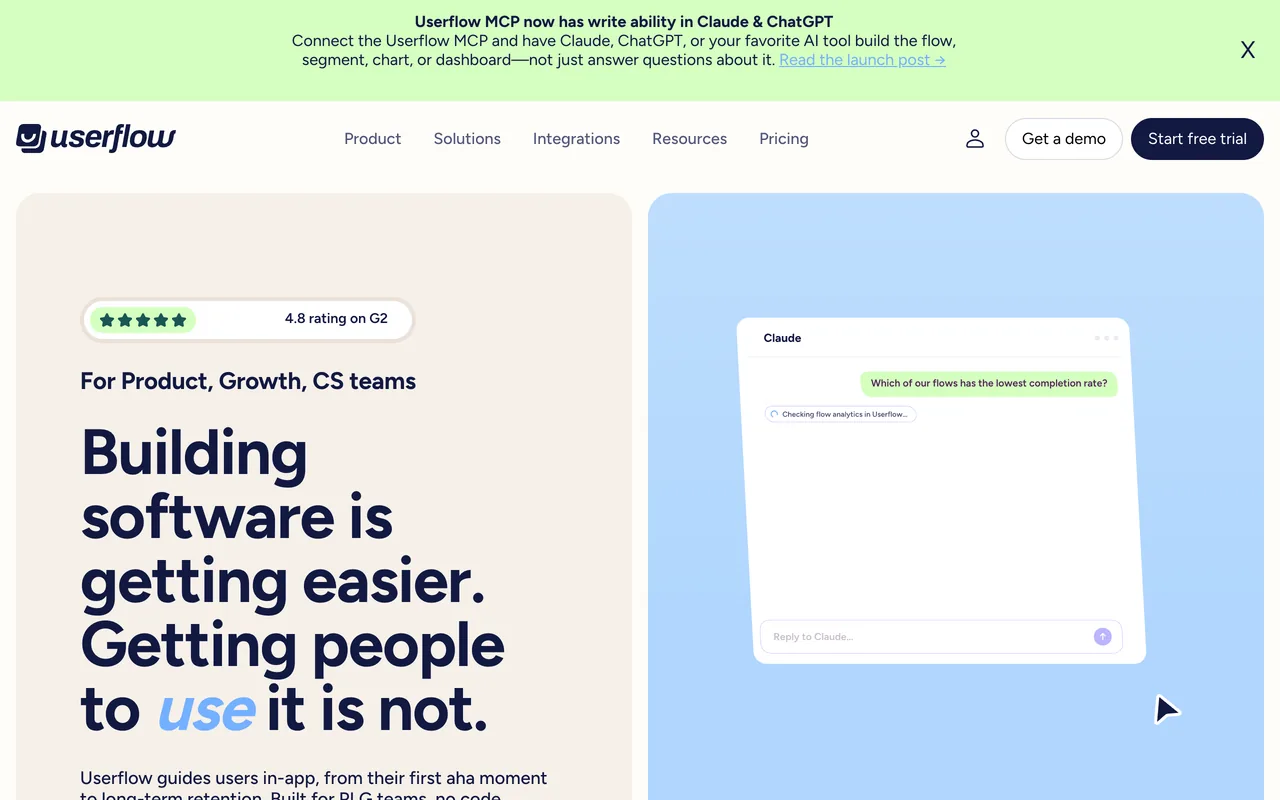
- Starts at
- $300 / moEssentials, billed monthly, 1,000 MAUs; $240 / mo billed annually
- Free plan
- Not listed
- Priced by
- Monthly active users (MAUs)
- G2 rating
- 4.8 / 5125 reviews, read 3 Nov 2026
Prices checked 19 Oct 2026 · Userflow’s own pricing page ↗ · Plans in full
The decision in brief
Is Userflow right for you?
Best suited to
Teams with a web app who want to build tours, checklists, surveys and a resource center without developers, with unlimited seats and a price they can see before talking to sales.
Look elsewhere if
Products that need guides inside native mobile apps, which the Userflow pages we read don't mention, or teams that want deep product analytics in the same tool.
Where it works well
- Ease of use is the most-praised theme: 99 of the 125 G2 reviews we read
- The support team is praised in 52 of the reviews we read
- Prices for Essentials and Studio are printed, and every plan has unlimited seats and unlimited experiences
- Building flows without developers comes up in 31 of the reviews we read, quick setup in 27
What to watch for
- Missing features are the most common complaint (28 of the 125 reviews we read), from folders for flows to more survey question types
- Its pricing and home pages don't mention native mobile apps; its FAQ says it works best for products on the web
- Analytics depth is criticised in 15 of the reviews we read; Essentials keeps 6 months of analytics history, Studio 12
- Custom CSS, custom event trackers and the HubSpot and Salesforce integrations start on Studio
Userflow pricing: what does it cost?
Userflow prices by monthly active users (MAUs) and publishes prices for two plans: Essentials at $300 / mo and Studio at $500 a month billed monthly, or $240 and $400 a month billed annually (20% off). Both include 1,000 MAUs; more are sold in blocks of 1,000, from $40 a month and dropping to $10 at scale. Studio adds an in-app AI agent with 500 credits a month (500 more cost $50 a month). Enterprise is a quote, billed annually. Every plan has unlimited seats and unlimited experiences. There's a 14-day free trial of Essentials or Studio without a credit card; the page lists no free plan and no refund terms.
| Plan | Billed monthly | Billed yearly, per month | Covers | Includes |
|---|---|---|---|---|
| Essentials | $300 | $240 | 1,000 MAUs included (+ add-ons) |
|
| Studio | $500 | $400 | 1,000 MAUs included (+ add-ons) |
|
| Enterprise | – | – | Custom MAUs |
|
- Free trial
- 14-day free trial of Essentials or Studio, no credit card required
- Refunds
- Not listed
Full pricing notes
Essentials and Studio prices render as animated digit counters, so the static markdown shows no readable plan price; they were read from screenshots of the live page at 1,000 MAUs (pricing-monthly / pricing-annual PNGs in sources): Essentials $300/mo monthly or $240/mo billed annually ($2,880/yr), Studio $500/mo monthly or $400/mo billed annually ($4,800/yr). The page has a Monthly/Annual toggle ('Save 20%') and an MAU slider (1k to 2M); plans start with 1,000 MAUs. Printed add-on prices: extra MAUs in blocks of 1,000 from $40/mo, dropping to $10/mo at scale; 500 extra AI credits $50/mo; extra environments $100/mo each (Studio); additional Product (child) accounts $250/mo each (Studio); Quickstart Onboarding $500 one-time for Essentials. Annual billing takes 20% off the plan and add-ons. Enterprise is billed annually. Unlimited seats on all plans. The page's JSON-LD still lists older plans, 'Starter' $240/mo and 'Pro' $680/mo, a trial of 'all Pro plan features', and a 'MerchantReturnNotPermitted' return policy; the visible FAQ calls Startup and Pro older plans, so the JSON-LD was not used.
A dash means the page doesn’t print that figure. Read 19 Oct 2026 from userflow.com/pricing, and re-checked against screenshots of the live page 19 Oct 2026.
What can Userflow do, and on which plans?
From Userflow's own pages, checked 3 Nov 2026. This is what the vendor documents, not hands-on test results; a feature missing here may simply not be on the pages we read.
Experiences
Product tours
Flows (tours and guides): multi-step guides through your product or features, built without code; unlimited on every plan.
Availability: All plans
Source: userflow.com/pricingTooltips and hotspots
Tooltips that add contextual guidance at a specific spot without interrupting the user.
Availability: All plans
Source: userflow.com/pricingChecklists
Checklists, including embedded checklists, that let users manage their own onboarding and activation.
Availability: All plans
Source: userflow.com/pricingModals and banners
Banners and announcements displayed across your app.
Availability: All plans
Source: userflow.com/pricingResource center
An in-app help hub where users find guides, FAQs and announcements.
Availability: All plans
Before you rely on it: Full white-labeling of the resource center is on Studio and Enterprise.
Source: userflow.com/pricingLocalization
FlowAI Translate automatically localizes in-app experiences.
Availability: All plans
Source: userflow.com/pricingCustom CSS and themes
Custom CSS to match Userflow elements to your brand; custom themes set colors and typography.
Availability: Studio plan and up (custom CSS)
Source: userflow.com/pricing
Feedback
In-app surveys
In-app NPS, CSAT and custom surveys.
Availability: All plans
Source: userflow.com/pricing
Targeting and analytics
Segmentation and targeting
Targeting by custom user attributes, triggered events, and user-level or company-level data.
Availability: All plans
Source: userflow.com/pricingProduct analytics
Charts, funnels and dashboards, engagement and completion analytics for flows, checklists and surveys, plus metric alerts and data export.
Availability: All plans
Before you rely on it: Analytics history: 6 months on Essentials, 12 months on Studio.
Source: userflow.com/pricingEvent tracking
Custom event trackers; event performance reports analyze flow starts, completions and other tracked events.
Availability: Studio plan and up (custom event trackers)
Source: userflow.com/pricing
AI
AI assistant
Adoption Agent: in-app AI chat trained on your docs and flows that answers questions, launches the right flow, and can complete tasks via Action Flows.
Availability: Studio plan and up
Before you rely on it: Studio includes 500 AI credits a month, one used per answered question; 500 more cost $50/mo.
Source: userflow.com/pricingAI content creation
FlowAI Builder generates a full, editable flow from a description; FlowAI Rephrase improves clarity and tone.
Availability: All plans
Source: userflow.com/pricingMCP server
Userflow MCP connects Claude, ChatGPT, Gemini, Cursor and other MCP tools to your Userflow data: ask about flows, NPS and user behaviour, and have them draft flows, segments, charts and dashboards that you review before anything is published.
Availability: All plans (pricing page)
Source: userflow.com/capabilities/mcpAI insights
FlowAI Signals analyses flows, checklists, guides and Adoption Agent conversations and flags friction automatically: falling completion rates, steps losing users, clusters of unanswered questions and shifts in sentiment.
Availability: All plans (pricing page)
Before you rely on it: Signals on Adoption Agent conversations need the Adoption Agent, which starts on Studio.
Source: userflow.com/flowai/signals
Platforms and channels
Web apps
Userflow.js runs in web apps, including mobile web apps, and its content is fully responsive.
Availability: Not stated
Source: help.userflow.com/docs/mobileMobile apps
The help center says native iOS and Android apps aren't supported; mobile web apps are, and content can be tailored by device type.
Availability: Not supported
Source: help.userflow.com/docs/mobile
Integrations
CRM integrations
HubSpot and Salesforce sync user activity, segments and survey data.
Availability: Studio plan and up
Source: userflow.com/pricingAnalytics integrations
Mixpanel, Amplitude, Segment and Heap integrations send flow and survey events out or pull usage data in; RudderStack and LogRocket are also listed.
Availability: Studio plan and up
Before you rely on it: Essentials lists only Zapier and Slack integrations; Studio lists all integrations.
Source: userflow.com/pricingSupport tool integrations
Intercom and Zendesk help centers power in-app answers through the Adoption Agent.
Availability: Studio plan and up
Before you rely on it: Essentials lists only Zapier and Slack integrations; Studio lists all integrations.
Source: userflow.com/pricingAPI and webhooks
A REST API manages flows, users and analytics; webhooks trigger external actions when events happen in Userflow.
Availability: All plans
Before you rely on it: REST API limits: 500 requests/min on Essentials, 1,000 on Studio, custom on Enterprise.
Source: userflow.com/pricing
Security and admin
Data hosting
Data is encrypted and hosted on Google Cloud Platform; each environment has its own data region, US or EU.
Availability: Not stated
Source: userflow.com/pricingCompliance
SOC 2 Type II, ISO 27001 and GDPR.
Availability: All plans
Source: userflow.com/pricingSSO
Google SSO and SAML SSO let the team sign in through an identity provider.
Availability: Google SSO on all plans; SAML SSO Studio plan and up
Source: userflow.com/pricingRoles and permissions
Four team roles: Owner, Admin, Editor (creates and edits content but can't delete it, and publishes only to permitted environments) and read-only Viewer; the Owner can let an Admin manage team members.
Availability: Not stated
Before you rely on it: The help center says the number of Viewers you can add depends on your plan.
Source: help.userflow.com/docs/team-management
What do Userflow's reviewers say?
4.8
125 reviews on G2 · read 3 Nov 2026
Reviewers most often praise ease of use (99 of 125), then the support team (52), building flows without developers (31), quick setup (27) and the flow types (26). The criticism they name most is missing features (28), then price and plan structure (16), analytics depth (15) and the learning curve (13); 36 name no dislike.
G2’s star split
- 5 stars109 reviews
- 4 stars15 reviews
- 3 stars1 reviews
- 2 stars0 reviews
- 1 stars0 reviews
G2 counts a 4.5 with the 5-star reviews.
Where the reviews we read came from
- Organic 108
- Invited by Userflow 16
- Invited by G2 1
- Incentivized 18
Praised for
- Easy to use99/125 reviews
- Customer support and success team52/125 reviews
- Builds flows without developers31/125 reviews
- Quick install and setup27/125 reviews
- Flow types: tours, tooltips, checklists, modals26/125 reviews
Criticised for
- Missing features28/125 reviews
- Price and plan structure16/125 reviews
- Reporting and analytics depth15/125 reviews
- Learning curve, hard-to-find settings13/125 reviews
- Builder or browser-extension friction10/125 reviews
36 of 125 name no dislike at all.
All 125 reviews on G2, each read and tagged by an AI model against a fixed list of themes. Written 2020–2026; 18 in the year before 3 Nov 2026.
- Marcus P.
4.5/5 14 Jan 2026
PraiseEasy to use
“I find Userflow really easy to learn, especially when it comes to building flows or launchers.”
Organic · Userflow review on G2: “Simplified Onboarding, Enhances User Engagement”
- Verified User in Information Technology and Services small business
5.0/5 22 Jun 2022
PraiseCustomer support and success team
“I rarely wait for longer than a couple of hours for a first response, and I was able to get a resolution for pretty much everything that I wanted to get done.”
- Scott M. Partner, small business
5.0/5 2 Mar 2023
PraiseBuilds flows without developers
“As a non-technical founder, I can create complex onboarding flows without diverting developers to create them.”
Organic · Userflow review on G2: “An awesome program - no-code onboarding flows at a reasonable cost.”
- Verified User in Information Technology and Services enterprise
5.0/5 29 Jul 2026
ComplaintMissing features
“The fact that flows with Current Time setting set to end does not unpublish by itself is pretty annoying, because you need to review and unpublish manually from time to time.”
Invited by Userflow · Incentivized · Userflow review on G2: “Fair Learning Curve, Excellent Flow Builder UX and Helpful HubSpot Sync”
- Trevor L. small business
4.5/5 29 Aug 2023
ComplaintPrice and plan structure
“Userflow pricing is expensive for small companies. Most notably, the AI Assistant can get pricey fast if your users actually use the chat (which is what you want them to do).”
Organic · Userflow review on G2: “Intuitive user interface that still supports complex use cases”
- Christian M. Product Developer, mid-market
5.0/5 5 Mar 2024
ComplaintReporting and analytics depth
“Lack of analytics. Userflow is focused on showing tooltips to users, not on figuring out what cohort liked the new brand color.”
Organic · Userflow review on G2: “A Simple, Focused, User Friendly tool”
How does Userflow compare?


Alternatives to weigh
Userflow FAQ
How much does Userflow cost?
Essentials is $300 / mo billed monthly, or $240 a month billed annually ($2,880 a year); Studio is $500 a month, or $400 a month billed annually ($4,800 a year). Both include 1,000 monthly active users, with more sold in blocks of 1,000 from $40 a month, and Enterprise is a quote. Prices checked 19 Oct 2026.
Does Userflow have a free plan?
Its pricing page lists no free plan. It offers a 14-day free trial of Essentials or Studio without a credit card, and the trial includes everything on the plan you pick.
Does Userflow work in mobile apps?
Its pricing and home pages don't mention native mobile apps, and its own FAQ says it works best for self-serve products on the web. One of the 125 G2 reviews we read wishes it could be used on iOS.
What happens if I go over 1,000 MAUs?
Essentials and Studio include 1,000 MAUs; beyond that, Userflow bills extra MAUs in blocks of 1,000, starting at $40 a month and dropping to $10 at scale, with 20% off when billed annually. The pricing page doesn't say whether flows stop showing when you go over.
Which Userflow plan has the AI agent?
Studio and Enterprise. Its in-app agent answers users' questions, recommends and launches flows, and can complete tasks for them; Studio includes 500 AI credits a month, one used per answer, and 500 more cost $50 a month. Essentials includes AI to build, target and optimise experiences, but not the agent.
Is Userflow easy to use?
Reviewers say so more than anything else: ease of use comes up in 99 of the 125 G2 reviews we read, building flows without developers in 31 and quick setup in 27. A smaller group (13) mentions a learning curve, and Userflow's FAQ says installing its JavaScript snippet may need minimal engineering help.
What do Userflow users dislike?
In the reviews we read, missing features come up most (28), then price and plan structure (16), analytics depth (15) and the learning curve (13); 36 of the 125 name no dislike. Most of the reviews (102) were written between 2020 and 2023, and 14 of the 16 price complaints predate 2024.
Does Userflow integrate with HubSpot and Salesforce?
Yes, from Studio: Essentials includes the Zapier and Slack integrations, and Studio adds all integrations, including HubSpot and Salesforce. The pricing page also lists Mixpanel, Amplitude, Segment, Heap, Intercom and Zendesk, among others.
Is Userflow better than Appcues?
They're sold differently. Userflow prints both self-serve plans, from $300 / mo billed monthly for 1,000 MAUs with unlimited seats; Appcues prints one price, Spark at $3,600 / year for up to 1,000 MAUs, quotes its other plans after a call, and says every plan includes every experience type, feature and integration. Our Userflow vs Appcues page compares them in full.
Can I change my Userflow plan later?
You can upgrade from Essentials to Studio yourself from the billing page; moving to Enterprise, or to a smaller plan, goes through Userflow's team. Customers on its older Startup and Pro plans keep their plan and pricing, according to its pricing FAQ.
How we review
Prices, plans and features come from Userflow’s own pages, read on the dates below through a US browser session; nothing is taken from memory or other review sites. Reviews come from G2: an AI model read each one and tagged it against a fixed list of themes, and every featured quote is checked word for word against its review.
- pricing page: www.userflow.com/pricing, read 19 Oct 2026
- home page: www.userflow.com/, read 19 Oct 2026
- mcp page: www.userflow.com/capabilities/mcp, read 3 Nov 2026
- signals page: www.userflow.com/flowai/signals/, read 3 Nov 2026
- team page: help.userflow.com/docs/team-management, read 3 Nov 2026
- mobile page: help.userflow.com/docs/mobile, read 3 Nov 2026
All 125 reviews on G2, each read and tagged by an AI model against a fixed list of themes.
Spotted something out of date? Write to hello@useronboarding.academy.
