
 Digital adoption platform · Independent review
Whatfix review: pricing, features, pros and cons
Whatfix is a digital adoption platform that adds in-app guidance to web, desktop and mobile apps, for employees or customers, and sells product analytics alongside it. It publishes no prices: each plan is a flat fee plus user licences, quoted after a demo. Reviewers rate it 4.6 out of 5 on G2 and praise its support team most; their most common complaints are the learning curve and missing features.
By Yağmur Çiftçi · Updated 22 Oct 2026 · How we review
UserOnboarding Academy isn't owned by Whatfix or any other tool reviewed here. No vendor reviewed this page before publication.
Visit Whatfix ↗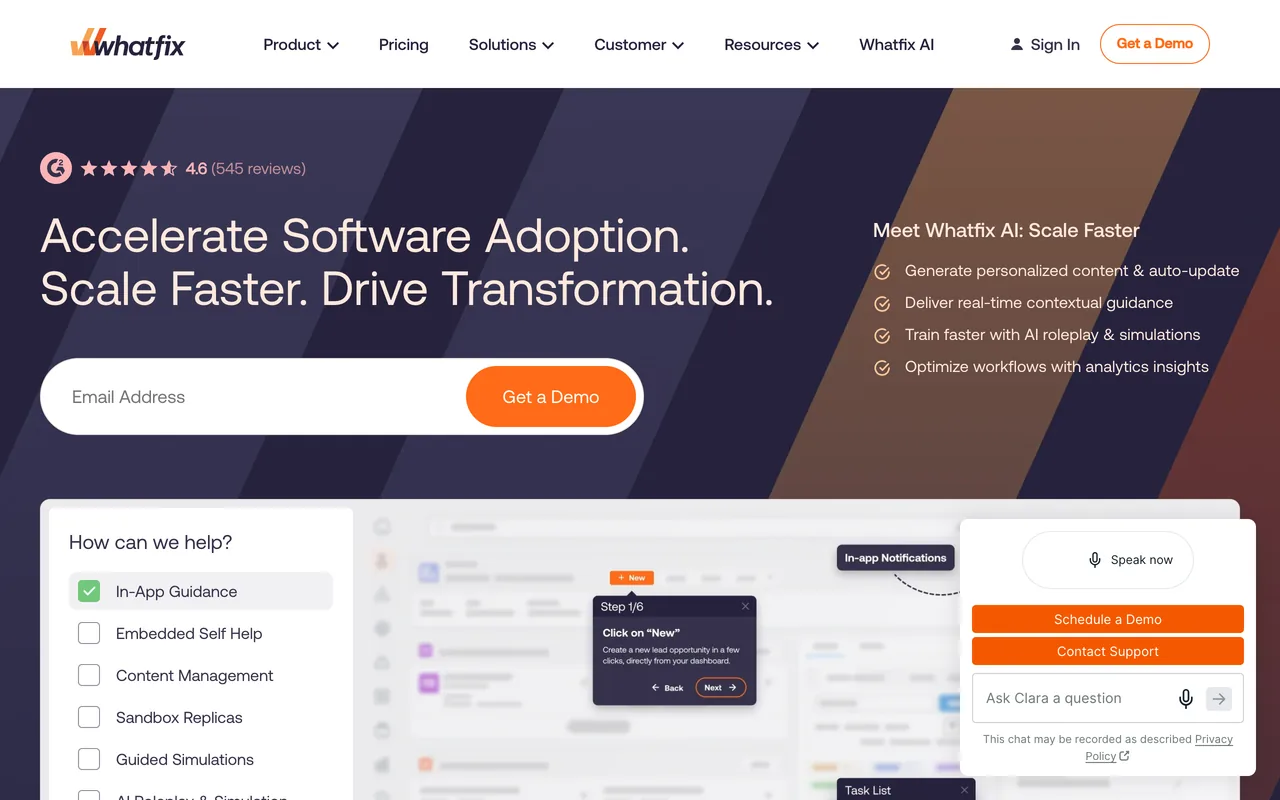
- Starts at
- Custom quoteFlat fee per product and plan plus user license fees; pricing is given through a demo request
- Free plan
- Not listed
- Priced by
- Flat fee per product and plan, plus user licenses (employee-facing apps: users with access; customer-facing apps: MAUs)
- G2 rating
- 4.6 / 5563 reviews, read 19 Oct 2026
Prices checked 19 Oct 2026 · Whatfix’s own pricing page ↗ · Plans in full
The decision in brief
Is Whatfix right for you?
Best suited to
Mid-size and large organisations that need in-app guidance across several web, desktop or mobile apps, for staff or customers, and are prepared to buy through a demo and a quote.
Look elsewhere if
Small teams that want a published price or a free plan, or only need a few simple tooltips: Whatfix publishes no prices and has no standalone free plan, and 65 of the 300 reviews we read mention a learning curve.
Where it works well
- Support and the customer success team are the most-praised theme: 151 of the 300 G2 reviews we read
- Ease of use comes up in 101 of the reviews we read, and flow types such as smart tips, beacons and pop-ups in 80
- Separate plans for web and desktop apps, mobile apps, and Windows and Mac, according to its pricing page
- 73 of the reviews we read name a result, such as faster adoption, less training time or fewer support tickets
- Product Analytics Standard is included free with any web and desktop plan
What to watch for
- No prices on its pricing page: every plan is quoted after a demo or a call with sales
- A learning curve or hard-to-find settings is the most common complaint: 65 of the 300 reviews we read
- Missing features come up in 43 of the reviews we read, builder and element-selection friction in 36, and bugs in 28
- The Standard web and desktop plan is limited to 2 integrations and 2,000 aggregated help articles; auto translation and custom surveys are listed on Premium
- The plans list support 24 hours a day, Monday to Friday; 24/7 support is sold as an add-on
Whatfix pricing: what does it cost?
Whatfix prints no prices. Its FAQ says each product and plan costs a flat fee plus user licence fees: for employee-facing apps, a licence is every user with access to the app; for customer-facing apps, it's each monthly active user (MAU). The page lists Standard, Premium and Enterprise plans for web and desktop apps, and further plans for mobile apps, for Windows and Mac, for Product Analytics and for Mirror, its training-simulation product; none shows a price. Product Analytics Standard is free, but only with a web and desktop plan. Its FAQ says you can sign up for a free trial, but the link now opens a demo request form and no length is stated; Whatfix says it offers discounts based on your needs, and refunds aren't mentioned.
| Plan | Billed monthly | Billed yearly, per month | Covers | Includes |
|---|---|---|---|---|
| Standard (Web & Desktop DAP) | – | – | – |
|
| Premium (Web & Desktop DAP) | – | – | – |
|
| Enterprise (Web & Desktop DAP) | – | – | – |
|
- Free trial
- The FAQ says you can sign up for a free trial, but its link now redirects to the 'Get demo' request form; length not stated
- Refunds
- Not listed
Full pricing notes
No prices are printed; plans are 'Get a Demo' or 'Talk to Sales', and the FAQ says discounts are offered based on needs. The plans listed above are the DAP for Web & Desktop apps. The page also lists DAP for Mobile apps (Standard), DAP on OS for Windows and Mac (Standard), Product Analytics (Standard, Premium, Enterprise) and Mirror for web apps (Standard), all without prices. Product Analytics Standard is 'Included for Free' but only with a DAP Web & Desktop plan, so it is not recorded as a free plan; Product Analytics Premium can be bought on its own. Add-ons: on-premise authoring, white-label, 24/7 support, professional services, Digital Adoption Assistant, Digital Adoption Program Manager; session replay is an add-on to Product Analytics. In the live Web & Desktop table, Premium has a check on every row and Standard a dash on the rows listed in its limits; Enterprise has no per-row marks. The plan descriptions ('Plan available for employee or customer-facing applications', 'Multi-app plans…') are tooltips on the plan names. On 2026-10-19 the FAQ's free-trial link (/request-trial/) redirected (HTTP 301) to /request-demo/, a 'Get demo' form that doesn't mention a trial.
A dash means the page doesn’t print that figure. Read 19 Oct 2026 from whatfix.com/pricing/, and re-checked against screenshots of the live page 19 Oct 2026.
What can Whatfix do, and on which plans?
From Whatfix's own pages, checked 19 Oct 2026. This is what the vendor documents, not hands-on test results; a feature missing here may simply not be on the pages we read.
Experiences
Product tours
Flows: step-by-step instructions that help users learn an objective, complete a task or follow a workflow.
Availability: Not stated
Source: whatfix.com/pricingTooltips and hotspots
Smart Tips (tooltips) on specific elements and Beacons (hotspots) that draw attention to them.
Availability: Not stated
Source: whatfix.com/pricingChecklists
Task List: a to-do list of tasks to kickstart onboarding.
Availability: Not stated
Source: whatfix.com/pricingModals and banners
Pop-ups: overlays for information needing immediate attention, which users must close.
Availability: Not stated
Source: whatfix.com/pricingResource center
Self Help: an embedded wiki of flows, videos, help articles and links, where users can rate helpfulness.
Availability: Not stated
Source: whatfix.com/pricingLocalization
Manual translation in Whatfix or by export and import; one-click auto translation.
Availability: Standard: manual; Premium: auto translation
Source: whatfix.com/pricing
Feedback
In-app surveys
In-app NPS and usability surveys out of the box; custom surveys add unlimited questions, varied response options and quizzes.
Availability: Standard: out-of-the-box surveys; Premium: custom surveys
Source: whatfix.com/pricing
Targeting and analytics
Product analytics
Auto tracking, funnels, trends, user journeys, cohorts and custom dashboards.
Availability: Standard included free with a Web & Desktop DAP plan; Premium sold separately
Before you rely on it: Auto tracking, user properties and event properties are not available on desktop-based apps.
Source: whatfix.com/pricingSession replay
Recordings of user sessions with PII masking, URL whitelisting and privacy controls.
Availability: Add-on to Product Analytics
Source: whatfix.com/pricingSegmentation and targeting
Predefined or custom user segments based on static user properties, listed on the mobile plan.
Availability: Mobile apps plan (Basic)
Source: whatfix.com/pricingEvent tracking
Tag User Actions tracks end-user actions; event properties add context to events but aren't available on desktop apps.
Availability: Product Analytics: 25 tagged actions on Standard, unlimited on Premium
Source: whatfix.com/pricing
AI
AI content creation
Authoring Agent automates creating and configuring content and workflows.
Availability: Not stated
Source: whatfix.com/pricingAI assistant
Guidance Agent gives end users AI-powered, just-in-time guidance and support.
Availability: Not stated
Source: whatfix.com/pricingAI insights
Insights Agent surfaces insights from behavior, feedback and performance data through natural language.
Availability: Not stated
Source: whatfix.com/pricing
Platforms and channels
Mobile apps
A plan for mobile apps with task lists, smart tips, beacons, pop-ups and custom surveys.
Availability: Separate mobile plan
Source: whatfix.com/pricingDesktop apps
Guidance on desktop apps, with offline mode and virtual desktops (Citrix, Azure); DAP on OS adds self help, task lists and pop-ups on Windows and Mac.
Availability: Web & Desktop DAP plans (offline mode and virtual desktops on Premium only); DAP on OS is a separate plan
Source: whatfix.com/pricingWeb apps
Web & Desktop plans cover employee- or customer-facing web applications.
Availability: Web & Desktop DAP plans
Source: whatfix.com/pricing
Integrations
Enterprise app integrations
Integrations with existing enterprise apps to combine and exchange data and attribute workflows across your application stack.
Availability: Not stated
Before you rely on it: Standard plan limited to 2 integrations.
Source: whatfix.com/pricingAnalytics integrations
Mixpanel, Amplitude and/or Segment integrations, based on customer needs.
Availability: Mobile apps plan
Source: whatfix.com/pricingSupport tool integrations
Content aggregation uses existing help resources from knowledge base repositories to build Whatfix guidance.
Availability: Standard and Premium (Web & Desktop DAP)
Before you rely on it: 2,000 articles on Standard; unlimited on Premium, capped at 50,000.
Source: whatfix.com/pricing
Security and admin
SSO
SSO for end users and content authors with your organization's credentials; IP whitelisting restricts access.
Availability: Standard and Premium (Web & Desktop DAP); IP whitelisting on Premium only
Source: whatfix.com/pricingData hosting
Choice of Whatfix data center; cloud or self-hosted deployment.
Availability: Not stated
Before you rely on it: Some Standard and Premium features may not be available when self-hosted; on-premise authoring is an add-on.
Source: whatfix.com/pricingRoles and permissions
Custom roles with tailored permissions for different user groups, for role-based access control.
Availability: Premium (Web & Desktop DAP)
Source: whatfix.com/pricing
What do Whatfix's reviewers say?
4.6
563 reviews on G2 · read 19 Oct 2026
Reviewers praise Whatfix most for its customer support and success team (151 of 300 reviews), then ease of use (101), its flow types such as walkthroughs, smart tips, beacons and pop-ups (80), and named results such as faster adoption, less training time and fewer support tickets (73). The criticisms named most often are the learning curve and hard-to-find settings (65), missing features (43), friction in the builder and element selection (36) and bugs (28), while 70 reviews name no dislike.
G2’s star split
- 5 stars422 reviews
- 4 stars130 reviews
- 3 stars9 reviews
- 2 stars2 reviews
- 1 stars0 reviews
G2 counts a 4.5 with the 5-star reviews.
Where the reviews we read came from
- Invited by Whatfix 183
- Organic 64
- Invited by G2 for Whatfix 37
- Invited by G2 15
- G2 charity campaign 1
- Incentivized 227
Praised for
- Customer support and success team151/300 reviews
- Easy to use101/300 reviews
- Flow types: tours, tooltips, checklists, modals80/300 reviews
- Results: activation, adoption, fewer tickets73/300 reviews
- Resource center and in-app help50/300 reviews
Criticised for
- Learning curve, hard-to-find settings65/300 reviews
- Missing features43/300 reviews
- Builder or browser-extension friction36/300 reviews
- Bugs and glitches28/300 reviews
- Reporting and analytics depth19/300 reviews
70 of 300 name no dislike at all.
300 of 563 reviews, each read and tagged by an AI model against a fixed list of themes: the most recent at each star rating, with extra low ratings so complaints aren't missed. Shares are counts of the reviews read: weighting them back to G2's own star split would move none by more than 5 points. Written 2015–2026; 85 in the year before 19 Oct 2026.
- Lexi G.
4.5/5 6 Jan 2026
PraiseCustomer support and success team
“They always listen to any issues I have with the tool and provide me with timelines for those requests based on priority.”
Organic · Whatfix review on G2: “Empowered Digital Adoption with Stellar Support”
- Alexi M. Transformation Specialist - Organizational Change Management, enterprise
5.0/5 17 Aug 2026
PraiseEasy to use
“The platform is intuitive, easy to update, and allows us to deliver targeted support exactly when users need it.”
Organic · Whatfix review on G2: “In-the-Flow Learning That Boosts Adoption and User Confidence”
- Verified User in Information Technology and Services enterprise
4.5/5 20 Feb 2026
PraiseFlow types: tours, tooltips, checklists, modals
“Being able to create pop-ups, smart tips, and beacons while seeing them in context makes the whole process much easier and far more intuitive.”
Invited by Whatfix · Incentivized · Whatfix review on G2: “Intuitive In-Context Content Creation with Outstanding Whatfix Support”
- Vasant C. enterprise
5.0/5 9 Apr 2026
ComplaintLearning curve, hard-to-find settings
“One thing I dislike about Whatfix is its relatively steep learning curve and ongoing maintenance demands for content creators, even though it's marketed as no-code.”
Invited by Whatfix · Incentivized · Whatfix review on G2: “Intuitive In-App Magic That’s Powerful for Users but Demands Real Work Behind the Scenes”
- Verified User in Insurance enterprise
5.0/5 15 Oct 2026
ComplaintMissing features
“In my experience, the most trouble that I have had is accidentally creating content in one Workspace when it should've been in another and being unable to move that content to the correct spot.”
Organic · Whatfix review on G2: “Easy to Use, Powerful Training Boost with Whatfix”
- Verified User in Consumer Goods enterprise
2.5/5 26 Jun 2026
ComplaintBuilder or browser-extension friction
“it is still not possible for us to drag elements around on a pop-up smoothly - if something goes wrong we often have to start over.”
Invited by Whatfix · Incentivized · Whatfix review on G2: “Helpful Support, But the UI Makes Content Building Difficult”
How does Whatfix compare?


Alternatives to weigh


Whatfix FAQ
How much does Whatfix cost?
Whatfix doesn't publish prices. You get a figure by requesting a demo or talking to sales, and its FAQ says it offers discounts based on your needs. Pricing page read 19 Oct 2026.
How does Whatfix pricing work?
In two parts: a flat fee that depends on the product (such as the digital adoption platform or Product Analytics) and the plan, plus user licence fees. For employee-facing apps a licence is every user with access to the app; for customer-facing apps it's each monthly active user (MAU).
Does Whatfix have a free plan or a free trial?
There's no standalone free plan. Its FAQ invites you to sign up for a free trial, but the link now opens its demo request form, and the page doesn't say how long a trial lasts. Product Analytics Standard is free, but only alongside a paid web and desktop plan.
Does Whatfix work in desktop and mobile apps?
Yes, according to its pricing page, which lists plans for web and desktop apps, for mobile apps, and for Windows and Mac. Some features are web-only (launchers, Smart Context, auto testing) and some desktop-only (offline mode, and support for Citrix and Azure Virtual Desktop). Two of the 300 reviews we read find it weaker on desktop apps than on web apps.
Is Whatfix for employees or customers?
Both: the plans on its pricing page are offered for employee-facing or customer-facing applications, and the user licence is counted differently for each (users with access for employee apps, MAUs for customer apps). 38 of the 300 reviews we read praise it specifically for adoption of internal software.
Is Whatfix easy to use?
Ease of use comes up in 101 of the 300 G2 reviews we read. But a learning curve or hard-to-find settings is the most common complaint, in 65, with several pointing to display and visibility rules or advanced flows.
What do Whatfix users dislike?
In the reviews we read, the learning curve comes up most (65), then missing features (43), friction in the builder and element selection (36) and bugs (28). 16 mention the price or the licensing model, and 70 of the 300 name no dislike at all.
What support comes with Whatfix?
Its plans list support 24 hours a day, Monday to Friday; 24/7 support, professional services and a Digital Adoption Assistant are sold as add-ons. Support is also the theme reviewers praise most, in 151 of the 300 reviews we read.
Is Whatfix better than WalkMe?
Neither publishes prices, and both sell to employee- and customer-facing apps; Whatfix explains its pricing model and names its plans, while WalkMe's page names no tiers or billing unit. On G2, Whatfix is rated 4.6 from 563 reviews and WalkMe 4.5 from 583. In the 300 reviews we read for each, Whatfix's support is praised more often (151 against 110) and WalkMe's learning curve criticised more often (82 against 65).
Is Whatfix better than Pendo?
They lead with different things. Pendo has a free plan (Pendo Free, up to 500 MAUs) and its reviewers praise its analytics most (209 of the 300 we read); Whatfix has no standalone free plan, and its reviewers praise its support most (151 of 300). Both quote their paid plans.
How we review
Prices, plans and features come from Whatfix’s own pages, read on the dates below through a US browser session; nothing is taken from memory or other review sites. Reviews come from G2: an AI model read each one and tagged it against a fixed list of themes, and every featured quote is checked word for word against its review.
- pricing page: whatfix.com/pricing/, read 19 Oct 2026
300 of 563 reviews, each read and tagged by an AI model against a fixed list of themes: the most recent at each star rating, with extra low ratings so complaints aren't missed. Shares are counts of the reviews read: weighting them back to G2's own star split would move none by more than 5 points.
Spotted something out of date? Write to hello@useronboarding.academy.
