
User Onboarding
Pinterest’s permission pop-up is human
Pinterest explains Apple’s tracking prompt in plain, playful words before it appears, so users know what Allow means before they choose.
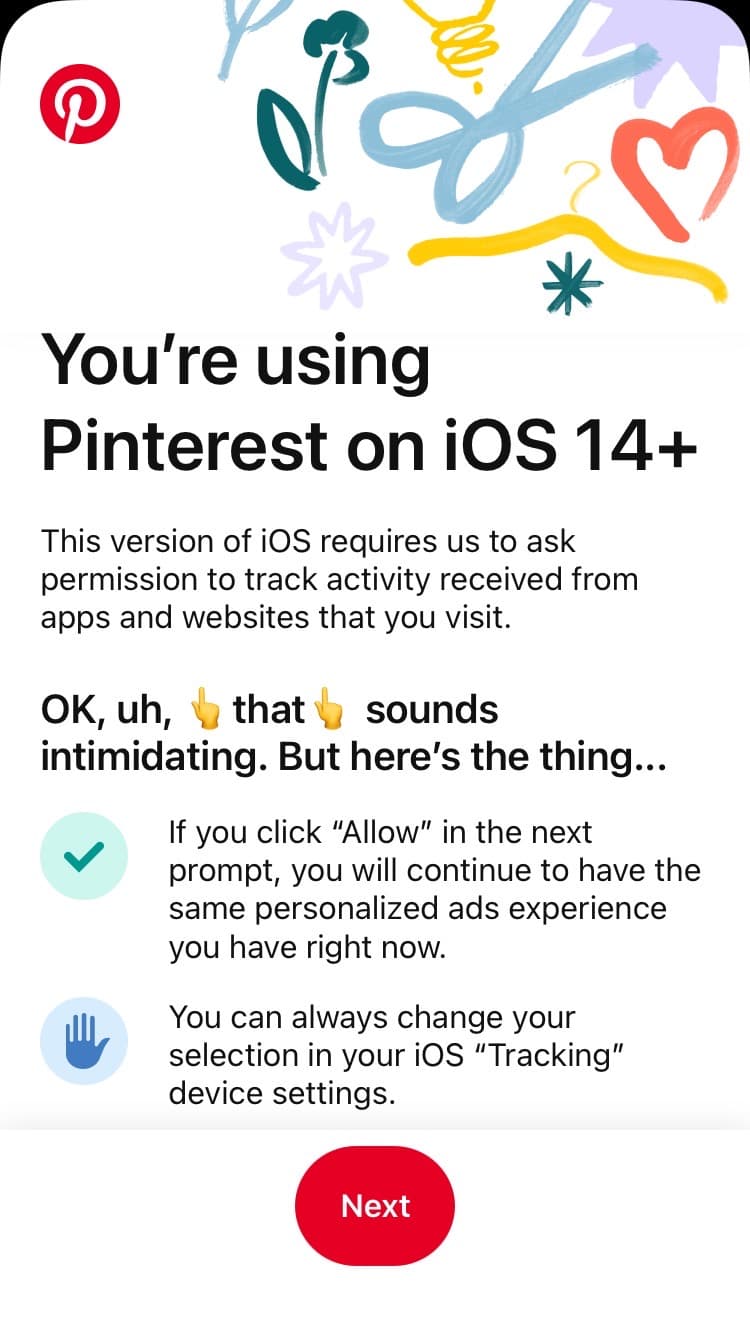
At the time of the screenshot, Pinterest showed iPhone users a permission pop-up ahead of Apple’s own tracking prompt. Under colourful hand-drawn illustrations, the heading "You’re using Pinterest on iOS 14+" leads into a plain explanation: this version of iOS requires Pinterest to ask permission to track activity from other apps and websites. Then the tone changes to "OK, uh, that sounds intimidating. But here’s the thing…", with pointing-finger emojis around "that". Two points with icons follow: allowing keeps the same personalised ads experience, and the choice can be changed later in the iOS Tracking settings. A red Next button leads on.
Why it works
- Human talk: instead of just stating a requirement, Pinterest admits the request sounds intimidating and explains what it means, talking to users directly.
- Engaging visuals: the illustrations at the top, the emojis in the copy and the icons beside each point make a dry topic friendlier.
- Clear call to action: the button only says Next, but its bright red colour makes it impossible to miss.
More on this pattern: onboarding UX writing and building user trust.


