
User onboarding
Tile Master 3D’s how-to-play modal is great for returning players
Tile Master 3D shows returning players a six-step How To Play modal with an illustration per rule and an I Know button to move on.
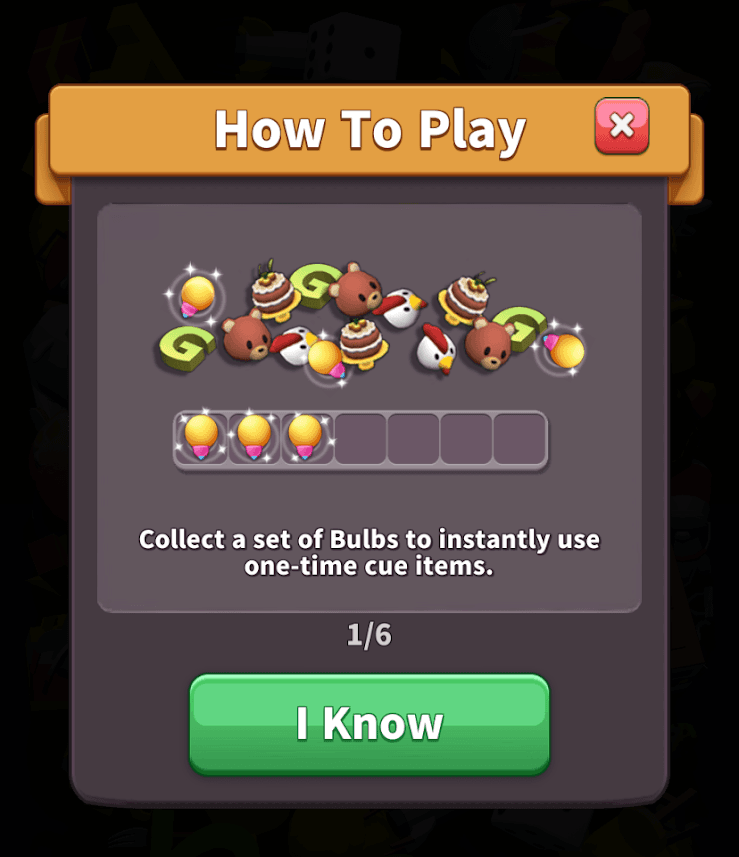
Tile Master 3D, a tile-matching puzzle game, uses a how-to-play modal to remind returning players of the rules. At the time of the screenshot, the modal appears as a round is about to start. Its first step shows a scatter of tiles above a tray with three glowing bulbs collected in it, with the caption "Collect a set of Bulbs to instantly use one-time cue items." A "1/6" counter shows there are six steps, a large green "I Know" button moves on and a red close button skips the rest.
Why it works
- A refresher for people coming back: players returning after a break may have forgotten the finer rules, and a short reminder before they play is better than a frustrating first round.
- Shown at the moment it's useful: the modal appears just before a round, not the second the app opens, so the rules are fresh when you need them and each step can go into more detail.
- A picture for every rule: the illustration shows the bulbs filling the tray, so the rule makes sense even before you read the caption. "I Know" lets experienced players move through quickly.
More on this pattern: mobile app onboarding and how companies use UI modals.


