Modal · First use
Meta AI Segment Anything’s onboarding relies on one simple modal
Meta AI's Segment Anything demo explains its selection tool in one modal: a visual example, a short heading and two sentences with the controls in bold.
Screenshot added to the library in May 2023; its exact capture date wasn’t recorded, and the product may look different today. Write-up reviewed 22 Oct 2026.
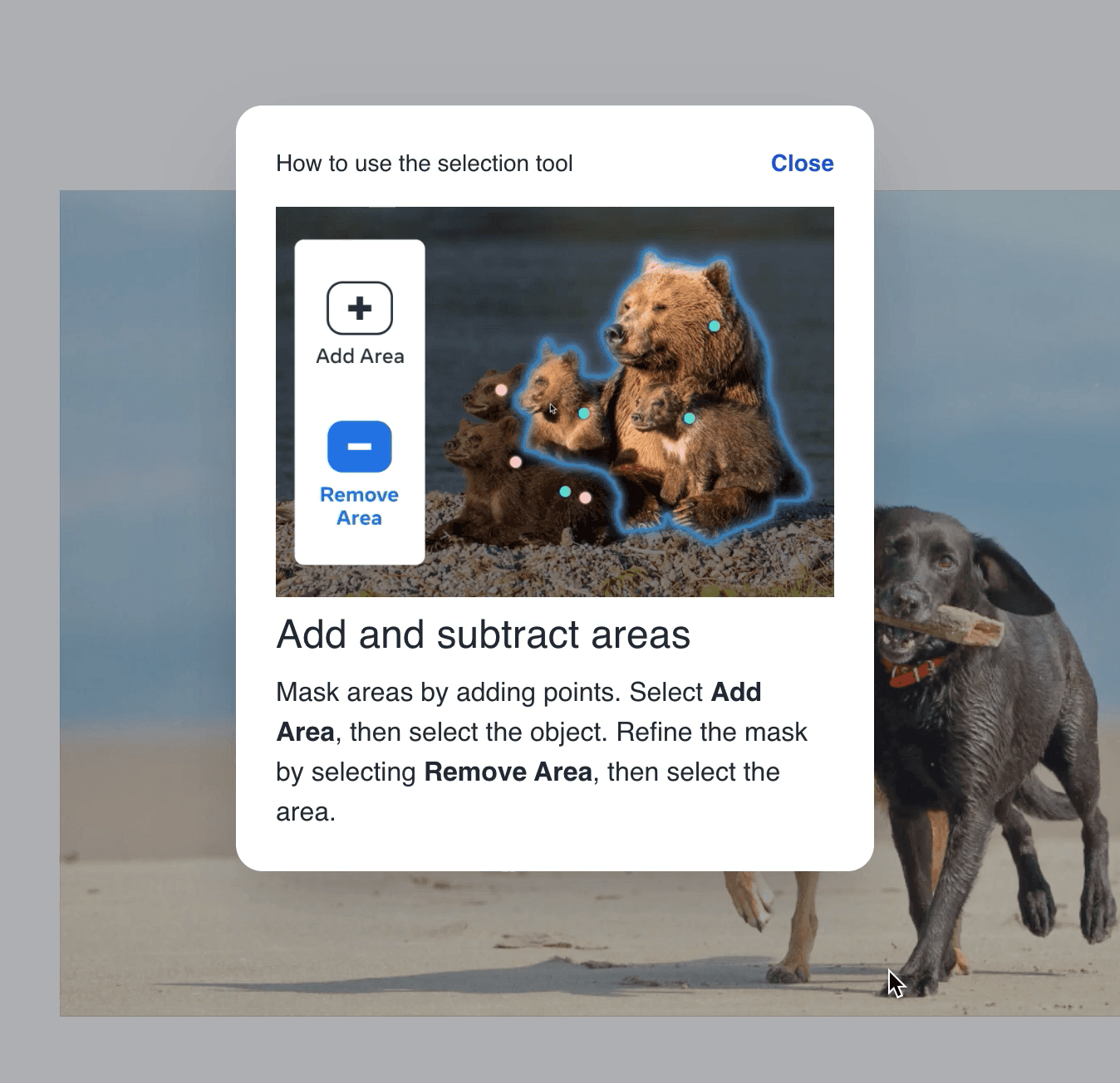
At the time of the screenshot, Meta AI's Segment Anything demo onboarded users with one small instructional modal, "How to use the selection tool". It shows an example of the tool at work (a family of bears being outlined with Add Area and Remove Area controls), the heading "Add and subtract areas" and two sentences explaining how to mask an object by adding points. The names of the two controls are in bold, and a Close link sits in the corner.
Why it works
✅ Onboarding, simplified: one modal with a clear example and two sentences is enough to explain how the tool works, so users can start selecting straight away.
✅ The right visual: the tool itself is about images, so showing a masked photo explains it faster than any amount of copy.
✅ Formatting: putting Add Area and Remove Area in bold lets users map the instructions to the buttons at a glance, which makes already short copy even easier to take in.
More on this pattern: UI modals and onboarding UX writing.