
User onboarding
Twitter’s new feature onboarding is unapologetically long, still concise
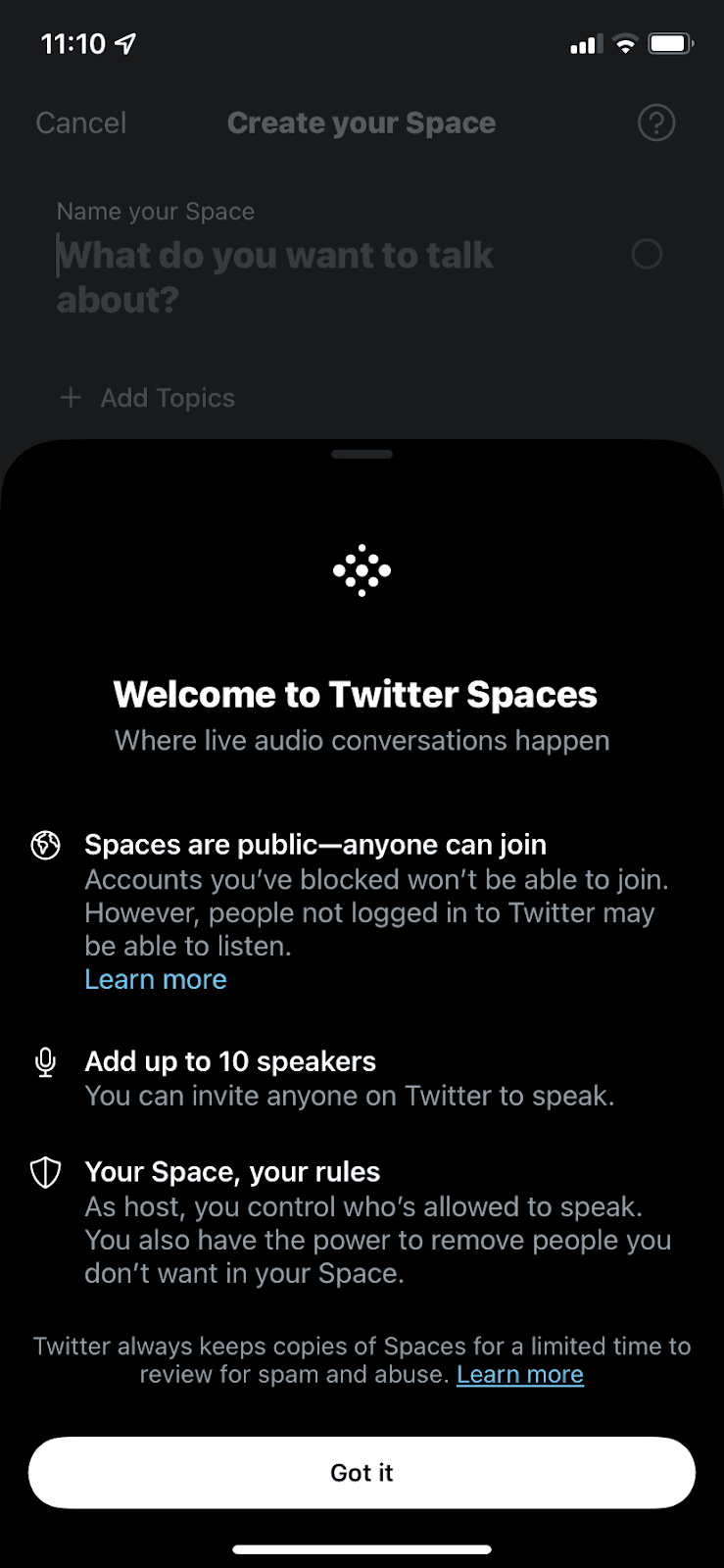
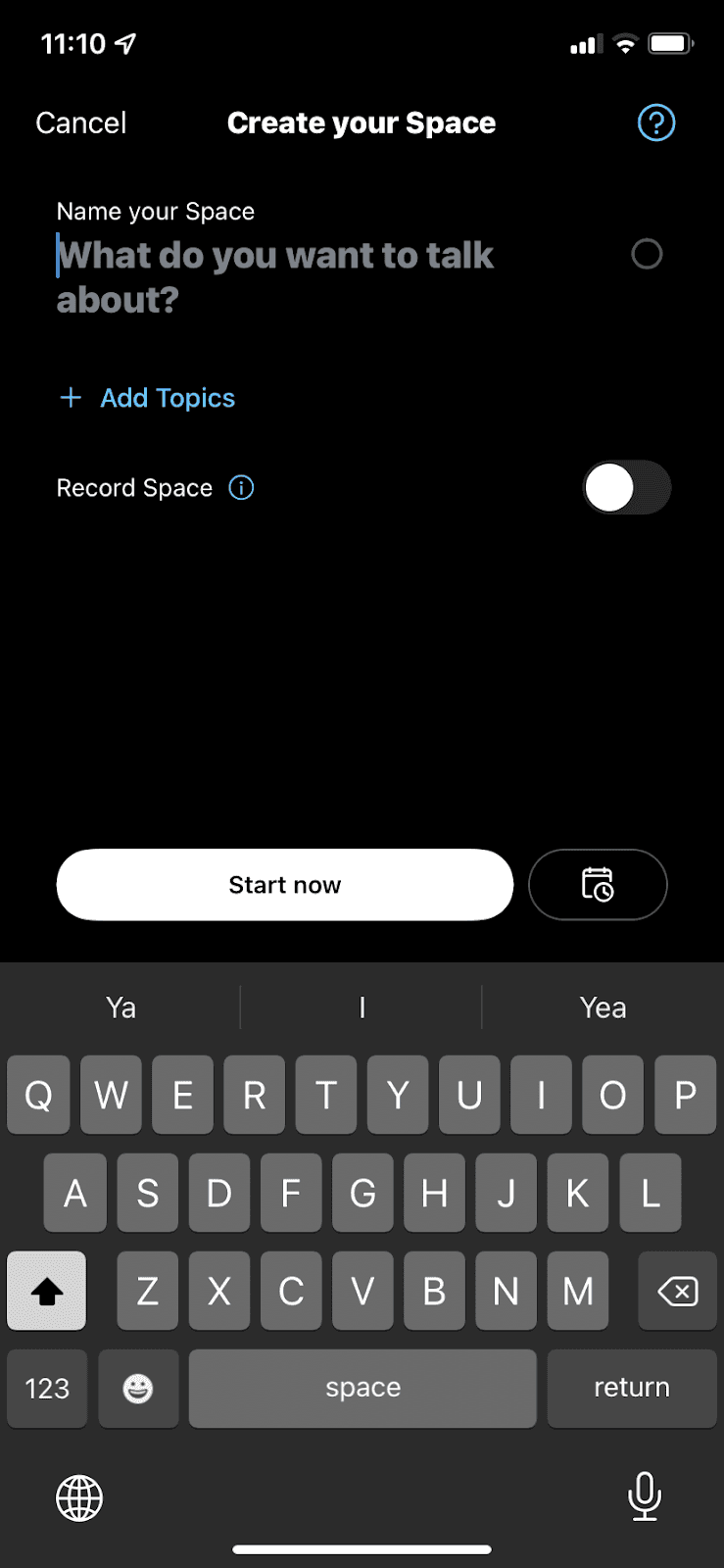
Twitter introduces Spaces with two slideout modals of short points with icons, plus help icons on the screen where a Space is created.
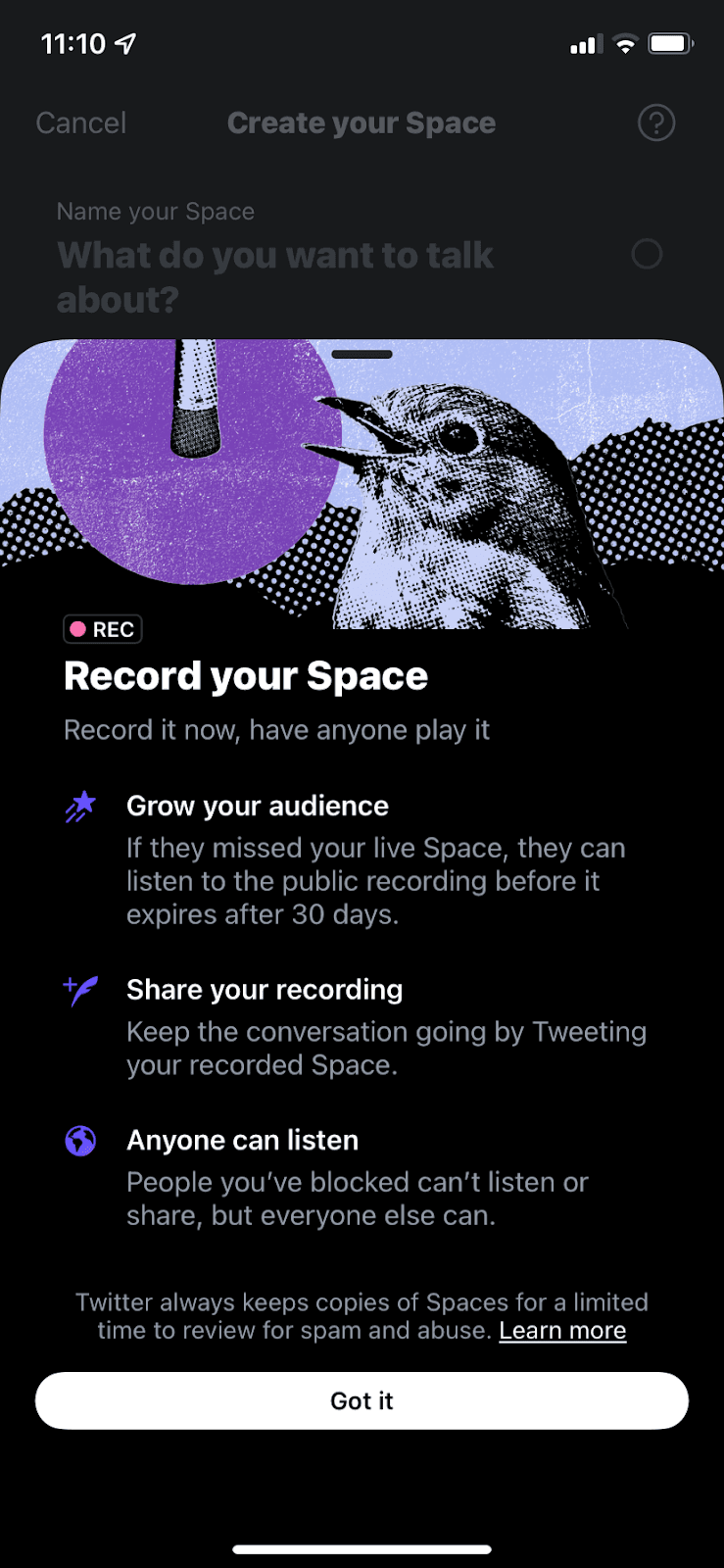
At the time of the screenshot, Twitter onboarded users to Spaces, its live audio feature, with two slideout modals that rise over the "Create your Space" screen. The first, "Welcome to Twitter Spaces", covers three points with icons: Spaces are public, hosts can add up to 10 speakers, and hosts control who speaks. The second, "Record your Space", adds a bird-and-microphone illustration and three more points on growing an audience, sharing recordings and who can listen. Each ends with Got it. On the creation screen itself, a question-mark icon and an info icon beside Record Space keep answers a tap away.
Why it works
- Long copy, good formatting: there’s no step-by-step flow, but bold headings, one-line explanations and icons give each slideout a reading order that users won’t just skip.
- Fun icons and images: the bird illustration and the purple icons make a text-heavy screen easier to take in.
- Help where it’s needed: the help icons on the creation screen clarify anything users missed in the slideouts, right where they set up a Space.
More on this pattern: new feature onboarding and UI hotspots.


