Article · 5 min read
SaaS Onboarding Best Practices and Examples
SaaS onboarding best practices start from the trial clock: as of October 2026, six of the onboarding tools we track run 14-day free trials, so a new account has about two weeks to reach a first result. Segment at signup, cut steps to one core action, guide in-app, and measure where trials stall.
 By Renk Mert
In short
SaaS onboarding has to work inside a trial: six of the onboarding tools we track run 14-day trials, and two start theirs through sales (pricing pages, October 2026). You get the ten SaaS onboarding practices with what each one buys and costs, a rule for applying each, and eight real screens described as they looked when captured.
Most SaaS onboarding advice skips the constraint that shapes it: the trial. As of October 2026, six of the onboarding tools we track (SaaS products themselves) give a new account 14 days, so their own onboarding has two weeks to deliver a first result. Below are ten SaaS onboarding best practices, what each one costs, and how the trial clock changes them.
What is SaaS onboarding?
SaaS onboarding is the sequence of steps that takes a new account from sign-up through setup to regular use of your software. Its aim is to show users your product's worth and keep them engaged over time. For the phases in detail, see the stages of user onboarding.
Why is user onboarding important in SaaS?
User onboarding matters in SaaS because subscription revenue depends on users who stay. Done well, it cuts churn (users who grasp your software keep using it), raises feature adoption, makes customers more likely to recommend you, and collects data to improve the product and the marketing, as consumer apps do at signup too (see B2C user onboarding).
How long does a SaaS onboarding have to work?
A self-serve SaaS onboarding usually has one trial, often 14 days, to get an account to a first result. The onboarding tools we track show the pattern (their pricing pages, October 2026):
| Tool | Trial | Credit card | Notes |
|---|---|---|---|
| Chameleon | 14 days | Not required | Full Enterprise-level access and 10,000 AI credits |
| Intercom | 14 days | Not required | All features, including Fin and add-ons |
| Stonly | 14 days of Small Business | Not stated | Drops to the free Basic plan when it ends |
| Userflow | 14 days of Essentials or Studio | Not required | |
| UserGuiding | 14 days | Not required | Can be extended on request |
| Userpilot | 14 days | Not required | |
| Pendo | 30 days of the full platform | Not stated | Arranged through sales |
| Appcues | Length not stated | Not required | Starts with a call with sales |
Three rules follow from the clock:
- Land the first result in session one. If your activation milestone needs days of setup, put a shortcut in front of it: a template, sample data or an import.
- Segment early when no card is required. A no-card trial brings curious sign-ups along with buyers; one question at signup tells you which flow each one gets.
- When sales starts the trial, the call is part of onboarding. The in-app flow should pick up the goal set on the call instead of starting from zero.
What are the SaaS onboarding best practices?
The ten practices below are the consensus; what differs is their cost:
| # | Practice | What it buys you | What it costs you |
|---|---|---|---|
| 1 | Understand your audience | Onboarding that feels relevant to each persona | Research, and a segmented user base |
| 2 | Keep it simple | A shorter learning curve, less frustration | You may hide features that show your product's strength |
| 3 | Interactive onboarding tours | Hands-on learning | Time, for users who'd rather explore alone |
| 4 | Progressive profiling | Less friction at sign-up | Less user data up front |
| 5 | A clear value proposition | Users see the benefit from the start | Tight messaging and a close grasp of user pain points |
| 6 | Personalised onboarding emails | Timely tips and resources | Feels intrusive if overused or irrelevant |
| 7 | A/B testing and iteration | Steady improvement from real behaviour | Ongoing time and traffic |
| 8 | In-app support | Help at the moment users get stuck | Intrusive if it pops up unasked |
| 9 | Onboarding analytics | Drop-off points and bottlenecks | Tool setup, and someone to read the data |
| 10 | Gamification | Motivation and fun | Doesn't suit every product or audience |
How do you apply each practice in a trial?
- Understand your audience: build personas from real user groups, then ask one segmentation question at signup, as HubSpot did (screenshot below).
- Keep it simple: keep the onboarding process to fundamentals first, in plain words. If a step doesn't lead to the first result, move it after the first result.
- Use interactive onboarding tours: tooltips and clickable guides that make users do the step, limited to the path to value. Our user onboarding best practices count the steps in real tours.
- Profile progressively: ask only for essentials at sign-up. A field that doesn't change the first session can wait.
- State a clear value proposition: if you can't say it in one sentence on the welcome screen, the onboarding can't show it either.
- Send personalised onboarding emails: trigger them on what users did, not on a calendar; an email about a feature the user already uses is noise.
- A/B test and iterate: in a 14-day trial, judge a test by how many trials reach activation, not by tour completion.
- Offer in-app support: chat or a help centre, reachable without interrupting the work. AI agents are part of this now: Intercom charges for Fin AI Agent outcomes from $0.99 each, on top of seats (its pricing page, October 2026), so budget by the volume of new-user questions.
- Track onboarding analytics: count activation by day, so you know whether accounts get there early in the trial or at the end.
- Gamify with care: a progress indicator suits almost any product; badges suit far fewer.
Which SaaS companies get onboarding right?
These screens were captured years ago, so read them as patterns, not as what each product shows today.
Slack
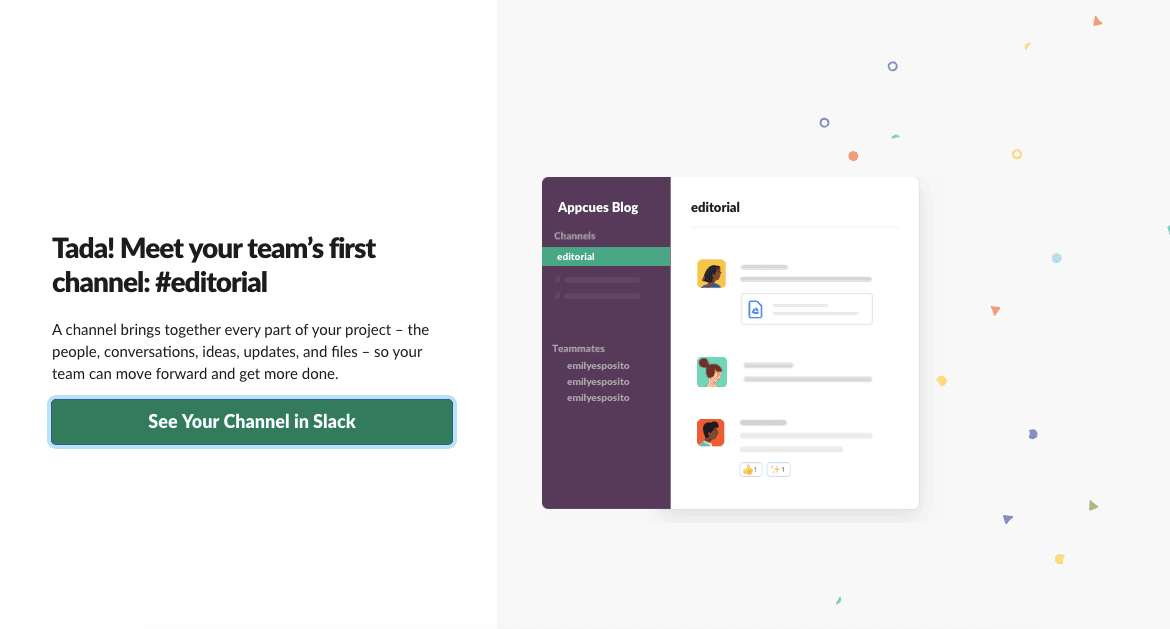
At the time of the screenshot, Slack ended workspace setup on a "Tada! Meet your team's first channel" screen with one button. The user had already made something real, and a channel was explained in one sentence (practices 2 and 5).
Dropbox
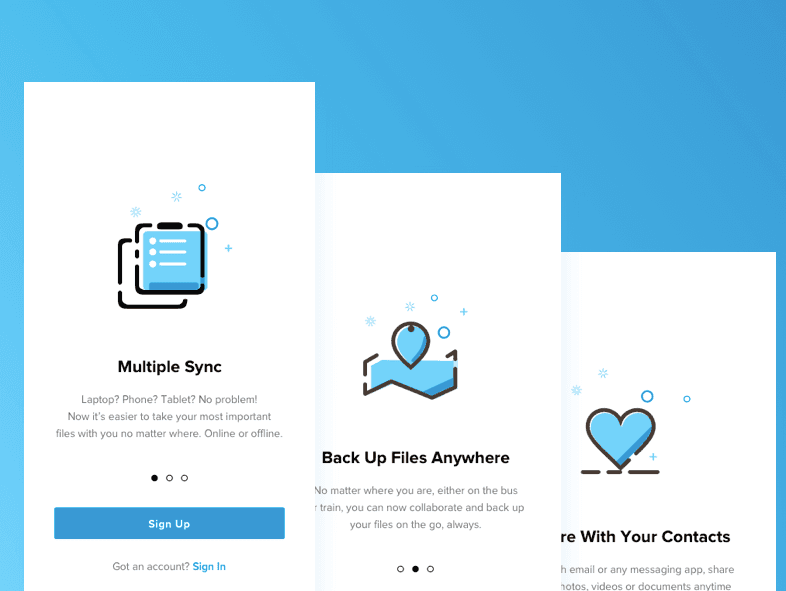
This welcome carousel sells three jobs (sync, back up, share) before the Sign Up button (practice 5). Dropbox also built referrals into onboarding: inviting friends earned users extra storage.
Canva
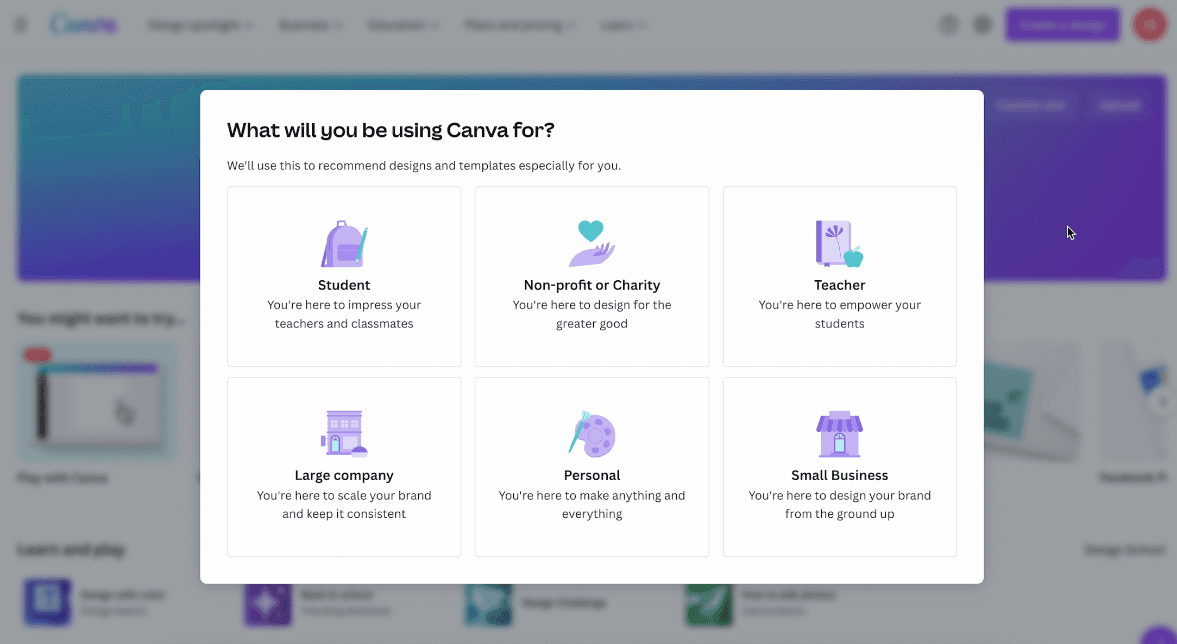
At the time of the screenshot, Canva asked new users what they'd use it for, with six options from Student to Small Business, and said the answer would decide which templates it recommended (practices 1 and 6).
Trello
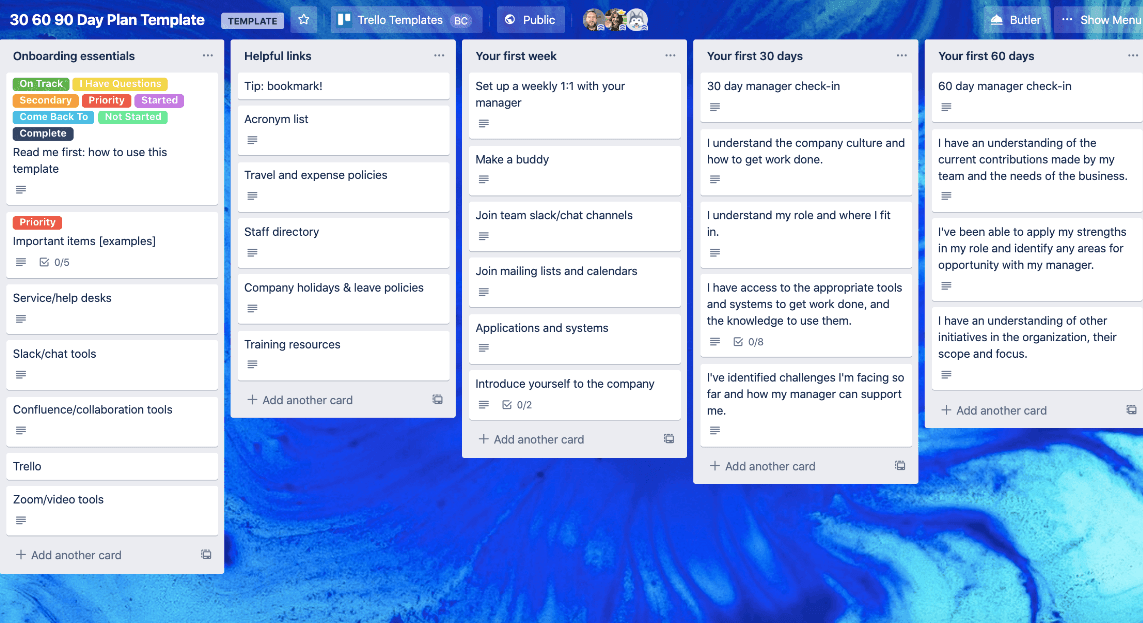
Trello's templates skip the empty board: this 30-60-90 day plan opens with its lists and cards filled in, so a new user edits a working board (practice 2).
HubSpot
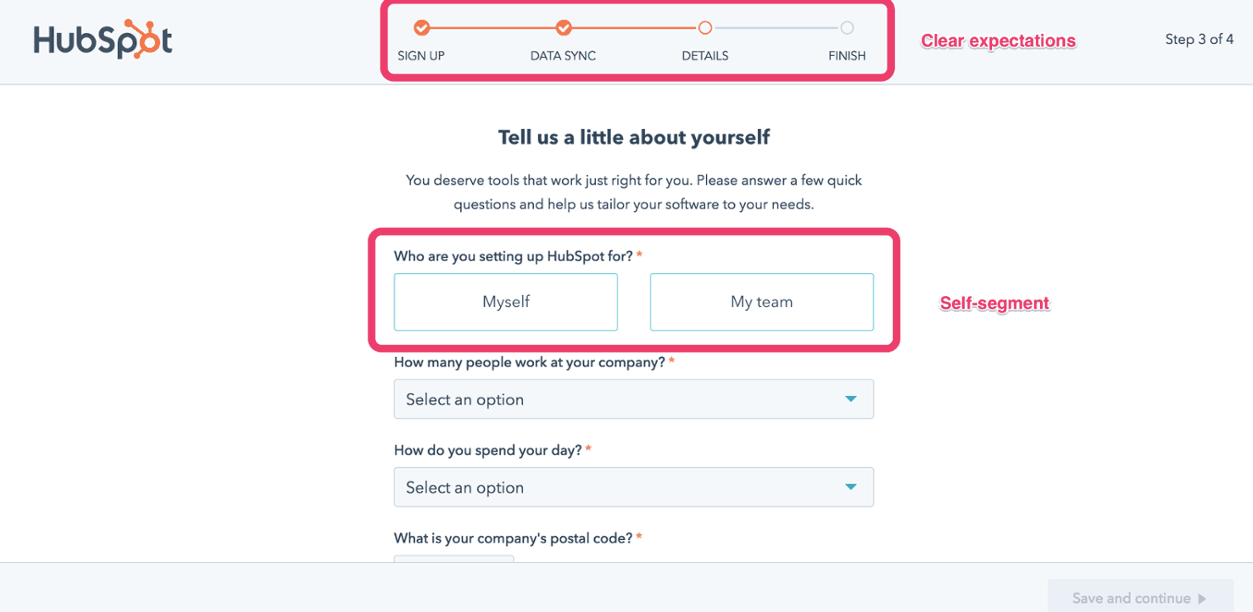
HubSpot's signup showed "Step 3 of 4" above a progress bar and let users segment themselves: "Who are you setting up HubSpot for?", Myself or My team. Clear expectations plus self-segmentation (practices 1 and 4).
Netflix
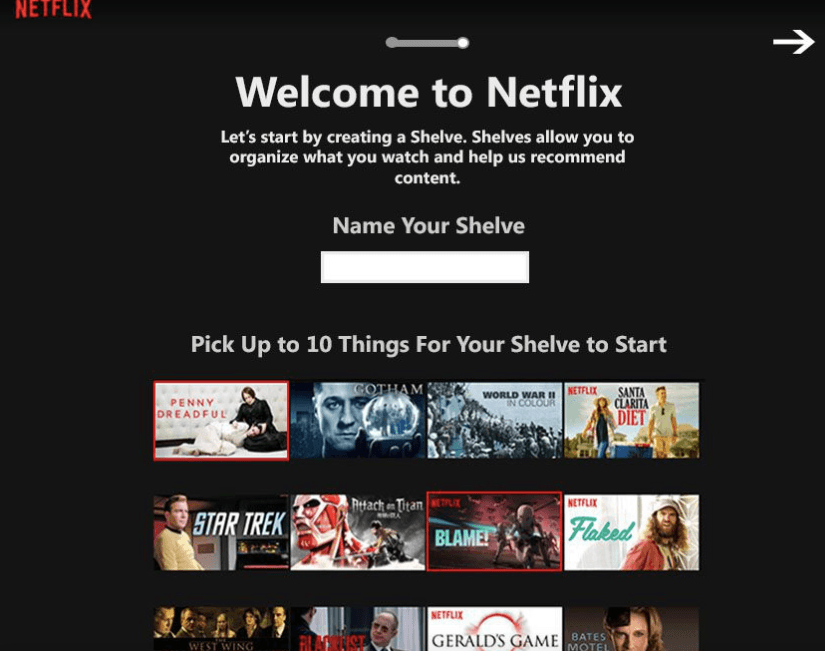
Subscription products outside SaaS work the same way. This screen asks a new member to pick up to 10 titles, so recommendations aren't generic on day one (practice 6); our write-up of Netflix's three-step signup shows the idea with three picks.
Zendesk
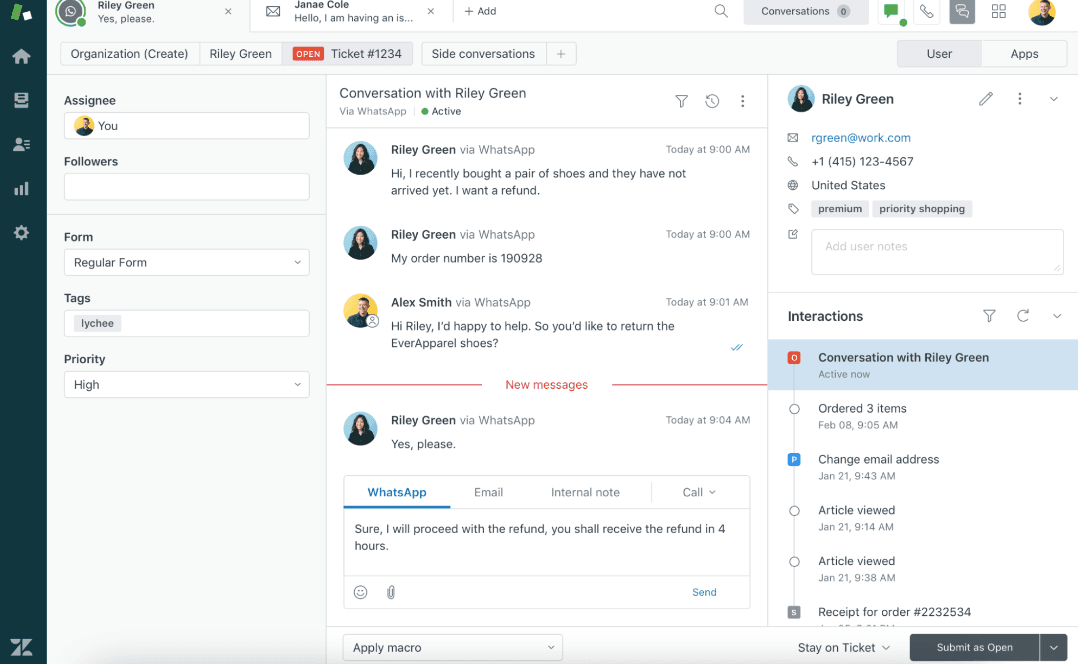
Zendesk's agent workspace shows the customer's recent interactions, including help articles they viewed, next to the conversation. That's what in-app support needs (practice 8): whoever answers a new user can see what they already tried.
Shopify
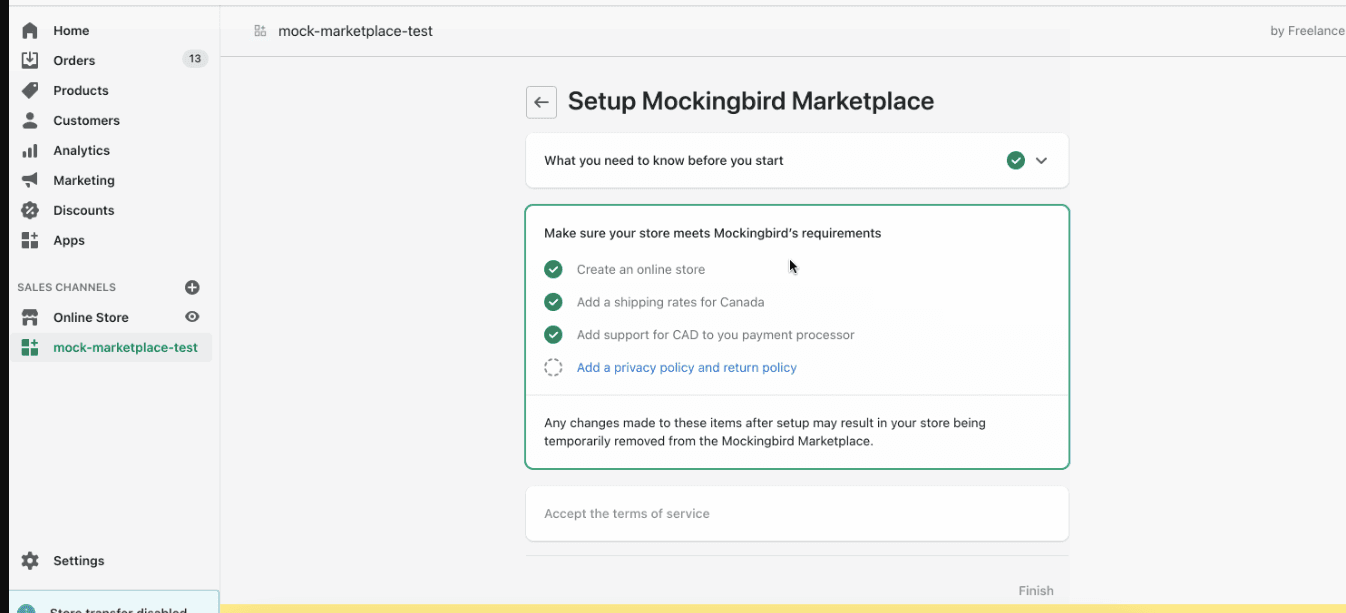
Shopify set up a sales channel with a checklist of requirements (an online store, shipping rates, a currency, a privacy and return policy), each ticked as the store met it, so merchants saw what was left before starting (practices 2 and 3).
How do you keep SaaS onboarding working?
SaaS onboarding isn't static: as your product and user base change, the flow has to change with them. Make monitoring, A/B testing and data analysis a routine, and recheck the flow whenever your trial terms change.
If your customers are companies with several roles, see B2B user onboarding best practices; for what to avoid, see the 16 user onboarding mistakes.

About the author
Renk MertRenk is a creative content writer and a SaaS enthusiast, willing to learn and write about everything SaaS.