Article · 7 min read
Advanced Guide to Creating Personalized Onboarding Experiences - 5 Steps
Personalised onboarding tailors what each new user sees to their goal, role or experience, usually from one to three questions at sign-up plus their behaviour afterwards. The rule that makes it work: ask only questions whose answers change the next screen, checklist or tour, make each one skippable, and keep personalising from what users do.
 By Aysenur Zaza
In short
Personalised onboarding replaces one-size-fits-all onboarding with paths shaped by each user's goal, role or level. Real sign-up flows from Evernote, Canva, Pinterest, Netflix, Duolingo, Lemlist and Grammarly show what to ask and what each answer should change. Five steps then cover segmenting users, personalised emails, demos and webinars, video, and interactive guides.
Search for personalised onboarding and several of the top results are about welcoming new employees; the ones about software mostly stop at "segment your users". The useful question is narrower: what should you ask, and what should each answer change? The rule this guide uses: ask one to three questions, make each one skippable, and drop any question whose answer doesn't change the next screen, checklist or tour.
What is personalised onboarding?
Personalised onboarding is user onboarding that adapts to what each user needs, based on what they tell you and what they do. Adjusting the onboarding this way helps users see the value of your product sooner, which supports retention, and it makes a better first impression.
Imagine you're a content marketer at a SaaS company, looking for a tool to find topic ideas and see what competitors rank for. You sign up for one that seems to fit: keyword difficulty, traffic, competitor rankings, related questions. You run your first topic idea to test it, and things don't go as planned.
All you wanted was to know whether the topic was worth writing about; instead, every feature was thrown at you at once. You try to work it out for a while, get overwhelmed by options you don't need yet, log off and start looking for another tool.
Effective onboarding gives each user experience a personal touch: you find what you need at that moment and discover the rest as you go. If that company had asked one question about your goal and shown you the matching feature first, it wouldn't have lost you.
Why do personalised onboarding experiences matter?
Personalised onboarding matters because SaaS products serve many industries and roles, and a single onboarding path can't suit all of them. Users arrive with different problems, needs and motivations, and if the first session doesn't speak to theirs, switching to a competitor is easy.
Personalisation also gets users interacting with the product from day one, on the features that matter to them, which is what moves activation. Without onboarding that fits, you can't expect strong conversion or good reviews.
What should you ask, and what should each answer change?
Ask as little as possible, and make every answer change something the user sees next. The sign-up flows below, from our inspirations library and earlier screenshots, each asked one to three questions, and each answer had a visible effect.
| Product | What it asked | What the answer changed |
|---|---|---|
| Evernote | Two questions, three options each: what the note is for (Work, School, Home) and what kind of document to create | How Evernote set up what came next |
| Canva | "What will you be using Canva for?", with six options from small business to large company | Recommended designs and templates; teams were directed to invite teammates |
| Pinterest (mobile) | Gender, then five or more topics from a grid | What appears in the home feed |
| Netflix | "Choose 3 you like" from a grid of titles | The shows Netflix suggests |
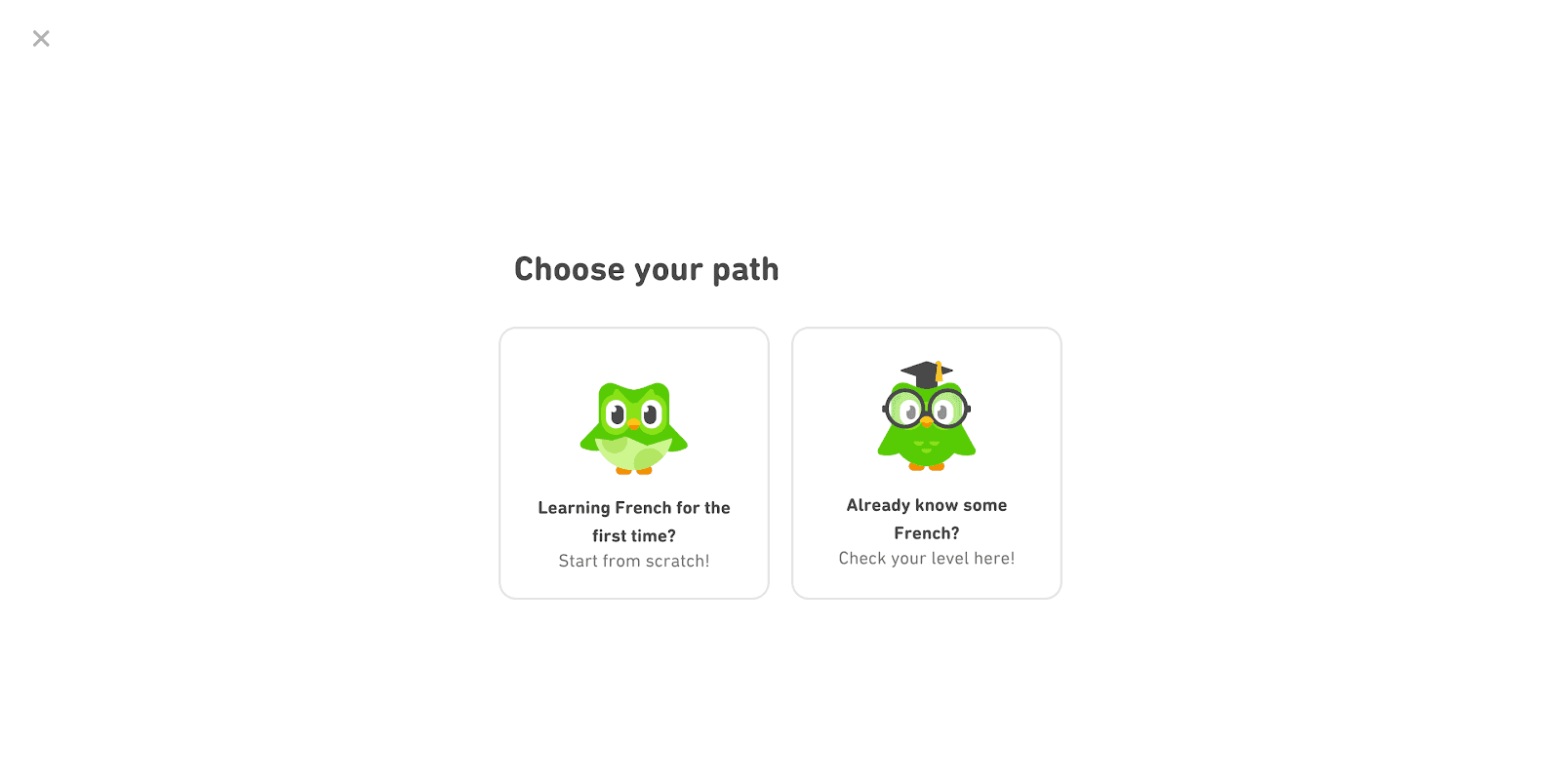
| Duolingo | Beginner, or not? | A first Basics lesson, or a placement test of about five minutes |
| Lemlist | How comfortable the user is with a first campaign: newbie, "rockstar", or not handling campaigns | Whether the user gets beginner hand-holding |
| Grammarly | "I want help with:", from spelling and grammar to tone and conciseness | Which kinds of help come first; a Skip link sat below |
Details are as captured at the time of each screenshot. Five rules follow from them:
- One to three questions. None of these flows asked more before the user reached the product.
- Short, one-tap answers. These flows offered between two choices (Duolingo) and eight (Grammarly) per question, or a picture grid for interests.
- Say why you're asking. Canva promised template recommendations; Pinterest's gender question said "This helps us find you more relevant content".
- Make it skippable. Grammarly's personalisation had a Skip link; Userflow's plan survey opened with "Skip to plan selection".
- Every answer must change something visible. If an answer only feeds your CRM, ask it later, or not at all.
How do you personalise your user onboarding process? (5 steps)
Personalising onboarding takes five steps: segment users, personalise emails and messages, offer demos and webinars, use video, and make the onboarding interactive. Here is each one, with real examples.
1- Segment users
The most common way to personalise user onboarding is to segment users by behaviour, use case or milestones. The end goal is the same for every user, but how each user reaches it differs.
If your tool has many features, a user interested in one won't necessarily care about another. Experience differs too: beginners need more detail in their onboarding, while experienced users want fewer tooltips. Segments built from the answers above, and from what users do afterwards, let you activate users faster and reduce churn.
Here's how Duolingo used data collected during onboarding to segment users:
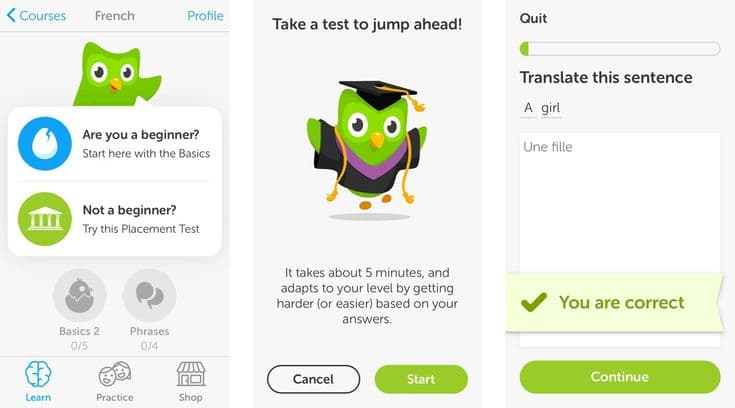
Duolingo asked users whether they were beginners and offered a placement test to the rest. The test "takes about 5 minutes, and adapts to your level by getting harder (or easier) based on your answers", and a progress bar at the top gave a sense of completion without overwhelming anyone.
Duolingo's "Choose your path" screen is one of the most engaging ways to segment users. It uses the answer to shorten the road to the "aha! moment" and to activation. Instead of asking for too much at once, the app collects information gradually.
2- Personalised onboarding emails and messages
A successful onboarding process also reaches users outside your app, and personalised onboarding emails are the usual way to do it. Welcome emails are a natural starting point, and even the user's name in the subject line makes an email feel addressed to them.
Use your segments to recommend different features, or adjust the onboarding by job title, location or company. That makes onboarding tasks feel relevant and achievable, and moves users to the next phase sooner.
You can also send emails based on what users do, or haven't done yet, in your product. This is known as action-based onboarding.
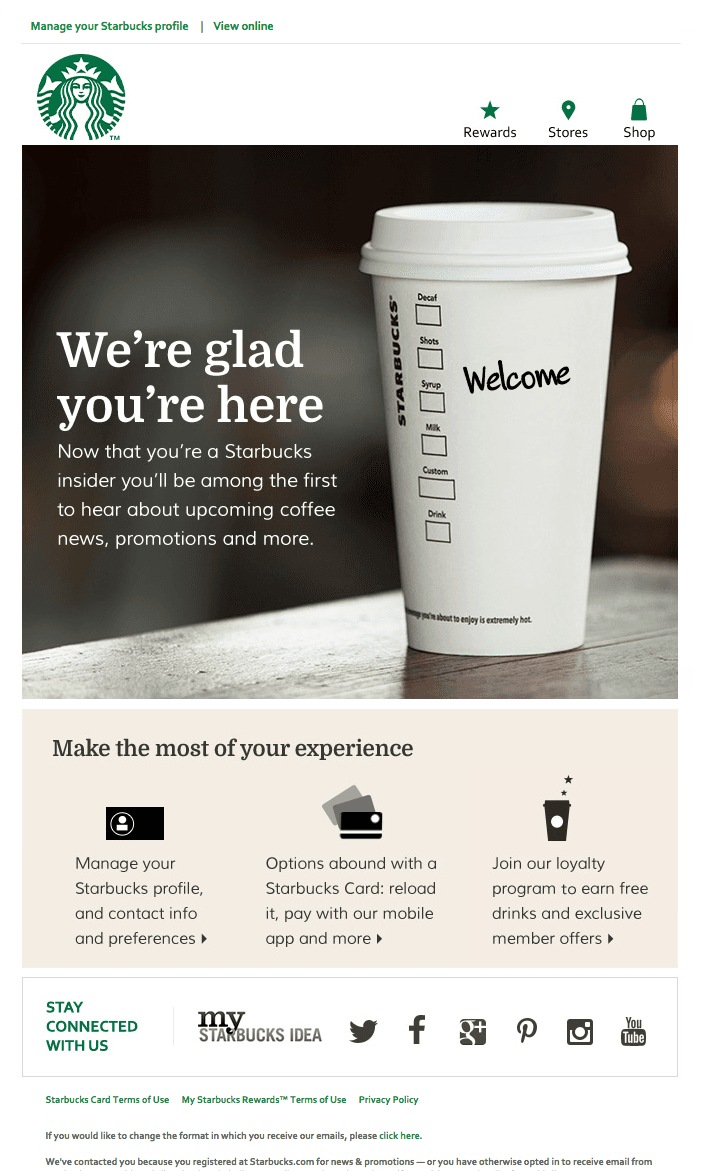
Starbucks's welcome email lists its actions right away, under "Make the most of your experience":
- Completing profile info, so Starbucks can tailor what it promotes
- Using a Starbucks Card
- Joining the loyalty program for free drinks and member offers
Listing the next actions like this directs users who haven't completed key steps yet, with a personal touch.
3- Schedule product demos and webinars
Product demos and webinars are less direct than the other steps, but they're probably the most personal onboarding you can offer. You get direct feedback to improve your user onboarding, and a one-to-one chance to show your company culture and build relationships with prospective and existing customers.
One of the most effective product demos I've seen comes from Frase. Instead of slideshows and long talks, it lets you experience the product first-hand in a sandbox, before you sign up.
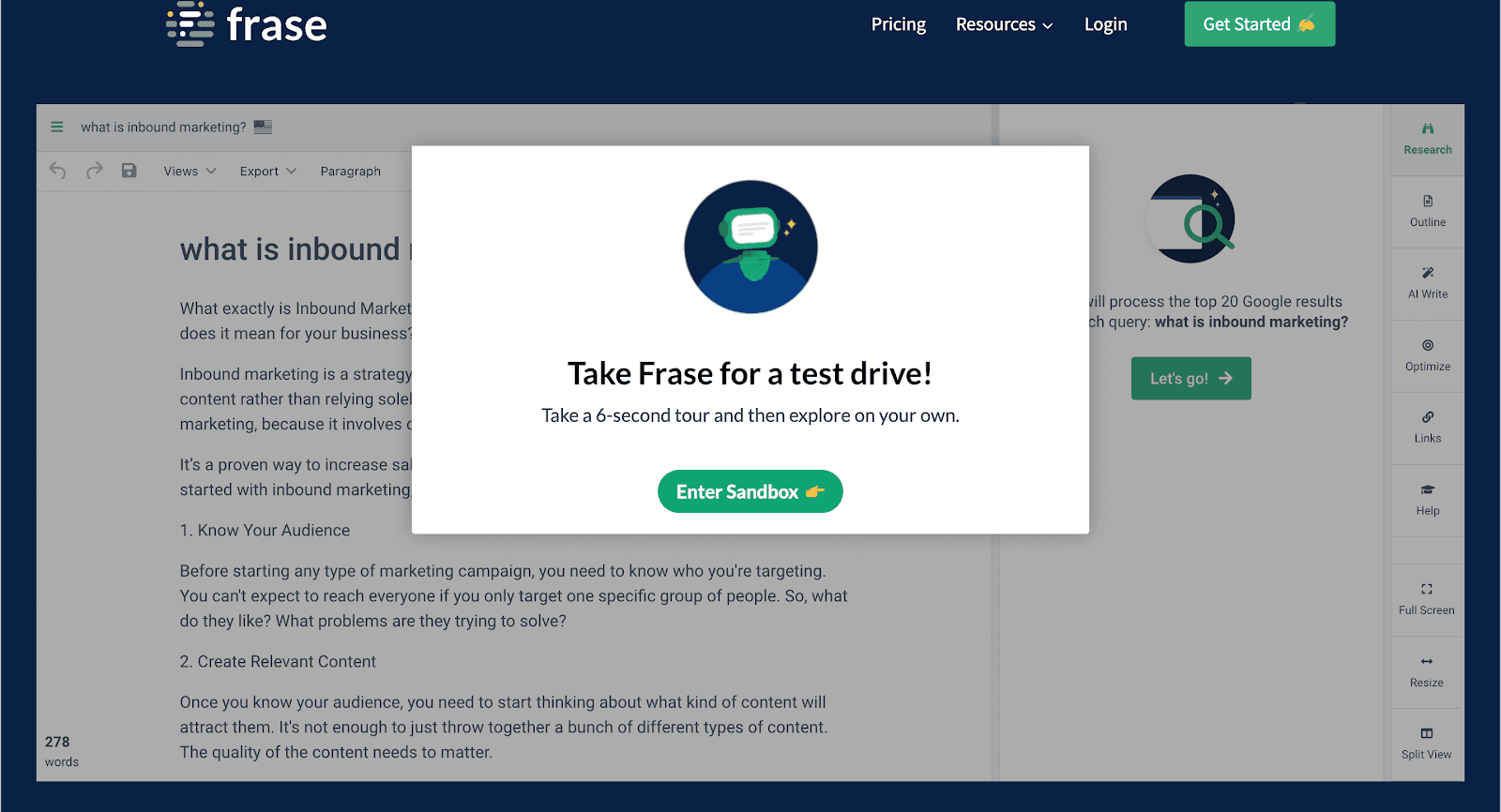
The sandbox opened with "Take a 6-second tour and then explore on your own." Users controlled the journey from there, trying the editor on a sample query and seeing how it would help their SEO and writing.
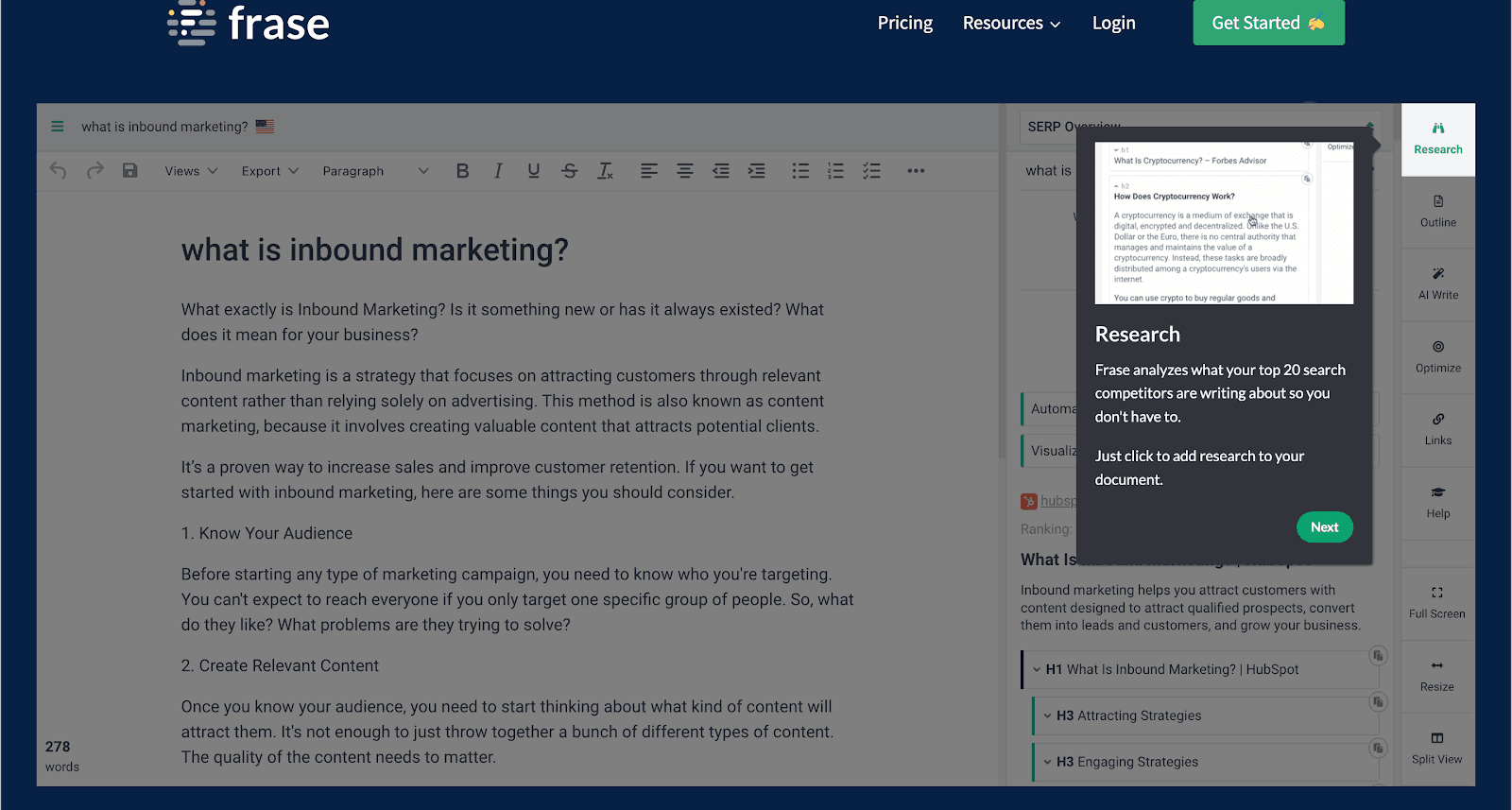
Short tooltips then introduced each function and its value. Users understood how the software works on their own terms, before any sign-up or trial.
Feature-rich products often need more than that. With many use cases, a webinar or a one-to-one demo lets users steer while you guide them to what they need. This is concierge onboarding: personal, one-to-one help that gets each user to value. Use in-app messages to invite trial users to upcoming webinars.
4- Make the most of videos
International companies face time-zone differences: you want to offer one-to-one demos, but there may be eight hours between you and your user. Pre-recorded videos fill the gap.
A library of short product videos lets you send personalised video messages to prospective and existing customers far away, answer common questions and simplify onboarding tasks. Short videos suit feature-rich products, because each one can show how a single feature works in the shortest way possible. You can also share them on social channels or turn them into a free course.
Videos take the load of extra learning off users and lower the expertise needed to use your product.
5- Make it interactive
Whatever your personalisation plan, it isn't complete without interactive elements. What seems simple to you as the designer or salesperson can be daunting for users.
Live chat, support tickets and in-app messages help users who are stuck. Interactive guides and checklists, targeted at each segment, let users solve problems themselves instead of waiting hours for an answer.
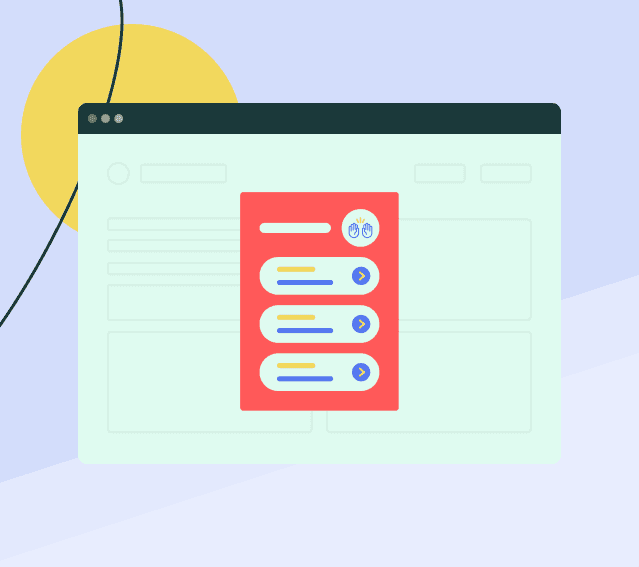
Most onboarding tools build these step-by-step guides and checklists without code, and target them by segment. The guides highlight the part of the page the user needs and the key action to take, and a progress bar gives users a sense of achievement. Our tool reviews compare the options, with prices as of October 2026.
Final words
Most companies know personalised onboarding can lift retention and engagement, but fewer tailor their onboarding in practice. Start small: one to three questions that each change what users see, segments built from those answers and from behaviour, and interactive guides for each segment. Users will feel welcome, and they'll reach your product's value in quick, simple steps.

About the author
Aysenur ZazaAysenur Zaza is a creative content writer and an avid researcher when it comes to product, growth and everything SaaS.