Product Tour · 7 min read
What Is Digital Adoption and How Can It Help Your Business Grow?
Digital adoption is the point where employees or customers use software well enough to get the outcome it was bought for. Digital adoption solutions, or DAPs, add guidance such as walkthroughs and tooltips inside that software. As of October 2026, the enterprise DAPs we review sell by quote, while customer onboarding tools publish prices from $240 a month.
 By Renk Mert
In short
Digital adoption means people using software fully enough to get its value, and a digital adoption platform puts guidance inside the software to get them there. The table compares nine tools as of October 2026: WalkMe, Whatfix, Userlane and Apty sell by quote and bill per application, deployment or licence, while the customer-facing onboarding tools publish MAU-based prices and trials. Choose by whose software needs adopting: your own product, or the third-party apps your staff use.
When we searched "digital adoption solutions" in October 2026, seven of the top ten results came from companies that sell a digital adoption platform. What a buyer can't easily get from them is a neutral view of what the category costs, and that's the gap this page fills. Of the nine tools in the table below, the four enterprise platforms, WalkMe, Whatfix, Userlane and Apty, print no prices at all and each bills on a different unit, while the customer-facing onboarding tools publish entry prices between $240 and $349 a month.
The original argument of this post still stands. Companies that don't see the results they expected from new software tend to blame their marketing or the product, and respond by adding features, which brings maintenance costs and feature bloat. Often the real problem is adoption: people never learned to use what was already there.
What is digital adoption?
Digital adoption is the process of people learning to use a piece of software fully enough to get the outcome it was bought for. The people can be employees, when a company rolls out a CRM, an ERP or an HR system, or customers, when a SaaS company needs new users to reach the value of its product.
During a digital transformation, a company adopts new software or switches from one tool to another. The switch only pays off if the end users take up the new tool, and the company's job is to give them the right guidance at the moment they need it.
Digital adoption isn't limited to employees. Your customers need to understand your product to have a good experience, and clearing the complexity out of their first weeks is the job of user onboarding.
What is a digital adoption platform (or digital adoption solution)?
A digital adoption platform (DAP), also called a digital adoption solution, is software that sits on top of another application and guides people through it from inside the screen: walkthroughs, tooltips, checklists, in-app messages and a help widget, plus analytics on what people use. Gartner, which runs a peer-review market for the category, describes a DAP as software that overlays employee- and customer-facing applications with in-application guidance.
The difference that matters when you buy is whose software it is:
- Your own product, used by your customers. You install the tool's JavaScript snippet in your app and build onboarding flows for new users. These tools usually call themselves user onboarding software or product adoption tools.
- Third-party software your employees use, such as Salesforce, SAP or Workday. You can't change that code, so the DAP usually reaches it through a browser extension rolled out by IT, and some also cover desktop applications.
Which digital adoption solutions are there, and what do they cost?
Enterprise DAPs sell by quote; customer-facing onboarding tools publish prices and offer trials. The table lists the tools we review that are sold as digital adoption platforms or used for the same job. Prices are the entry prices printed on each vendor's pricing page when we read it on 19 October 2026, and G2 ratings were read the same day.
| Tool | What it is (our review) | Entry price, October 2026 | How it bills | Free plan or trial | G2 rating |
|---|---|---|---|---|---|
| WalkMe | Digital adoption platform, employee and customer versions | Custom quote | Not listed | Neither listed | 4.5/5 (583 reviews) |
| Whatfix | Digital adoption platform for employees or customers | Custom quote | Flat fee per product and plan, plus user licences (employee apps: users with access; customer apps: MAUs) | FAQ mentions a trial; the link leads to a demo form | 4.6/5 (563) |
| Userlane | Digital adoption platform, aimed mainly at employees | Custom quote | Fixed annual fee per application, or a per-user base fee plus per-interaction charges | Neither listed | 4.7/5 (81) |
| Apty | Digital adoption platform for employees' enterprise apps | Custom quote | Scope of the deployment | Neither listed | 4.7/5 (147) |
| Pendo | Product analytics and in-app guides | Custom quote | MAUs plus plan functionality | Free plan up to 500 MAUs; 30-day trial through sales | 4.4/5 (1,821) |
| Appcues | User onboarding software | $3,600 a year (Spark, up to 1,000 MAUs, plus a $250 one-time implementation fee) | MAUs, installations and published experiences | Free trial, no credit card, starts with a sales call | 4.6/5 (359) |
| Userflow | User onboarding software | $300 a month billed monthly, $240 billed annually (Essentials, 1,000 MAUs) | MAUs | 14-day trial, no credit card | 4.8/5 (125) |
| UserGuiding | User onboarding software | $249 a month billed yearly, $349 billed monthly (Starter, up to 2,000 MAUs) | MAUs | 14-day trial, no credit card | 4.7/5 (781) |
| Userpilot | Product growth platform | $299 a month (Starter, up to 2,000 MAUs and 3 seats; billing period not stated) | MAUs | 14-day trial, no credit card | 4.6/5 (1,020) |
Three patterns stand out:
- Enterprise DAPs sell by quote. WalkMe, Whatfix, Userlane and Apty print no prices, so expect a sales process and a scoped proposal before you see a number.
- The billing unit differs, and it decides your cost as you grow. Userlane charges per application, Apty prices the deployment, Whatfix combines a flat fee with user licences, and the customer-facing tools bill by monthly active users (MAUs).
- Customer-facing tools let you try first. Userflow, UserGuiding and Userpilot each list a 14-day trial with no credit card, and Pendo has a free plan for up to 500 MAUs.
For more tools in the category, see our roundup of digital adoption platforms and the price table on the compare page.
Why is digital adoption key to your business's growth?
Digital adoption decides whether software spending turns into results. Teaching every employee and customer every tool in person doesn't scale, which is why in-app guidance exists. A DAP or onboarding tool can help you:
- shorten time to value for new customers by getting them to their "aha" moment sooner;
- cut repeated how-to questions to internal IT and customer support teams;
- make sure partner companies know the full benefits of your product;
- lower frustration with new technology for employees and customers.
Survey data points the same way. According to Wyzowl's customer onboarding statistics, 80% of people say they've deleted an app because they didn't know how to use it, and 86% say they'd be more likely to stay loyal to a business that invests in onboarding content that welcomes and educates them after they've bought.
Onboarding rarely runs on one tool, either. In Rocketlane's State of Onboarding 2022 survey, 60% of respondents said they use at least 4 to 6 tools for customer onboarding.
How do you build a digital adoption strategy?
A digital adoption strategy works when leadership backs it, resistance is planned for and the guidance sits inside the software. The six steps:
- Secure leadership support. A rollout without a sponsor stalls at the first complaint.
- Address resistance to change. Say what the new tool replaces and what people gain from it.
- Incentivise change. Tie early use to something people want, from recognition to retiring an old, tedious task.
- Take a holistic approach. Plan training, support and communication together, not one after another.
- Use smart onboarding. Put the guidance in the software, at the moment people need it.
- Be flexible and experimental. Watch usage data and change the guidance when it doesn't work.
Step five carries the most weight because it's the one that scales: in-app guidance reaches every user without a trainer in the room. For customers, that means in-app onboarding; for staff, it's the employee side of the same idea, covered in user onboarding vs employee onboarding.
What do the customer-facing tools look like?
The original version of this post walked through four customer-facing tools. The screenshots were taken in 2022, so each interface will have changed since; the facts beside them are from October 2026.
Appcues
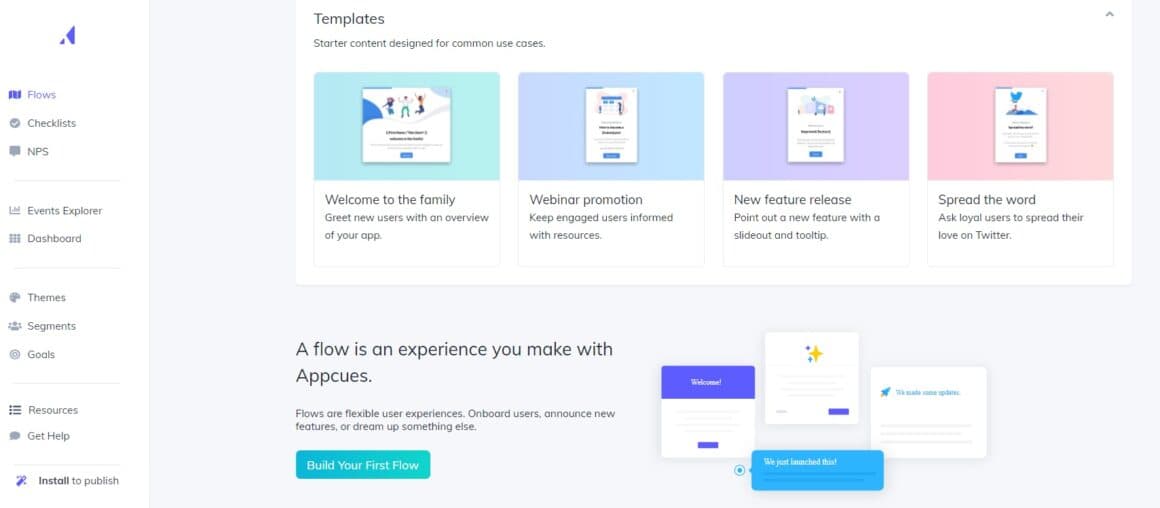
Appcues builds in-app flows from modals, tooltips and slideouts, alongside checklists and in-app surveys. Its entry plan, Spark, costs $3,600 a year for up to 1,000 MAUs plus a $250 implementation fee. Of the 294 G2 reviews we read, 186 praised ease of use and 86 mentioned missing features.
Userflow
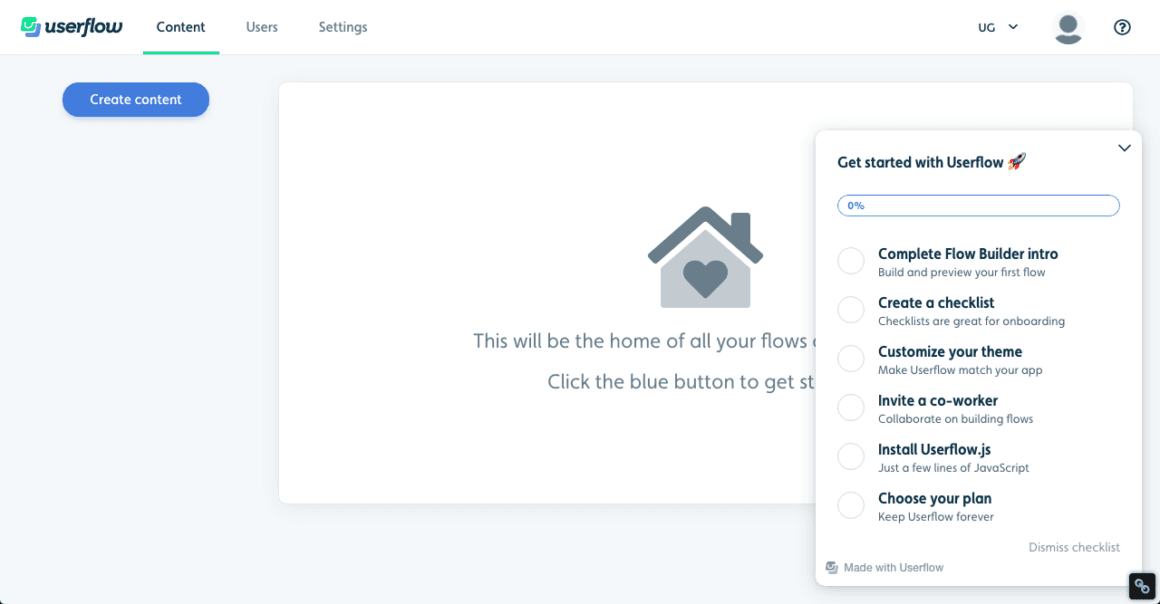
Userflow builds tours, checklists, surveys and a resource centre without code. Essentials costs $300 a month billed monthly, or $240 billed annually, for 1,000 MAUs. Of the 125 G2 reviews we read, 99 praised ease of use and 28 mentioned missing features.
UserGuiding
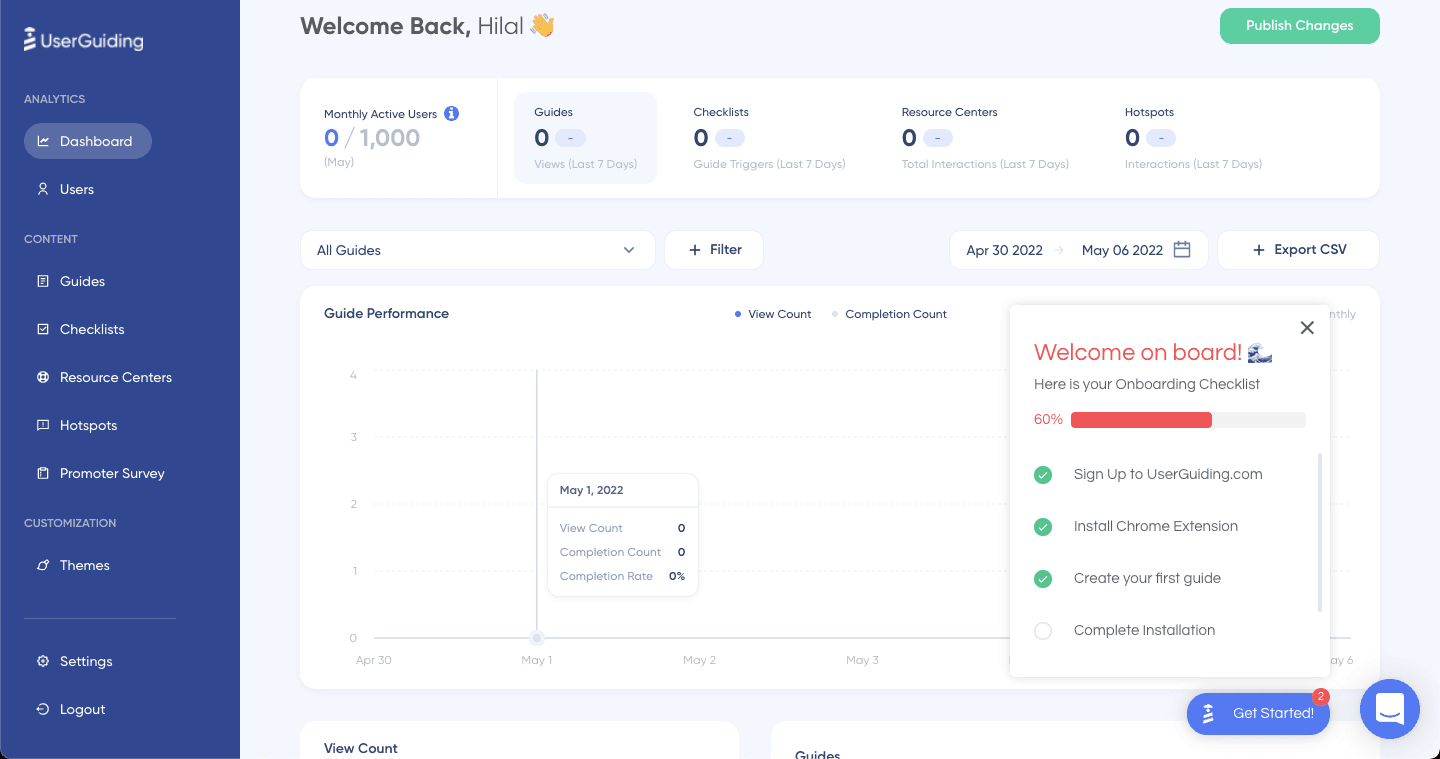
UserGuiding builds guides, checklists, hotspots, a resource centre and in-app surveys without code. Starter costs $249 a month billed yearly ($2,988 a year), or $349 billed monthly, for up to 2,000 MAUs. Of the 299 G2 reviews we read, 164 praised ease of use and 61 mentioned missing features.
Userpilot
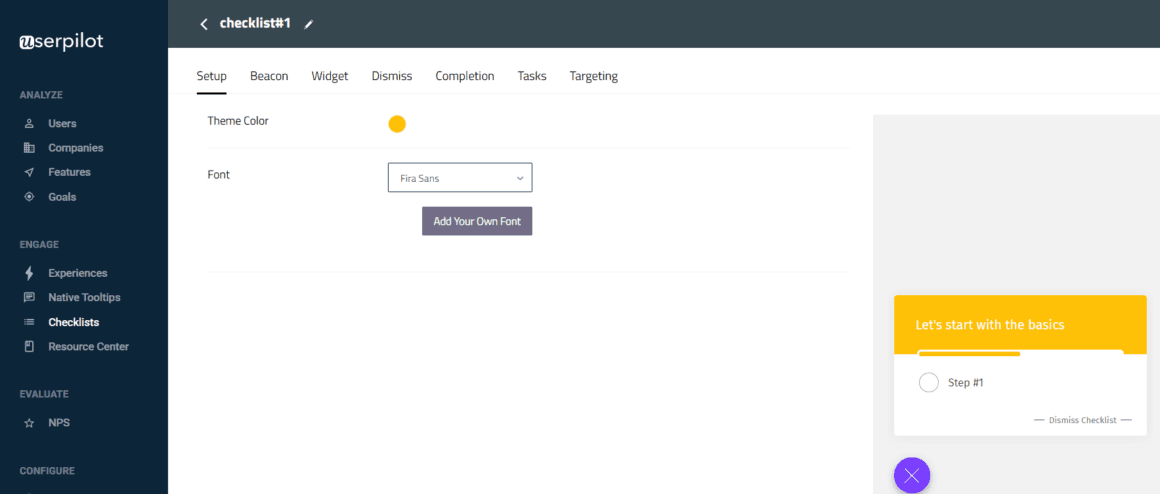
Userpilot combines in-app flows, checklists and NPS surveys with product analytics. Starter costs $299 a month for up to 2,000 MAUs and 3 seats. Of the 300 G2 reviews we read, 166 praised ease of use and 97 mentioned a learning curve or hard-to-find settings.
How do you choose a digital adoption solution?
Start from whose software needs adopting, then check how the tool bills. A simple rule:
- Your own product, customers as users: a customer-facing onboarding tool billed by MAUs. Run the trial on your real product before you buy.
- Third-party apps your staff use: an enterprise DAP. Budget for a quote and an implementation, and ask whether the price grows per application, per user or per deployment, because that decides the cost as you add software.
- Analytics and guidance from one vendor: look at the tools that pair product analytics with in-app guides, such as Pendo and Userpilot.
Then read what users complain about. In the G2 reviews we read in October 2026, a learning curve or hard-to-find settings was the most common complaint for WalkMe (82 of 300) and Whatfix (65 of 300), and missing features topped the list for Userlane (22 of 81) and Apty (22 of 147). Ask for a pilot on your own application before you sign.
A digital adoption solution is one of the most direct ways to get value from software you already pay for, as long as you use the tools, and your budget, wisely.

About the author
Renk MertRenk is a creative content writer and a SaaS enthusiast, willing to learn and write about everything SaaS.