Article · 10 min read
15 User Onboarding Metrics & KPIs For Product Teams to Follow
Onboarding KPIs for product teams are the numbers that tie user onboarding to business results: trial-to-paid conversion, time to value, activation, retention, churn, satisfaction, support load and upsell. Each one needs an exact formula, a fixed time window, an owner and a target set from your own baseline, with outside benchmarks only where a source exists.
 By Aysenur Zaza

In short
This is a KPI sheet for product onboarding, not employee onboarding: 15 KPIs, each with its formula, window and usual owner in one table. Set targets from the median of your last few cohorts, and use outside benchmarks only when they have a source, such as Paddle's range for SaaS churn. Two formulas in the original version, activation rate and upsell rate, were upside down and are corrected here.
Search "onboarding KPIs" and most of the top results, from NetSuite, SHRM and Docebo, are about onboarding new employees. This post is for product teams: 15 KPIs you can compute from your own product, billing and support data, each with an exact formula, a time window and the team that usually owns it. Two formulas in the original version of this post, activation rate and upsell rate, divided the small number by the large one; both are corrected below.
A metric becomes a KPI when it has an owner, a target and a deadline. Onboarding produces dozens of metrics, and the in-product ones, such as checklist completion, stickiness and day-N retention, are covered step by step in user onboarding metrics. The KPIs here are the ones you report upwards.
Which onboarding KPIs should product teams track?
Product teams should track the 15 KPIs below, and pick three to five of them as the main targets for a quarter. The table is the reference; each KPI gets a short section after it.
| # | KPI | Formula | Window | Usual owner |
|---|---|---|---|---|
| 1 | Trial-to-paid conversion rate | Trial users who became paying ÷ trial users who started in the period × 100 | Trials started in a month, checked 30 days after trial end | Growth |
| 2 | Time to value (TTV) | Median of (first value event − sign-up) | Per sign-up cohort | Product |
| 3 | User engagement | Average DAU ÷ MAU × 100 for users in their first 90 days | Calendar month | Product |
| 4 | Churn rate | Customers lost during the period ÷ customers at the start × 100 | Monthly | Customer success |
| 5 | Net Promoter Score (NPS) | % promoters (9 to 10) − % detractors (0 to 6) | Quarterly, or after onboarding | Customer success |
| 6 | Onboarding completion rate | Users who finished the onboarding flow ÷ users who started it × 100 | Per sign-up cohort | Product |
| 7 | Customer Satisfaction Score (CSAT) | Responses of 4 or 5 on a 5-point scale ÷ all responses × 100 | After onboarding ends | Customer success |
| 8 | Feature adoption rate | Users who used the feature at least N times ÷ active users with access × 100 | Monthly | Product |
| 9 | Customer retention rate | (Customers at end − new customers in the period) ÷ customers at start × 100 | Monthly or quarterly | Customer success |
| 10 | Return on investment (ROI) | (Gain from onboarding − cost of onboarding) ÷ cost of onboarding × 100 | Yearly | Leadership |
| 11 | Average response time | Median time from a new user's ticket to the first human reply | Weekly | Support |
| 12 | Tickets by new users | Tickets from users in their first 30 days ÷ new users × 100 | Monthly | Support |
| 13 | Activation rate | Users who reached the activation event ÷ users who signed up × 100 | Per sign-up cohort | Product |
| 14 | Desired actions per user | Key actions by new users in their first 7 days ÷ new users | Per sign-up cohort | Product |
| 15 | Upsell rate | Successful upsells ÷ upsell attempts × 100 | Quarterly | Sales or customer success |
How do you set targets for onboarding KPIs?
Set each target from your own baseline, not from a number you found online. Take the median of your last three monthly cohorts as the baseline, agree an improvement you can defend, and review it at the end of the quarter.
Outside benchmarks are useful only when they have a source and the businesses behind them look like yours. Many onboarding benchmarks you'll find have neither: they're quoted from post to post with the original survey long gone. One that still has a source is churn, below. When a benchmark's source disappears, drop the benchmark; that's what happened to the trial conversion figure in the original version of this post.
What does each onboarding KPI tell you?
1- Trial-to-paid conversion rate
Trial-to-paid conversion rate is the share of trial users who become paying customers. A free trial is often the first real touchpoint with your product: trial users experience its value, and you see how well onboarding works. A trial isn't the same as freemium: a trial ends, while a free plan runs indefinitely, so measure free-to-paid conversion separately.
Divide the number of trial users who converted by the number who started a trial in the same period, and multiply by 100. If 200 users started a trial in March and 100 of them converted, your March trial-to-paid conversion rate is 50%. Wait until every trial in the cohort has ended before you count.
2- Time to value (TTV)
Time to value (TTV) is the time it takes a user to get the value they signed up for: to reach their aha moment. The shorter it is, the sooner users see why they're paying, and the better your onboarding is working. A long TTV means there's friction in the flow that keeps users from the product's value. Measure it as a median, from sign-up to a value event you define in advance; reducing time to value has more on shortening it.
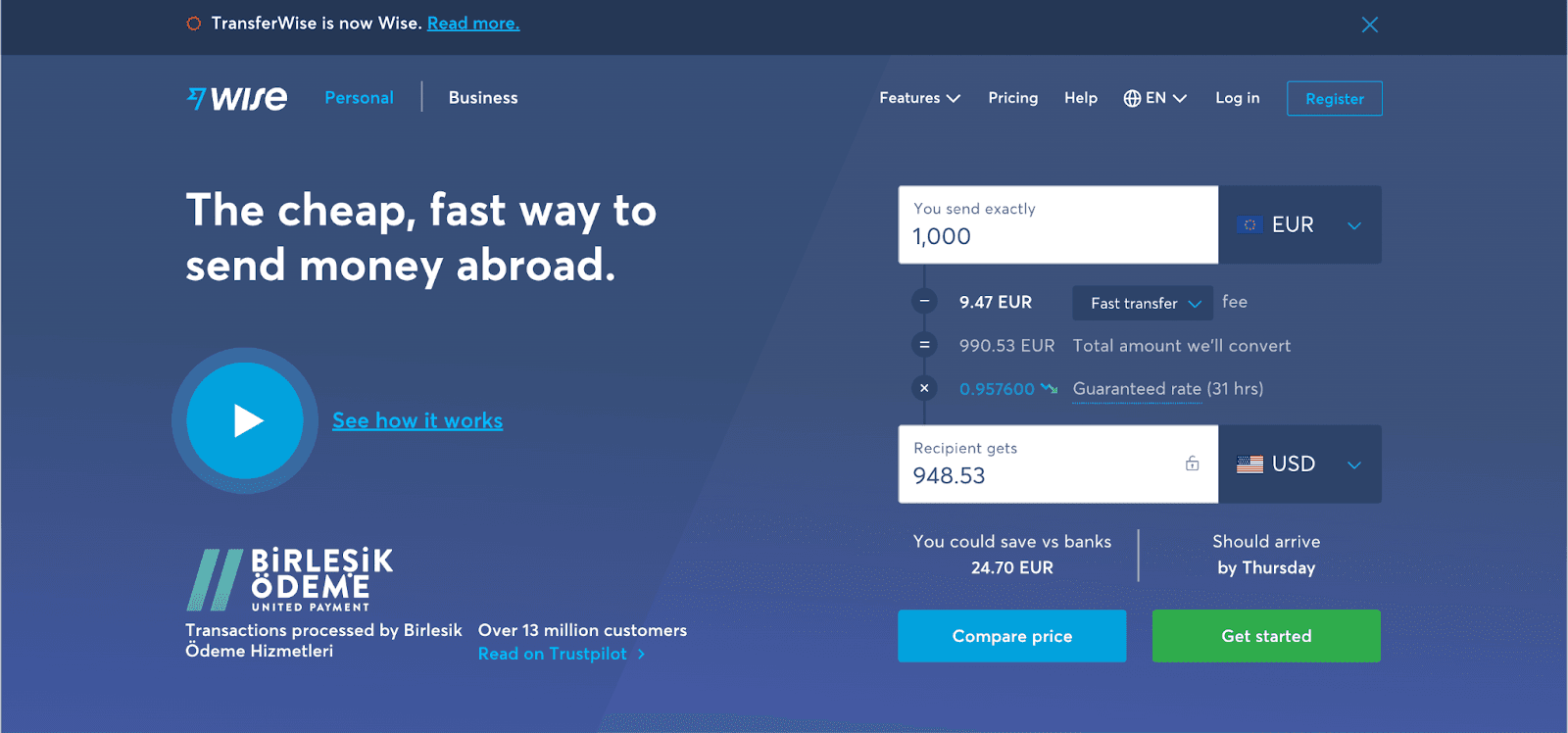
Wise was a good example of short TTV at the time of the screenshot: visitors could convert currencies and see the fees straight away, the exact value Wise proposes, before signing up. Its first onboarding step then invited people to try different types of transfer, with a clear call to action at the moment the value showed.
3- User engagement
User engagement shows whether new users keep coming back. Without it, no business grows for long. As a KPI, use stickiness for users in their first 90 days: average daily active users ÷ monthly active users × 100.
If onboarding is thorough and simple, users engage more easily. Leave out complex details at first and highlight the essence of the product; you can introduce the rest once users know the interface.
4- Churn rate
Churn rate is the share of customers who stop paying during a period. It's notorious because it shows what you've been doing wrong. Divide the customers you lost during the period by the customers you had at the start and multiply by 100. Don't subtract end-of-month customers from start-of-month customers: new sign-ups during the month hide the losses.
Watch churn from the first week, and follow up with churned customers through short interviews or surveys to learn whether onboarding played a part. According to Paddle, which acquired ProfitWell, SaaS businesses should aim for a churn rate between 3% and 8%, and the right figure varies with price point and company age. Work closely with customer success to prevent churn before it happens.
5- User feedback and NPS
Effective onboarding depends on how users experience it, so you need their feedback. When this post was first written, I received this email from Frase, a tool I'd been using to improve my writing and SEO skills:
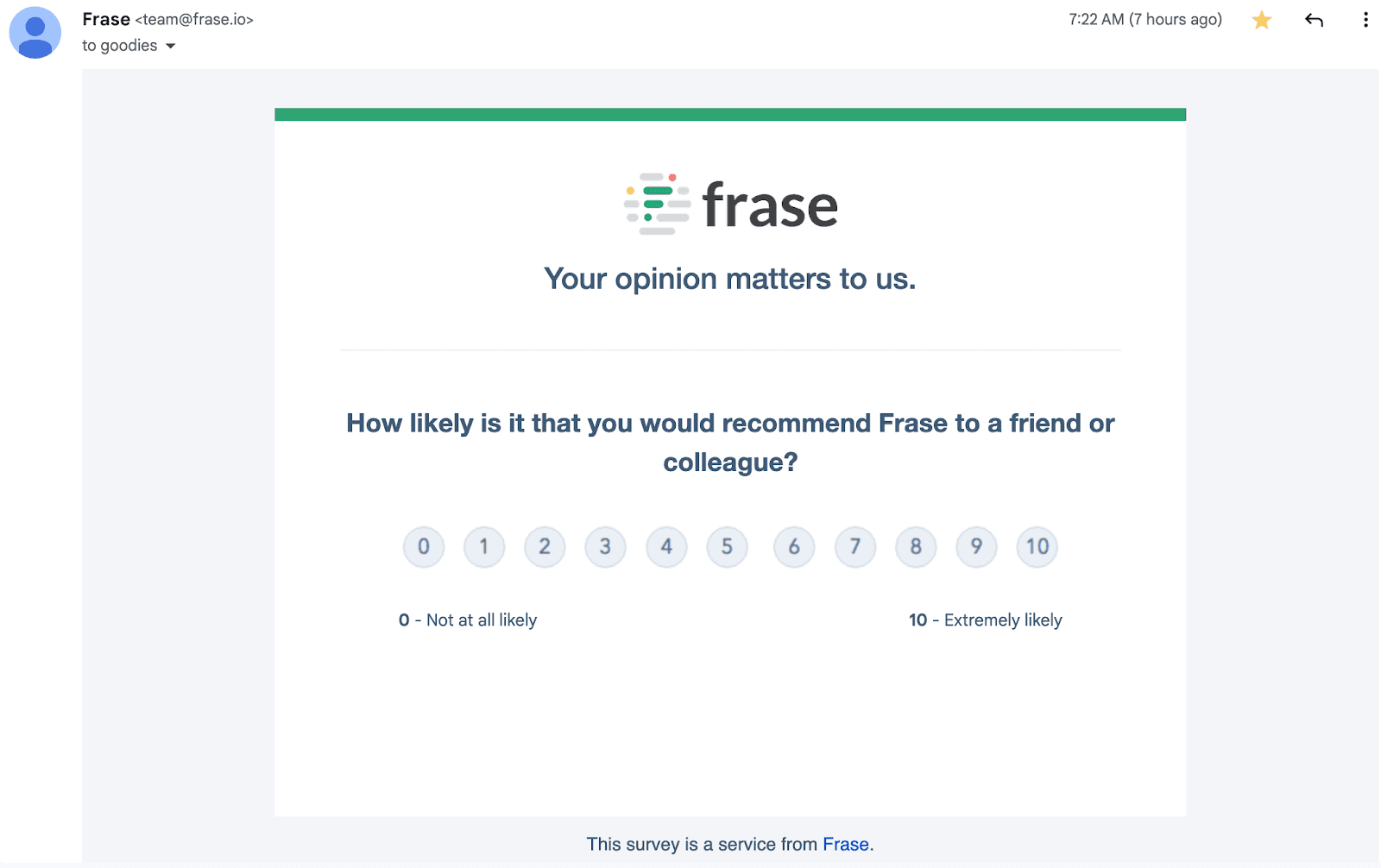
Collecting feedback doesn't have to be a burden. Asking users how likely they are to recommend your product, on a 0 to 10 scale, is the Net Promoter Score (NPS). Follow it with "Why did you give that score?" and the answers will guide your onboarding material. How to calculate and read NPS is covered in customer onboarding metrics, and our guide to in-app survey types helps you pick the format.
6- Onboarding completion rate
Onboarding completion rate is the share of users who finish the onboarding flow they started. As one of the most useful onboarding metrics, it shows how many users can start using your product without help, and users who don't finish onboarding are harder to retain.
Each onboarding stage has its own goal, and an onboarding checklist keeps users focused on the next one. Order the steps so users reach the product's value as quickly as possible.

According to Wyzowl, 55% of people say they've returned a product because they didn't understand how to use it. Personalised, simple checklists let users explore the features and move them through activation. You don't need to code one: as of October 2026, Appcues, Chameleon, Userflow, UserGuiding and Userpilot all list checklists on every plan. Per-item completion, the detail behind this KPI, is in user onboarding metrics.
7- Customer Satisfaction Score (CSAT)
Customer Satisfaction Score (CSAT) measures how satisfied users are with a product, a service or a specific experience. The period after sign-up is where you deliver what you promised, so it's where a good CSAT is won or lost. Ask with a short micro-survey when onboarding ends, and count answers of 4 or 5 on a 5-point scale as satisfied.
CSAT helps you anticipate which users will stay or leave. If satisfaction after onboarding is low, go back to your onboarding materials and add, cut or reorder steps.
8- Feature adoption rate
Feature adoption rate is the share of active users who use a given feature regularly. It's user-centric: it shows which features users value. If a feature is rarely used, users don't find it helpful for their problems, and if the number of features a customer uses keeps falling, that customer may be on the way out. Step in when adoption drops, and use tooltips and hotspots to bring users back to the features that matter.
9- Customer retention rate
Customer retention rate is the share of customers at the start of a period who are still customers at the end. Recurring customers make up most of a subscription business's revenue, which is why onboarding should answer the questions that would otherwise make customers leave.
Retention Rate = [(customers at the end of the period − new customers acquired during the period) ÷ customers at the start of the period] × 100
Keep an eye on short-term retention: the first week or month is when most users decide. Include essential information and clear instructions, and don't crowd the interface with tooltips, video pop-ups and surveys at once.
10- Return on investment (ROI)
Return on investment (ROI) shows whether what you spent on onboarding earned more than it cost. Subtract the cost of the investment from the gain, divide by the cost and multiply by 100. For onboarding, estimate the gain as the extra retained or converted revenue from cohorts that went through the new onboarding, compared with cohorts that didn't; customer-facing teams can help you size it.
A falling ROI often points to onboarding problems: onboarding that takes too long, a checklist that's too complex, or a lack of personalisation. Talk to customers, respond quickly and fix what they tell you.
11- Average response time
Average response time is how long you take to reply when a user reports an issue. It involves more direct contact with users than any other onboarding KPI, so it has a big effect on the experience: the longer a new user waits, the more likely they are to leave. Use the median, and report it separately for users in their first 30 days.
Chat widgets and resource centres give new users immediate answers when patience is lowest. Set expectations you can meet: a promised reply time you then miss is worse than none.
12- Number of tickets by new users
Tickets by new users is the support load onboarding fails to prevent. Express it per 100 new users so it doesn't rise just because sign-ups did, and tag every ticket by category: speed, features, billing.
Many tickets from new users is a sign that onboarding leaves questions unanswered. If the tickets point at onboarding rather than the product, fix the steps they mention first.
13- Activation rate
Activation rate is the share of new users who complete the action that delivers the product's value for the first time. You choose the activation event, so choose one that reflects value, such as sending a first invoice, publishing a first design or inviting a teammate, not signing up, creating a profile or starting a trial.
To calculate it, divide the number of users who reached the activation event by the number of users who signed up in the same cohort, and multiply by 100. Ask users when they started to love your product and match those moments to events, so you can see whether the activation event is the right one.
14- Number of desired actions taken by a user
Desired actions per user shows whether onboarding has clear calls to action that lead users to activation. Count the key actions new users take in their first seven days and divide by the number of new users. As it rises, more users stick around; where it stalls, look at when and where users lose interest.
15- Upsell rate
Upsell rate is the share of upsell attempts that succeed in moving an existing customer to a higher plan. Divide the number of successful upsells in a period by the number of upsell attempts in that period, and multiply by 100. Though upselling targets existing customers, it tells you two things about onboarding:
- Customers trusted your onboarding the first time, and it didn't let them down.
- Customers still trust that the features of a bigger plan will be covered well.
Which onboarding KPIs matter most?
For most product teams, activation rate, time to value and early retention are the three to start with, because the others follow from them. A good onboarding programme can't be separated from the KPIs that define its success: track activation, retention, churn and satisfaction, put each on a named owner, and the overall experience will improve. For account-level versions of these numbers, see customer onboarding metrics.

About the author
Aysenur ZazaAysenur Zaza is a creative content writer and an avid researcher when it comes to product, growth and everything SaaS.