Article · 6 min read
E-commerce User Onboarding - Best Practices & Examples
E-commerce user onboarding is how an online store guides a new shopper from the first visit to a first order they're happy with. The decisions that matter most are when to ask for an account, whether a short preference quiz earns its place, and how quickly the shopper reaches relevant products and a checkout that doesn't block them.
 By Renk Mert
In short
This guide covers a shopper's onboarding up to the first order. Offer guest checkout and invite an account on the order confirmation page, unless the account is the product, as with subscriptions. Use a skippable preference quiz only when the catalogue is large and taste-driven, and introduce app-only features such as voice shopping one screen at a time.
Most advice on e-commerce onboarding borrows from software: product tours, checklists, feature highlights. A shopper doesn't need a tour of your store. They need to find something they want and pay for it without friction, so the onboarding decisions that count are when you ask for an account, whether you ask about preferences, and what you teach before the first order.
This post covers that path, from first visit to first order. Our companion post, e-commerce onboarding for sales and retention, covers what comes after: repeat orders, reviews, loyalty, and onboarding sellers and business buyers.
What is e-commerce user onboarding?
E-commerce user onboarding is the process of guiding new users through their first interactions with your online store, from first impression to first purchase. It isn't only the technical step of registering users: it draws on psychology, design and marketing to make the first visit feel easy and worth repeating.
Think of it as welcoming a guest into your home. You wouldn't hand them a map and leave them to wander. You'd greet them, show them around, point out the best bits and answer their questions. Onboarding does the same online, so new shoppers feel comfortable, informed and keen to look around.
What does onboarding cover in an online store?
Onboarding in a store covers every moment from the first page view to the first delivery, and each moment answers a question the shopper has:
| Stage | The shopper's question | What onboarding does |
|---|---|---|
| First impression | "Is this store for me, and can I trust it?" | Clean design, easy navigation, delivery and returns information in plain sight |
| Account creation | "Do I have to sign up?" | Asks only for essentials, offers social login or guest checkout |
| Personalisation | "Where are the things I like?" | Uses preferences, gathered with consent, to surface relevant categories and products |
| Discovery | "How does this store work?" | Explains features unique to the store, such as a size finder or a quiz |
| Help and trust | "What if something goes wrong?" | FAQs, a help centre and easy access to support |
| Progress | "Is it worth finishing?" | Rewards the first steps, such as a first-order discount |
| Feedback | "Does anyone listen?" | Short surveys after key steps, A/B tests, analytics |
Onboarding doesn't end with the first purchase or a completed profile, but the first order is the milestone this post works towards.
When should a store ask shoppers to create an account?
For most stores, after the first order. Offer guest checkout, then invite the shopper to create an account on the order confirmation page, where their details are already typed and order tracking gives them a reason to save them. Ask up front only when the account is what the shopper is buying.
| Store type | When to ask for an account | Why |
|---|---|---|
| One-off or occasional purchases (furniture, electronics) | On the order confirmation page | Before the purchase the account adds nothing for the shopper |
| Subscriptions and boxes | At sign-up, combined with the preference quiz | The account and the profile are the product |
| Replenishment (pet food, contact lenses) | At checkout, with one-tap reordering as the benefit | Reordering is the reason to keep an account |
| Members-only prices or B2B trade | Before showing prices, and say so on the first screen | The account is the entry ticket |
| Store apps | When the shopper first saves, favourites or tracks something | App users expect to browse before they commit |
Whichever you choose, ask for the minimum: an email address and a password, or a social login, and nothing you won't use before the first delivery.
What are the best practices for e-commerce user onboarding?
The practices below follow the shopper's path to a first order. They apply to a store's website and app alike; our post on B2C user onboarding covers consumer onboarding beyond stores.
1. Make it frictionless
Sign-up is the first hurdle, so keep it simple, intuitive and mobile-friendly. Ask only for essential information, offer social logins, and never put a sign-up wall in front of browsing.
2. Personalise, but make the quiz earn its place
Collect preferences, with consent, and use them to recommend products, highlight relevant offers and show a curated selection of categories. A preference quiz earns its place when the catalogue is large and taste-driven (fashion, beauty, books) and slows things down when the catalogue is small. Keep it skippable, with one tap per answer. Our guide to personalised onboarding covers how to segment new users.
3. Get to the "Aha!" moment early
The goal is a quick win: the moment shoppers see why your store suits them. That might be finding the right product on the first search, a recommendation that fits, or a checkout that takes a minute. Our post on the aha moment explains how to find yours.
4. Use interactive formats for what's unique to your store
Static content informs, but quizzes, short videos and guided tours make an experience memorable. Use them for what shoppers can't work out alone, such as a size finder, a room planner or a new way to search, not for standard navigation everyone already knows.
5. Offer help in reach
Make FAQs, a help centre and customer support easy to find from every page. Chatbots and AI shopping assistants, which some large stores now build in, answer common questions in real time, but keep a route to a human for orders that go wrong.
6. Reveal features progressively
Don't front-load everything. Show features as shoppers need them: the wishlist when they first like an item, saved addresses at the second checkout. Gradual disclosure keeps them focused on the first order.
7. Reward and celebrate the first steps
Offer rewards such as discount codes, loyalty points or early access for completing the first steps, and acknowledge milestones with a personal thank-you or a welcome email. Small wins give shoppers a sense of progress.
8. Use more than one channel
Don't rely only on the store itself. Email, SMS and social channels can carry personalised messages, product recommendations and reminders to finish an abandoned first order; our email onboarding guide covers how to sequence them.
9. Collect feedback and iterate
Use short surveys, A/B tests and analytics to see where new shoppers drop off, then fix the biggest drop first and keep refining.
E-commerce user onboarding examples
The examples below come from shopping apps and two non-store apps whose patterns stores borrow. Each describes the app at the time of the screenshot.
1. Birchbox
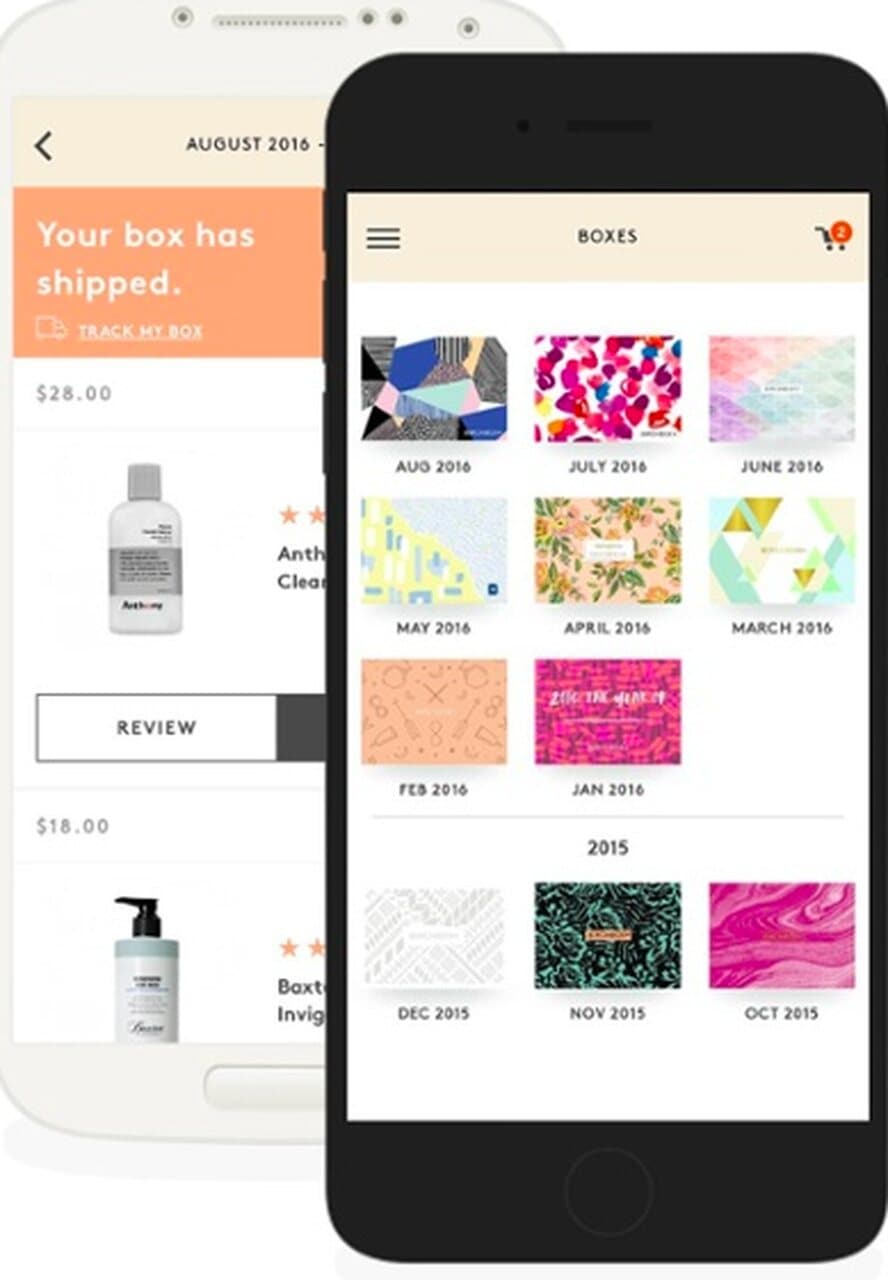
Birchbox, a beauty subscription service, was known for asking new subscribers to fill in a beauty profile at sign-up so the first box matched them. For a subscription, that profile is the onboarding. The app screens above show what came next: a "Your box has shipped" page with a Review button under each product, and an archive of past boxes.
2. Amazon
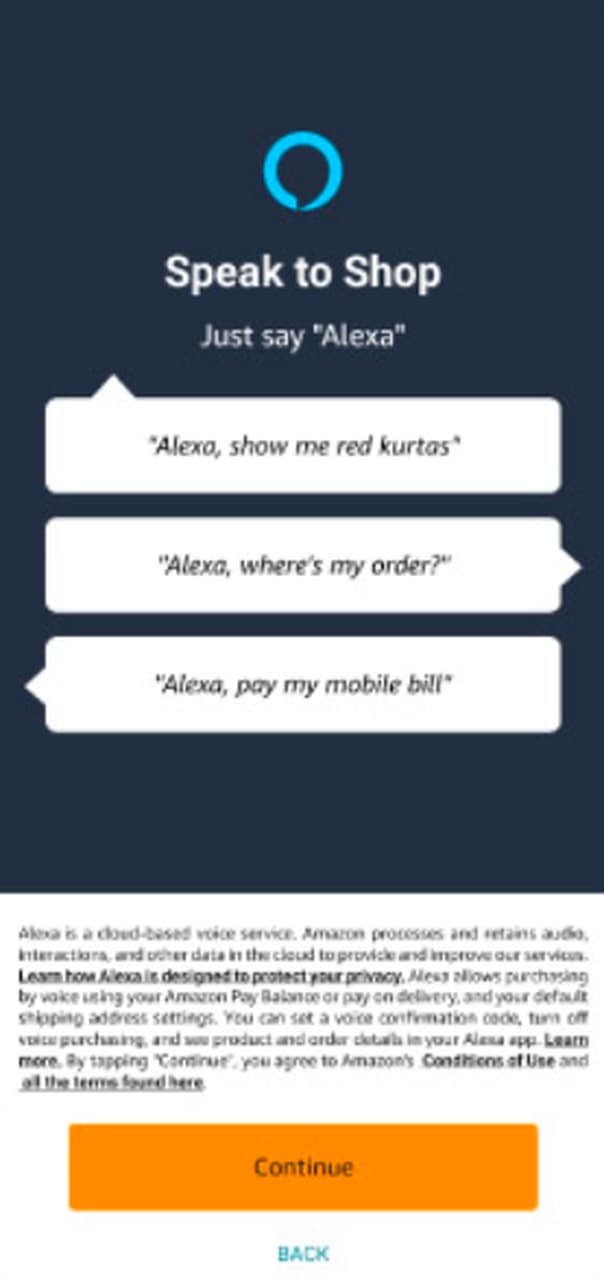
Amazon's app introduced voice shopping on a single screen: "Speak to Shop. Just say 'Alexa'", three example requests ("show me red kurtas", "where's my order?", "pay my mobile bill") and one Continue button. Example requests teach a new way of shopping faster than a description does, and the same applies to any voice or AI assistant a store adds.
3. Spotify
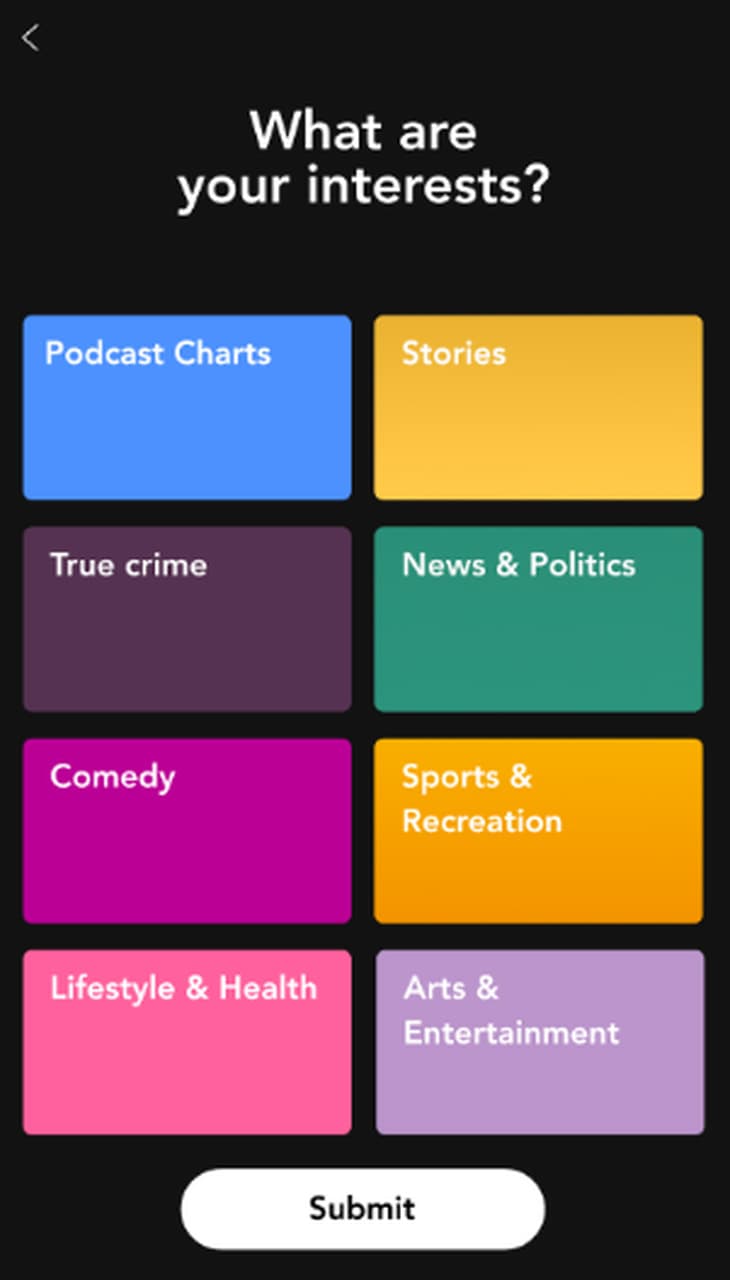
Spotify isn't a store, but its interest picker shows how to collect preferences quickly: one question ("What are your interests?"), eight colour-coded tiles and one Submit button. A fashion or beauty store can ask about styles the same way, one tap per answer.
4. Duolingo
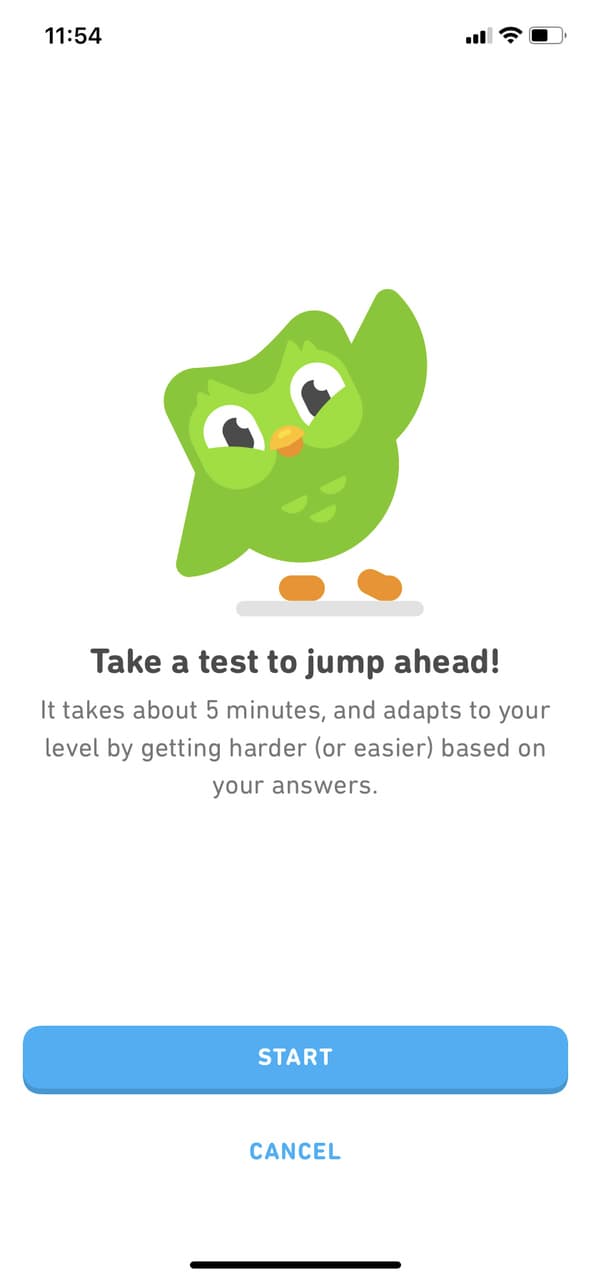
Duolingo, the language-learning app, offered experienced learners a placement test to "jump ahead", stating up front that it takes about five minutes. The store version of this is letting returning shoppers skip the welcome flow and go straight to signing in or reordering.
5. Nike
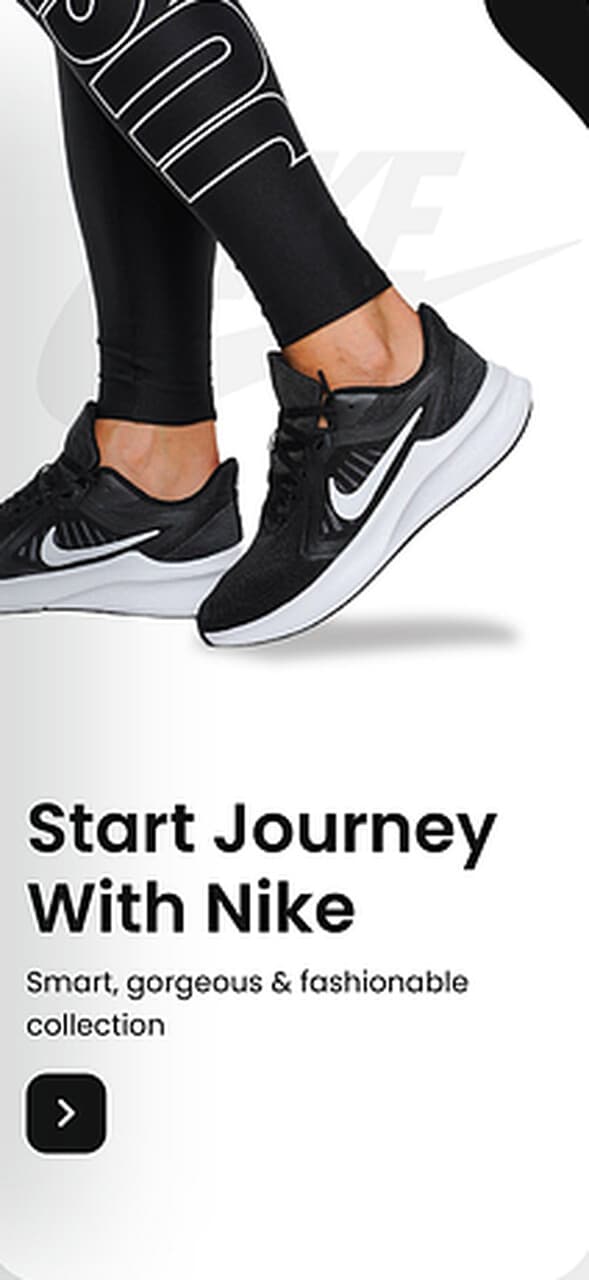
This welcome screen ("Start Journey With Nike") leads with one product photo, one line of copy and one button. It does one job: get the shopper into the catalogue. For a shoe store, the question that most often stands between a shopper and a first order is fit, so size guidance belongs in onboarding as much as product photos do.
What comes after the first order?
The first order starts the next stage of onboarding: turning a first-time buyer into a repeat customer. Our post on e-commerce onboarding for sales and retention covers that stage, from returning-customer checkout and review requests to loyalty programmes.

About the author
Renk MertRenk is a creative content writer and a SaaS enthusiast, willing to learn and write about everything SaaS.