
User onboarding
Zara’s new feature modal is way too cute to ignore
Zara's app announces wishlist sharing with an illustrated modal on the Wishlist page, while a spotlight picks out the share button it describes.
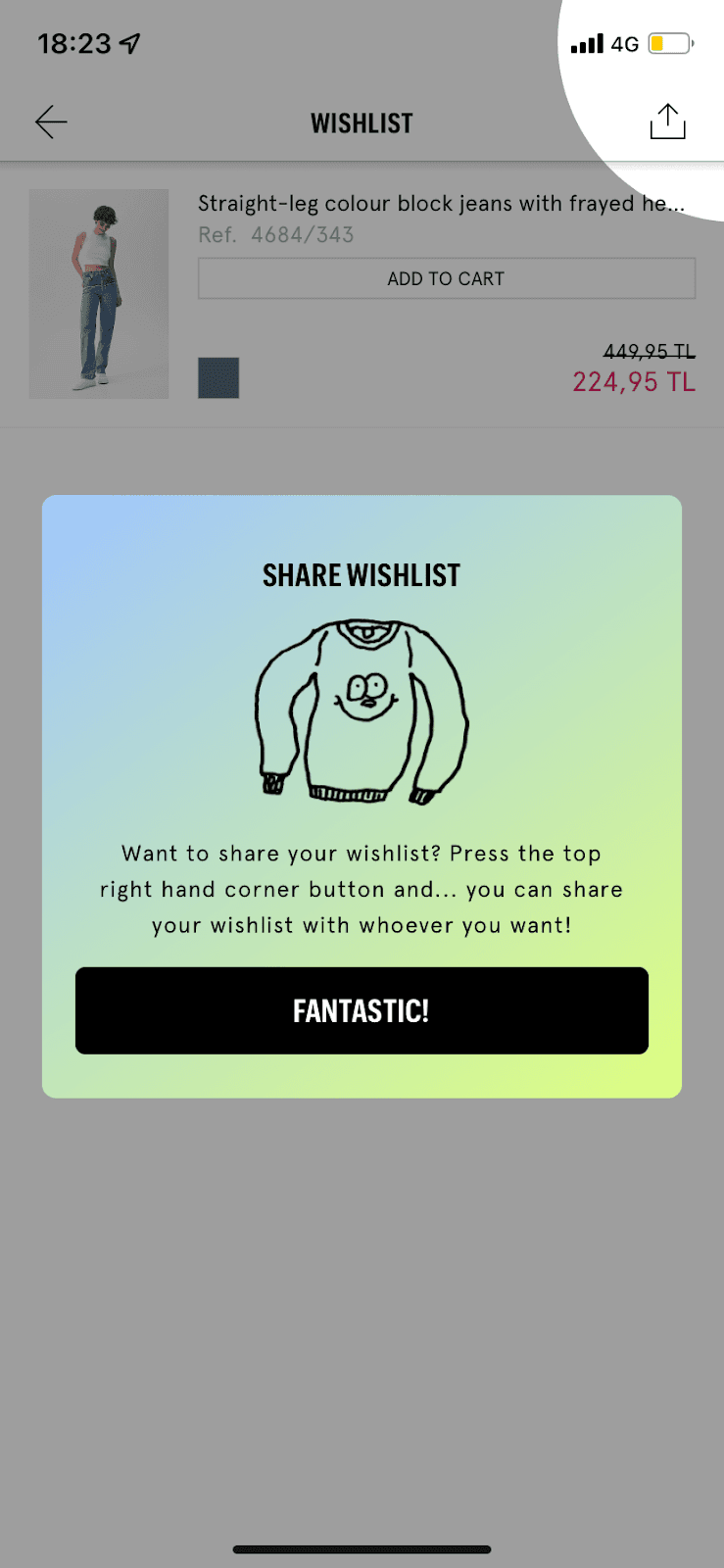
At the time of the screenshot, Zara's mobile app introduced wishlist sharing with a new feature modal on the Wishlist page itself. The card has a soft blue-to-yellow gradient, a hand-drawn jumper with a smiling face and one sentence: "Want to share your wishlist? Press the top right hand corner button and… you can share your wishlist with whoever you want!" The button reads "Fantastic!", and a circular spotlight cuts through the grey overlay to show the share icon in the corner.
Why it works
✅ Playful design: the gradient and the doodle stand out from Zara's usual black-and-white look, which makes this modal hard to mistake for an ad.
✅ Encouraging copy: the text builds to a small reveal ("and… you can share"), and the "Fantastic!" button lets users close the modal on a positive note.
✅ Spotlight as the finishing touch: instead of a separate tooltip, the modal works with a highlight on the share button, so users know exactly where the feature lives once they dismiss it.
More on this pattern: new feature onboarding and e-commerce onboarding.


