Product Tours
Trello’s new feature onboarding actually cares if you want the new features or not
Trello introduces its new navigation with a modal, a four-step tooltip tour, and a final choice to switch now or keep the old layout a little longer.
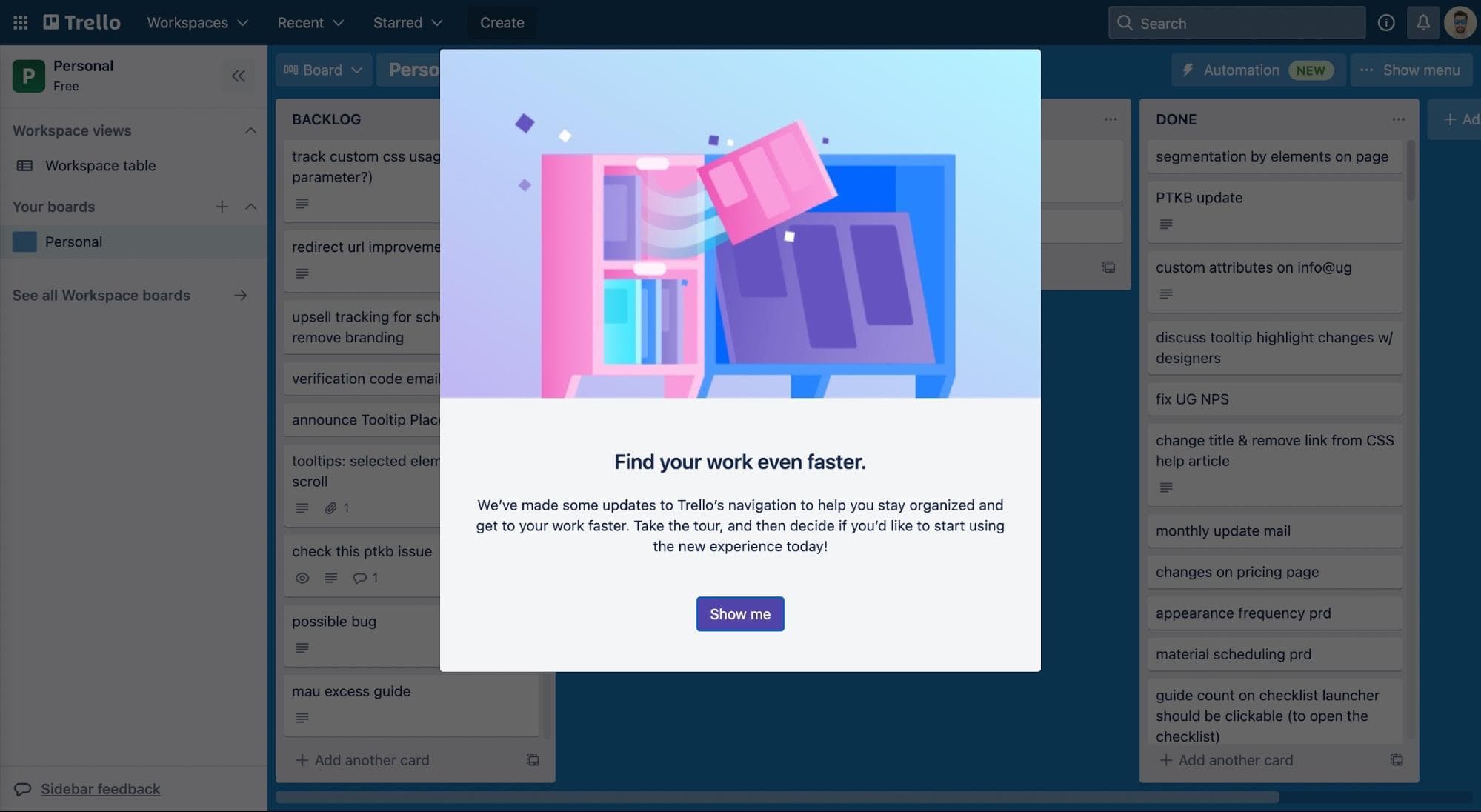
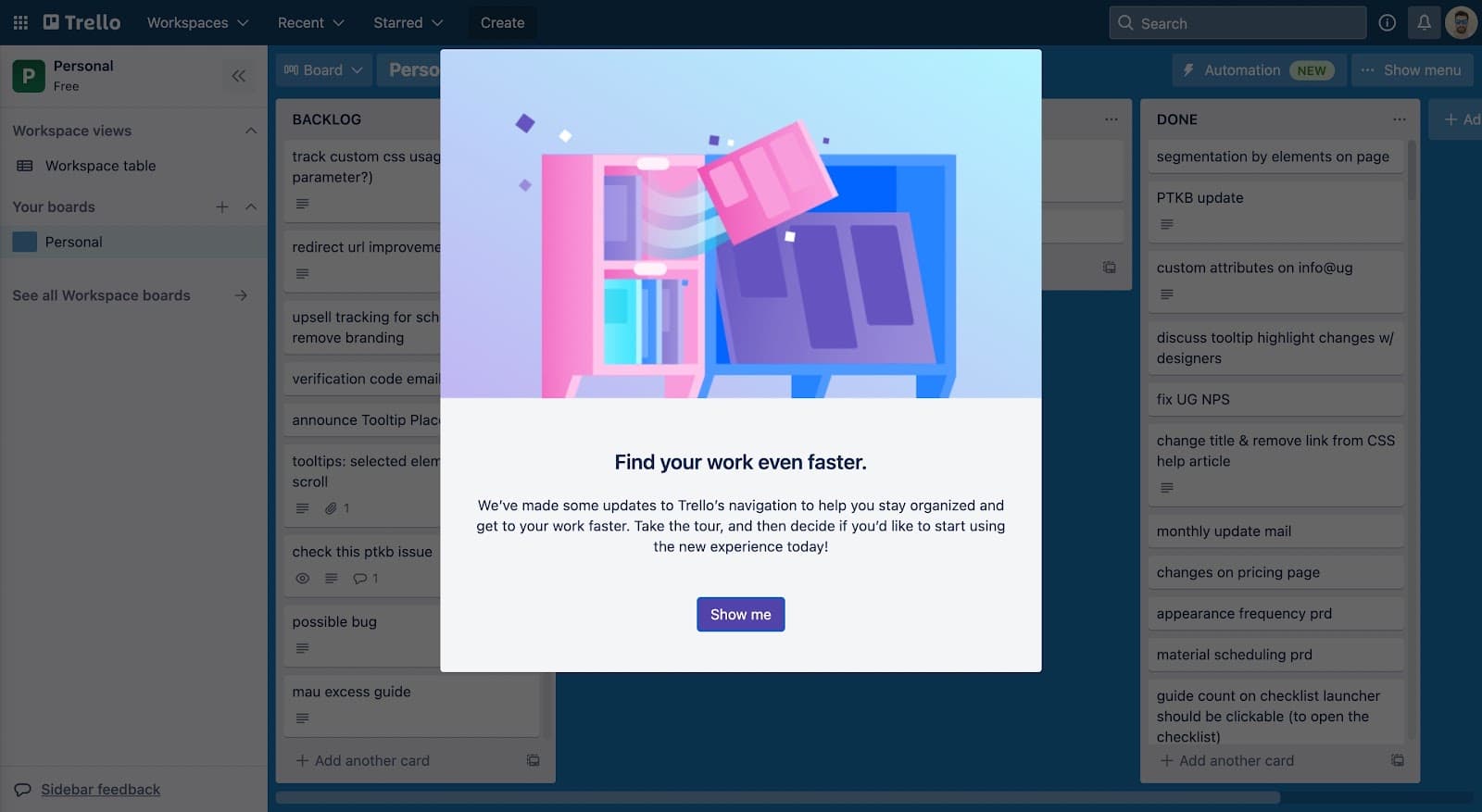
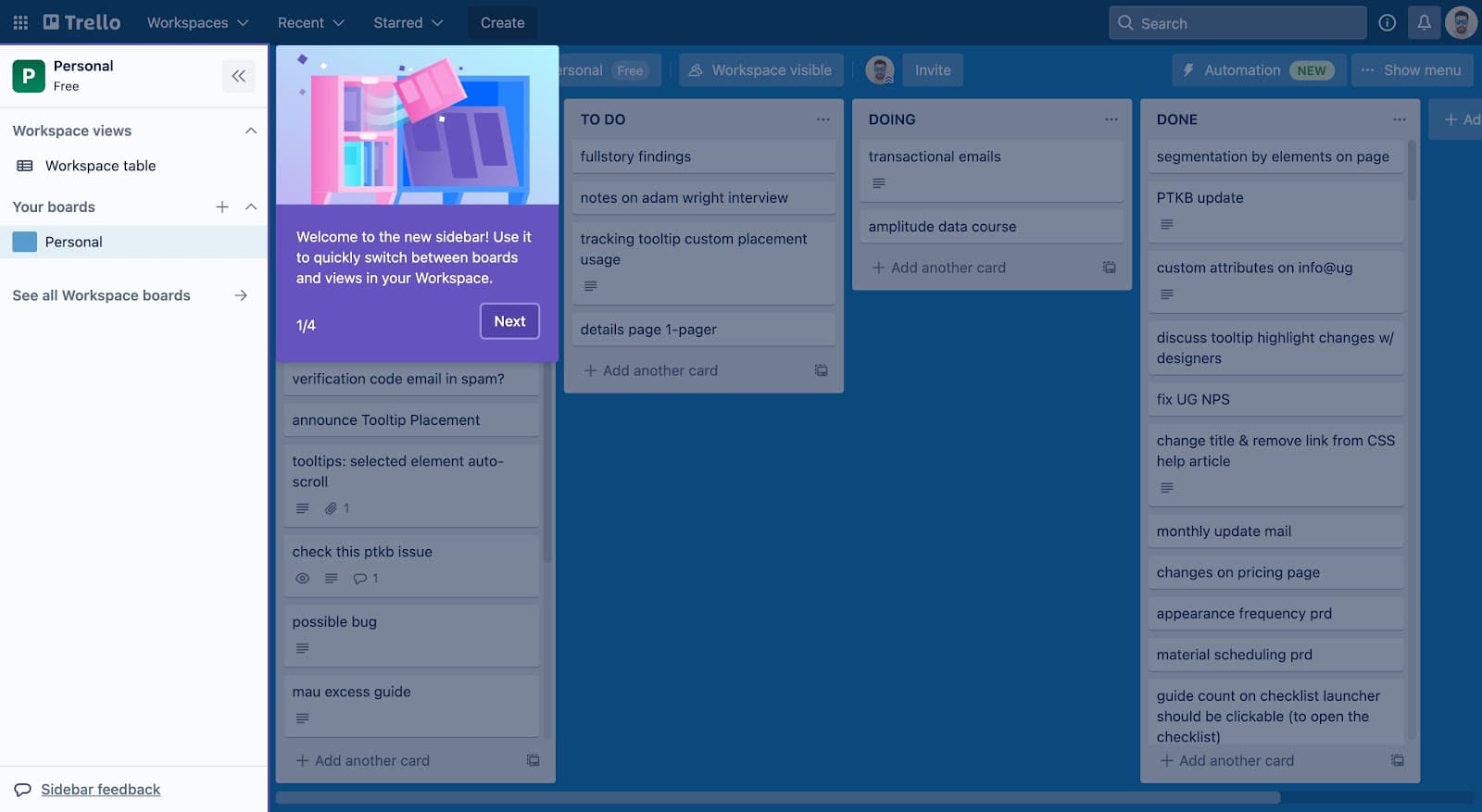
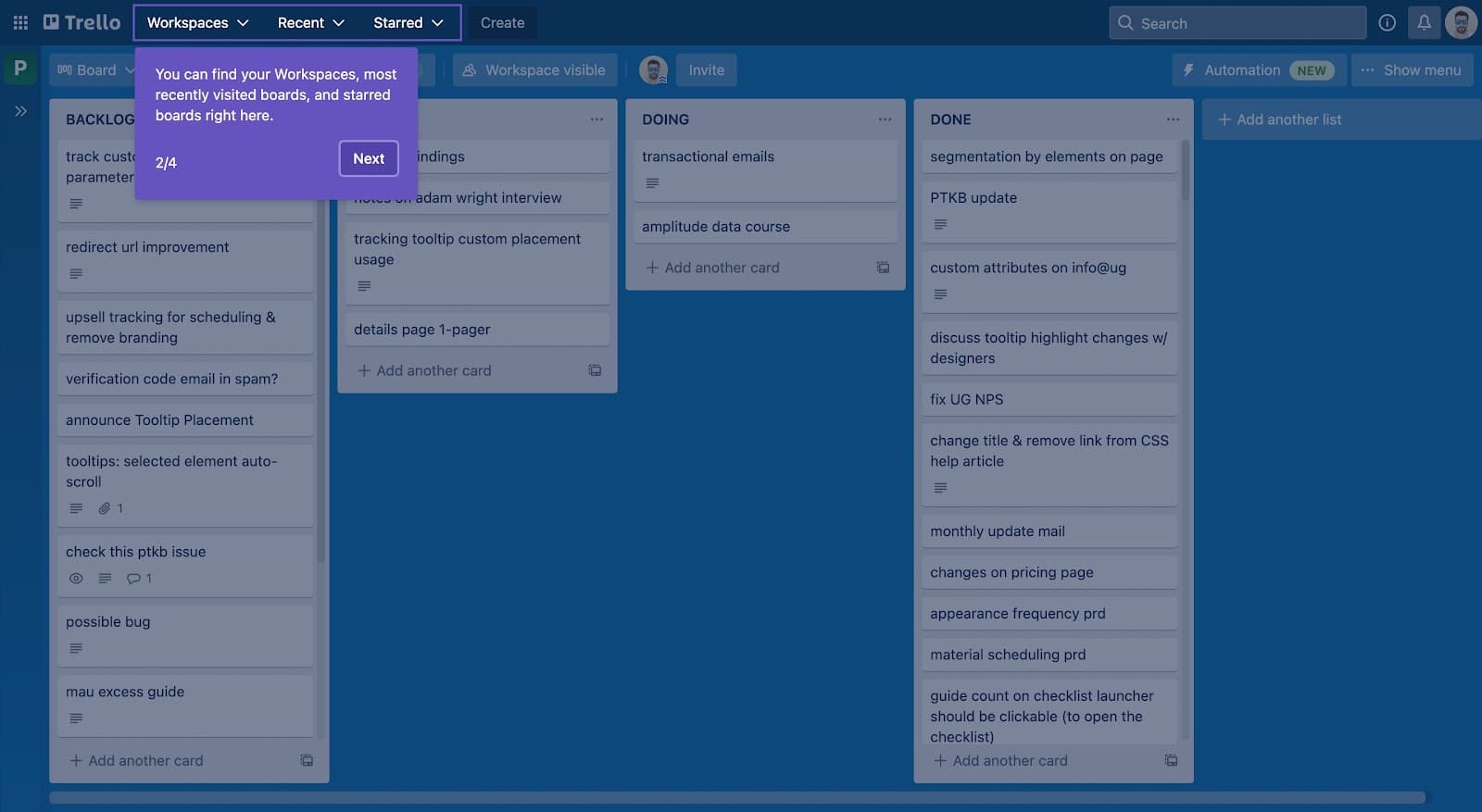
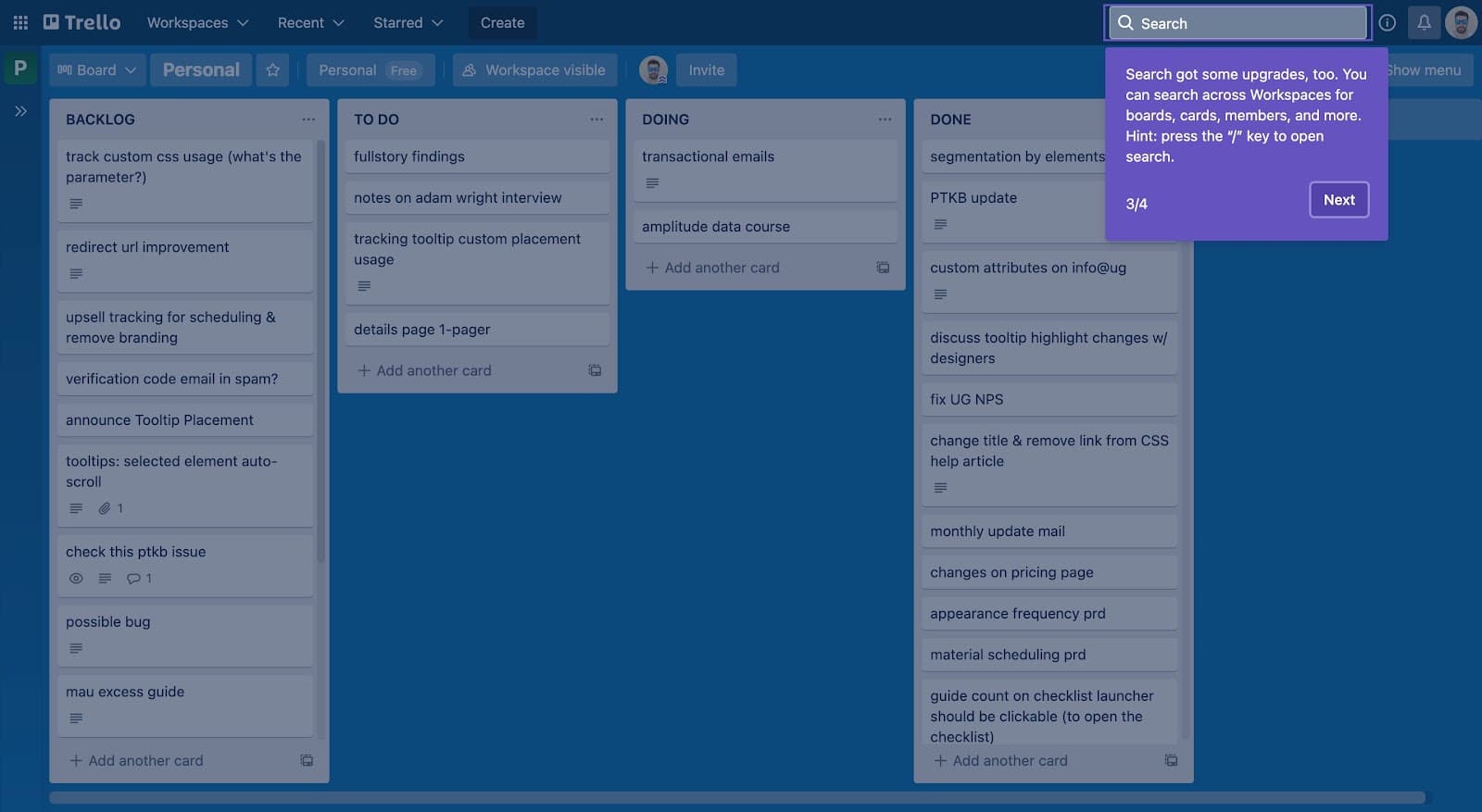
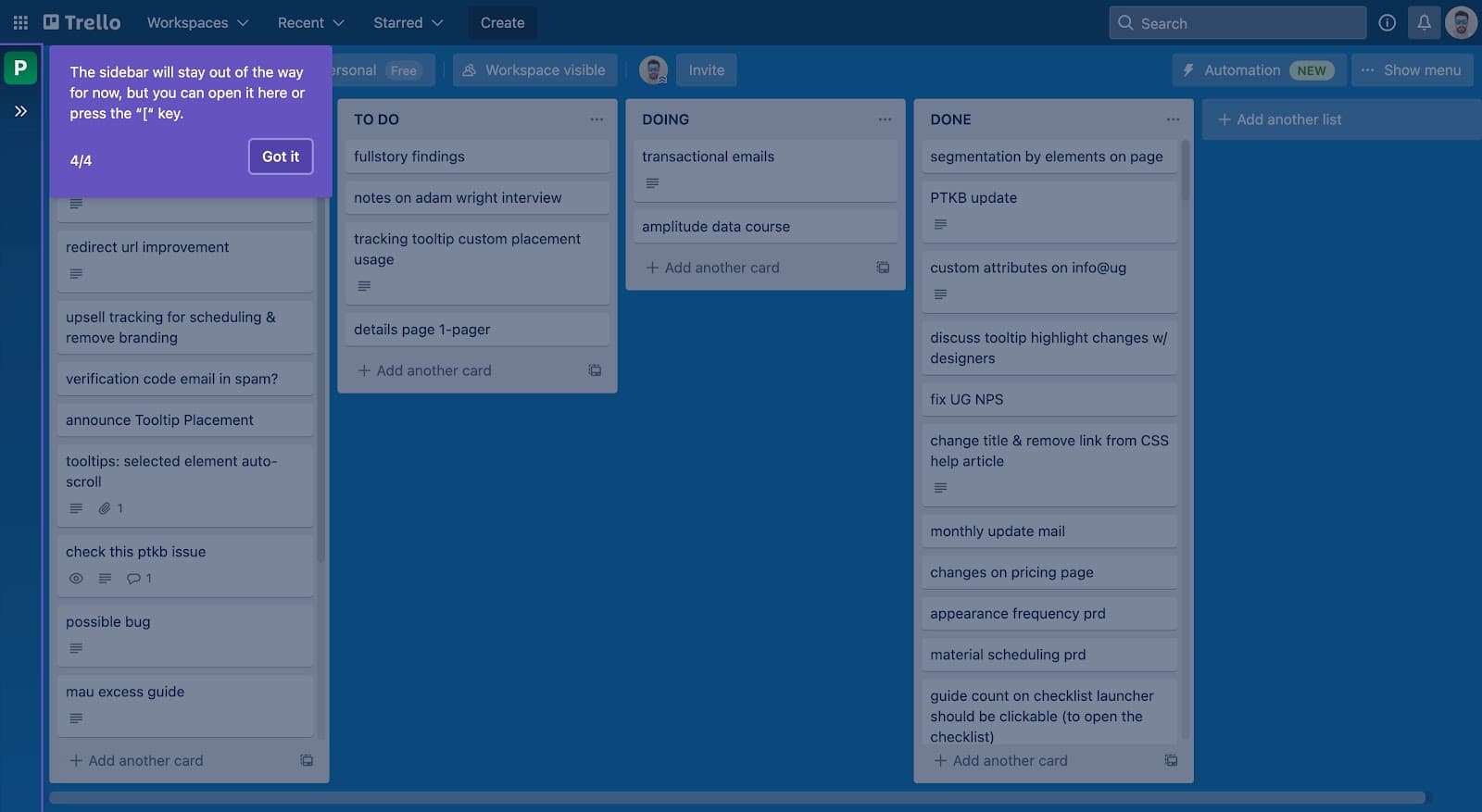
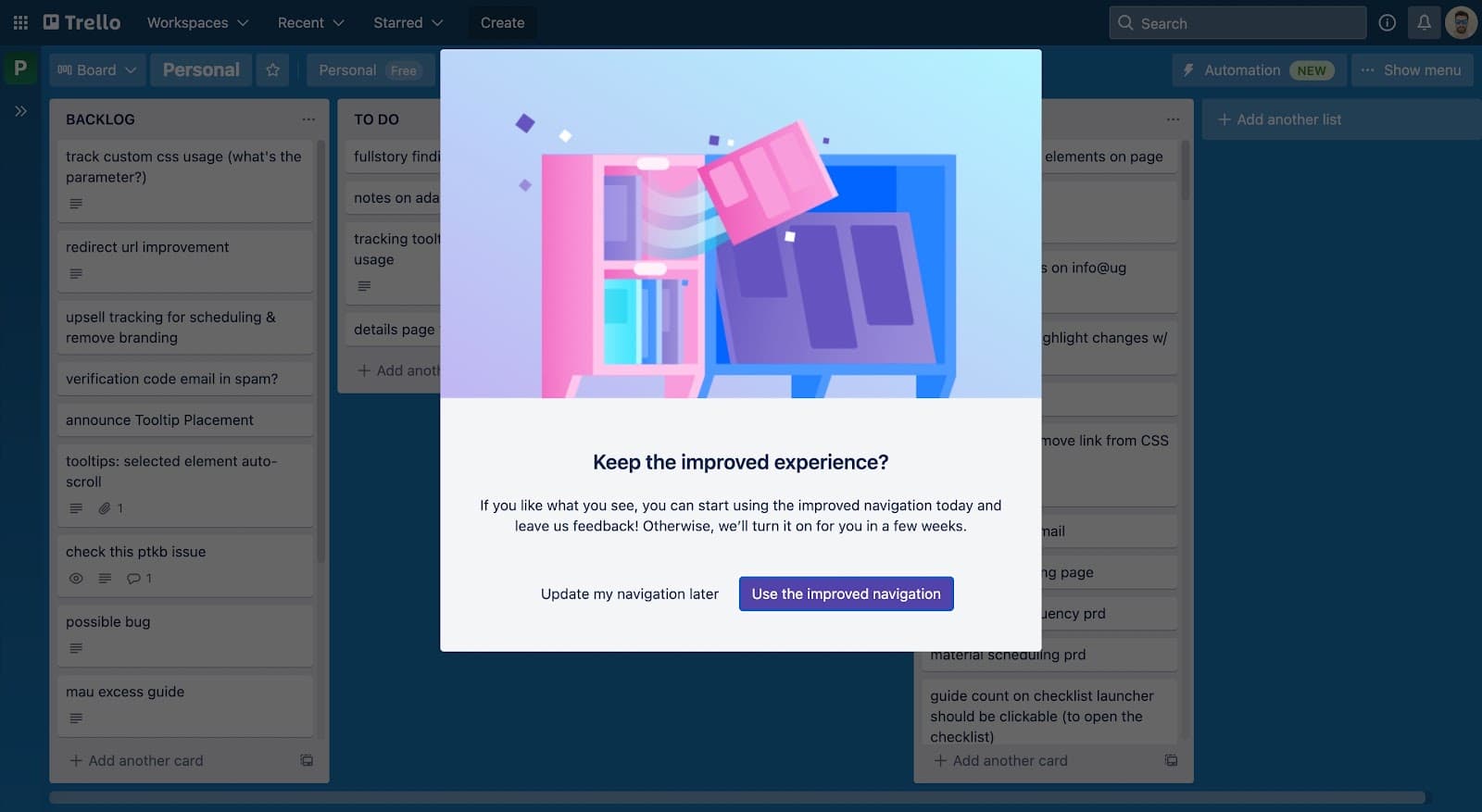
At the time of the screenshots, Trello rolled out a redesigned navigation with a short new feature tour. A modal opens it: "Find your work even faster… Take the tour, and then decide if you'd like to start using the new experience today!" Show me starts four purple tooltips, numbered 1/4 to 4/4, covering the new sidebar, the Workspaces, Recent and Starred menus, the upgraded search (with a "/" shortcut) and how to reopen the sidebar. A final modal asks "Keep the improved experience?" and offers two buttons: "Use the improved navigation" or "Update my navigation later", noting that the change will switch on for everyone in a few weeks.
Why it works
✅ Short, clear tooltips: each tooltip is one or two sentences about one part of the screen, with the element itself highlighted.
✅ Clear progress marker: four steps, numbered on every tooltip, so users can see the tour is short and how much is left.
✅ Considerate of users: the closing modal lets people who aren't ready for a new layout put it off, while being honest that the change is coming either way.
More on this pattern: new feature onboarding and onboarding tours.