
User onboarding
Pinterest’s slideout modal is short and to the point
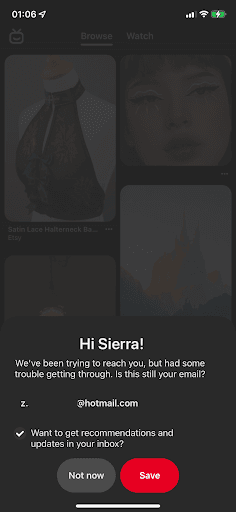
Pinterest's mobile app greets users by name in a slideout modal asking them to confirm their email, then confirms the change and points to Settings.
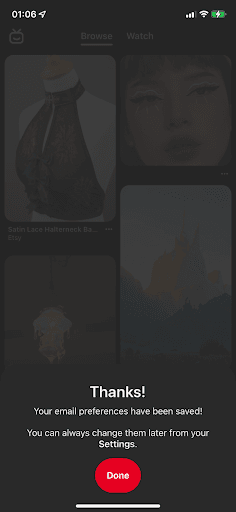
At the time of the screenshots, Pinterest's mobile app showed a slideout modal in the middle of browsing, over a dimmed feed. It greets the user by first name ("Hi Sierra!"), says Pinterest has had trouble reaching them and asks whether the email shown is still theirs. A ticked box offers recommendations and updates by email, with Not now and Save buttons. After saving, the slideout says "Thanks!", confirms the preferences were saved and notes they can be changed later in Settings.
Why it works
✅ Personalisation: addressing users by first name makes the request feel aimed at them, which encourages them to respond.
✅ Friendly feel: "We've been trying to reach you, but had some trouble getting through" reads like a message from an old friend, not an account notice.
✅ Not too intrusive: a slideout modal covers only part of the screen. It does block the feed for a moment, but it feels lighter than a full-screen modal, and Not now is always there.
More on this pattern: UI modals and onboarding UX writing.


