Slideout · Survey · Personalisation
Notion’s survey slideout is honest about the time
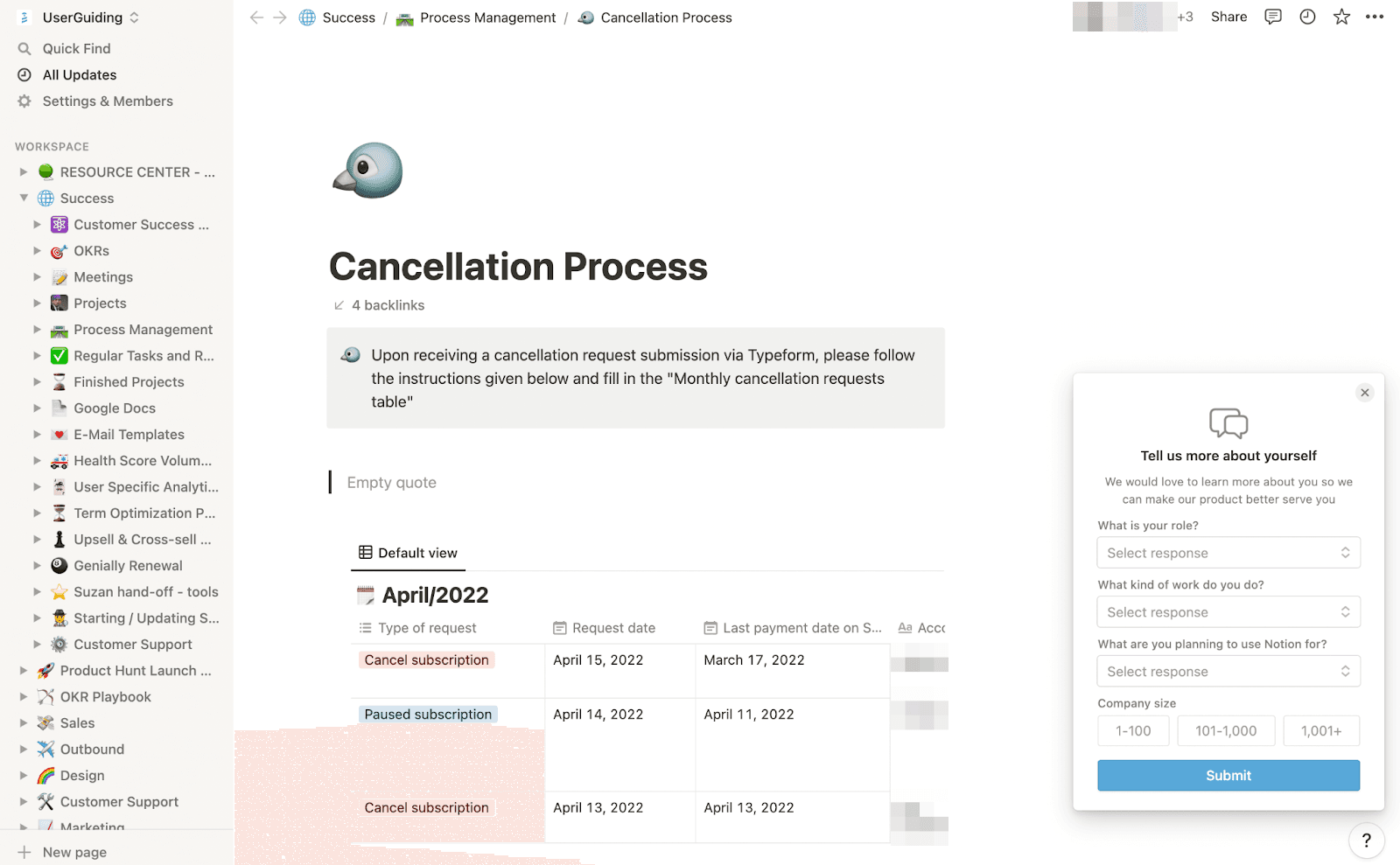
Notion asks users about themselves in a small slideout whose button promises a 20 second survey, then shows four quick questions in the same card.
Screenshot added to the library in November 2022; its exact capture date wasn’t recorded, and the product may look different today. Write-up reviewed 22 Oct 2026.
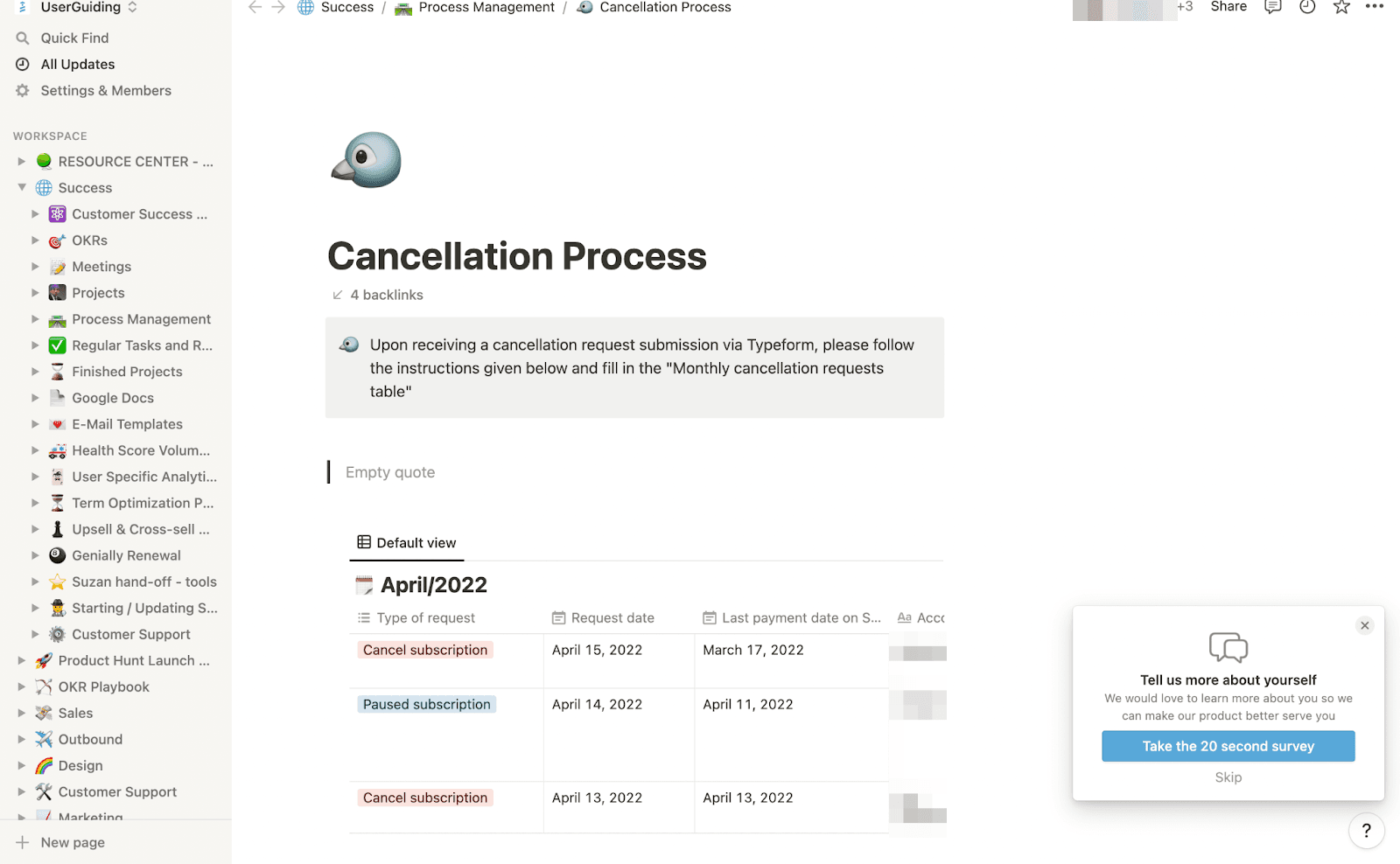
Notion runs an in-app survey from a small slideout in the bottom corner of the workspace. At the time of the screenshots, it reads "Tell us more about yourself", explains that the answers help Notion serve you better, and offers a blue "Take the 20 second survey" button, a Skip link and a close button. Accepting expands the same card into four questions: your role, the kind of work you do and what you plan to use Notion for (each a drop-down), plus company size as three buttons. A Submit button finishes it.
Why it works
- Out of the way: the card sits in a corner and leaves the page usable, so it never blocks the work you opened Notion for.
- An honest button: "Take the 20 second survey" tells you the cost before you agree, and the questions that follow are short enough to keep that promise.
- Two easy exits: Skip and the close button both decline without fuss, which makes saying yes feel like a real choice.
More on this pattern: in-app survey types and how companies use UI modals.