User onboarding
Jira’s empty state is way less disappointing than a 404-page
Jira's mobile app answers an issue you can't open with a padlock illustration, the line Well, this is awkward and a close button.
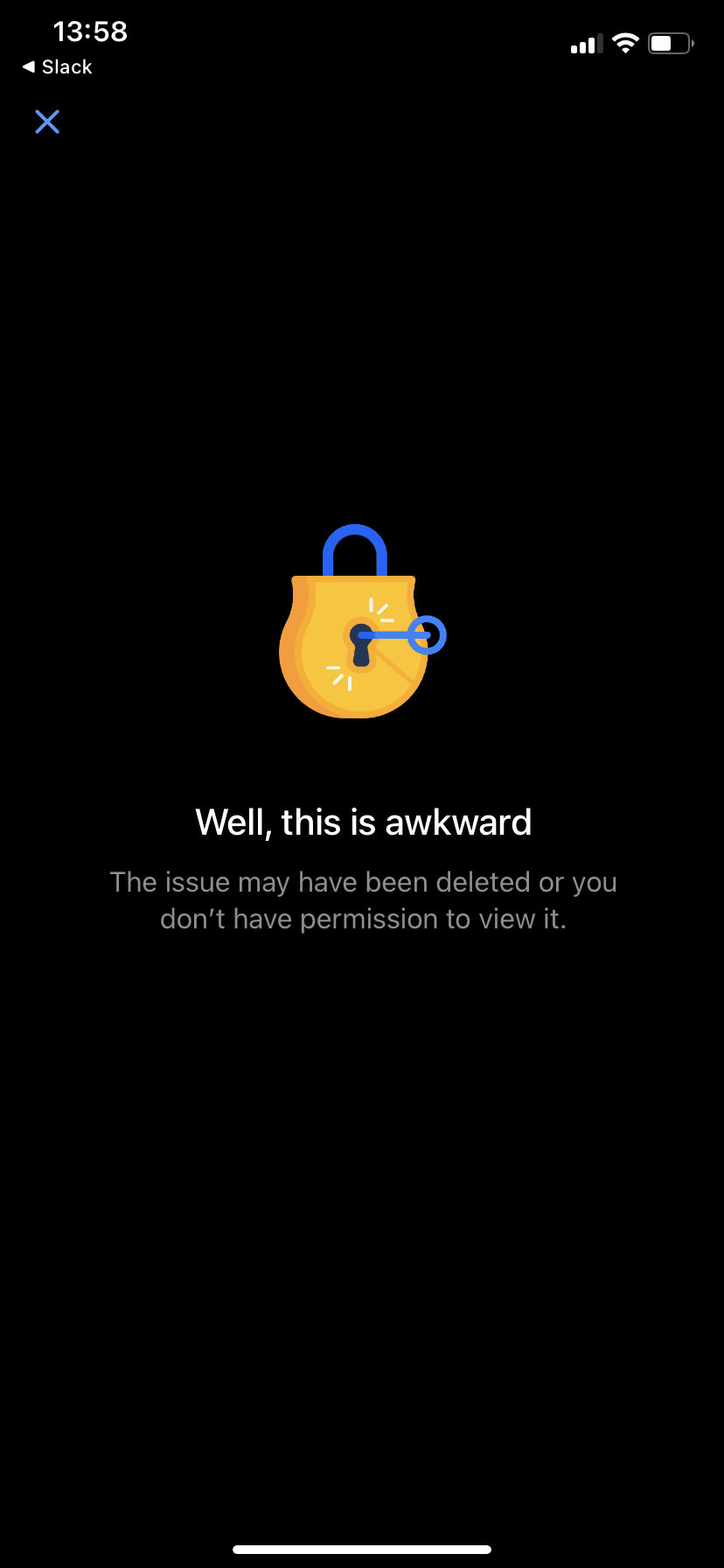
Jira's mobile app uses an empty state for pages it can't display. At the time of the screenshot, opening an issue you can't see shows a yellow padlock with a key in it, the heading "Well, this is awkward" and an explanation: "The issue may have been deleted or you don't have permission to view it." A close button sits in the top left corner, even though this is a mobile screen.
Why it works
- Disarming copy: "Well, this is awkward" admits the problem in a human voice, which takes some of the frustration out of hitting a dead end.
- An illustration that explains: the lock and key look like decoration, but they hint at the most likely cause, that the issue is restricted.
- A plain way back: the close button gives an obvious exit, even though a swipe would also do on mobile.
More on this pattern: empty states in progressive onboarding and onboarding UX writing.