Hotspots · Built with UserGuiding
Indicata’s announcements are subtle but effective
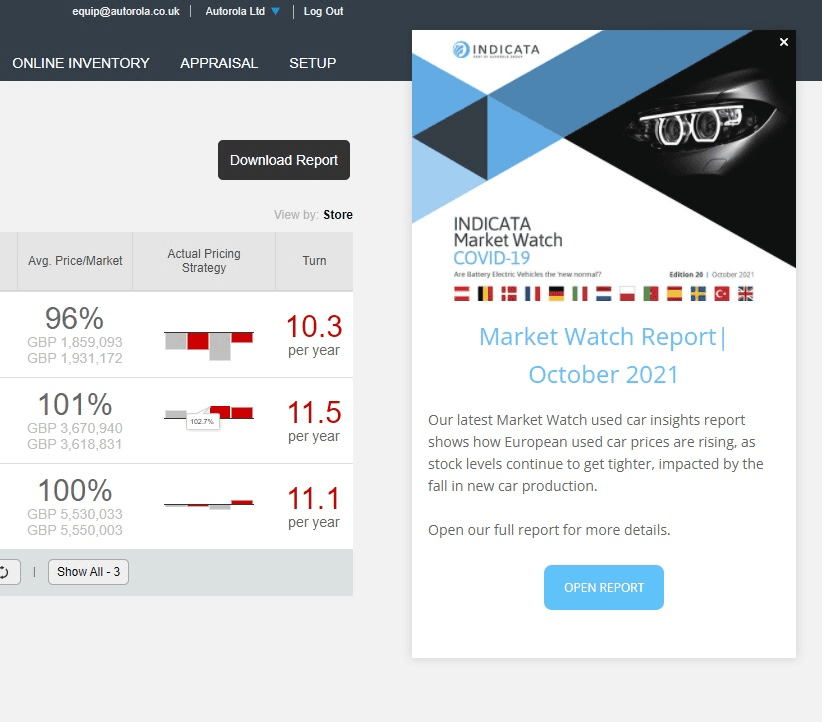
Indicata announces a new feature through a hotspot that opens a 35-second video, and a new report through a modal at the side of the screen.
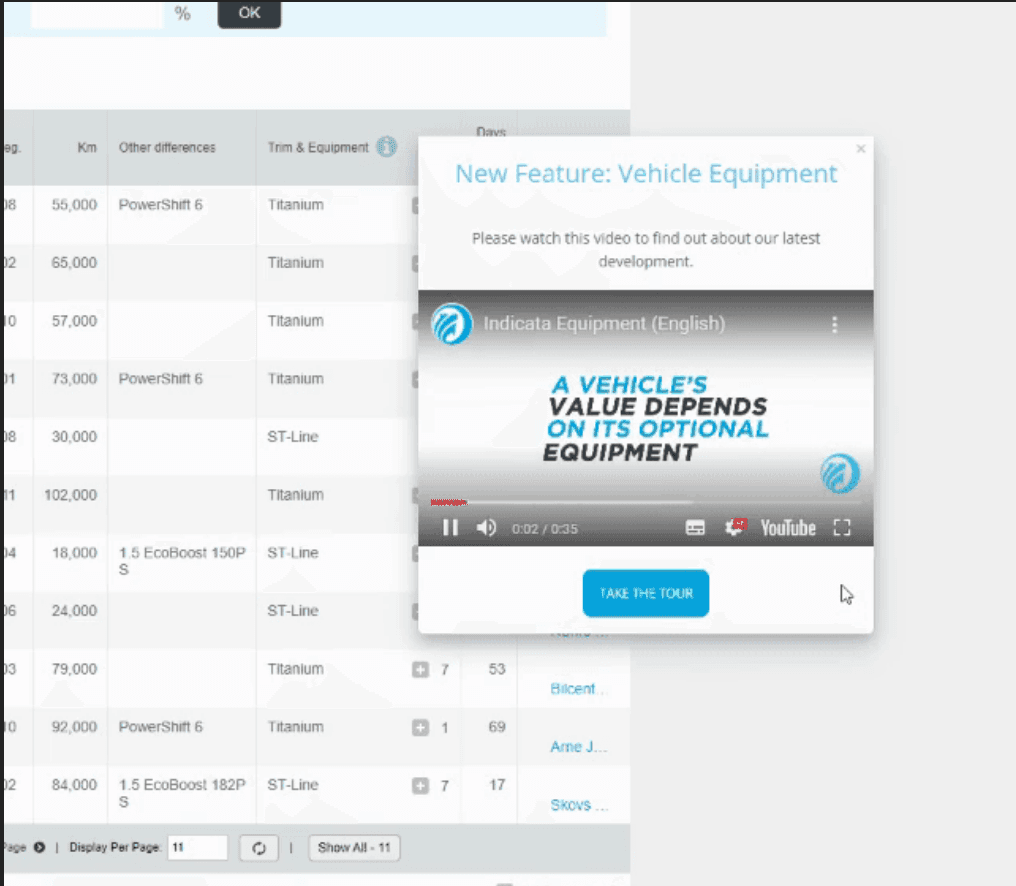
At the time of the screenshots, Indicata, a used-car pricing platform, used two quiet formats for announcements. For a new feature, a hotspot (an info icon beside the "Trim & Equipment" column) opens a panel titled "New Feature: Vehicle Equipment" with a 35-second video and a Take the tour button. For a new market report, an announcement modal opens on the right of the screen with the report's cover, two sentences of summary and an Open Report button. Both were built with UserGuiding.
Why it works
✅ Good use of a hotspot: many SaaS tools announce features with a modal that interrupts everyone. A hotspot on the column the feature affects lets interested users find it without stopping anyone else.
✅ Video done right: the video runs 35 seconds and covers what would otherwise take several tooltips, with a tour on offer for anyone who wants the hands-on version.
✅ Low pressure: neither announcement takes over the screen. The hotspot waits to be clicked and the report modal sits to one side with a clear close button.
More on this pattern: UX/UI hotspots and new feature onboarding.