Full-screen steps · Upgrade and retention
Impulse’s gamified first-day UX gets users to stick around
Impulse ends a new user's first day with a Great start! screen: a ticked calendar, a seven-day streak row and a short motivational line.
Screenshot added to the library in October 2022; its exact capture date wasn’t recorded, and the product may look different today. Write-up reviewed 22 Oct 2026.
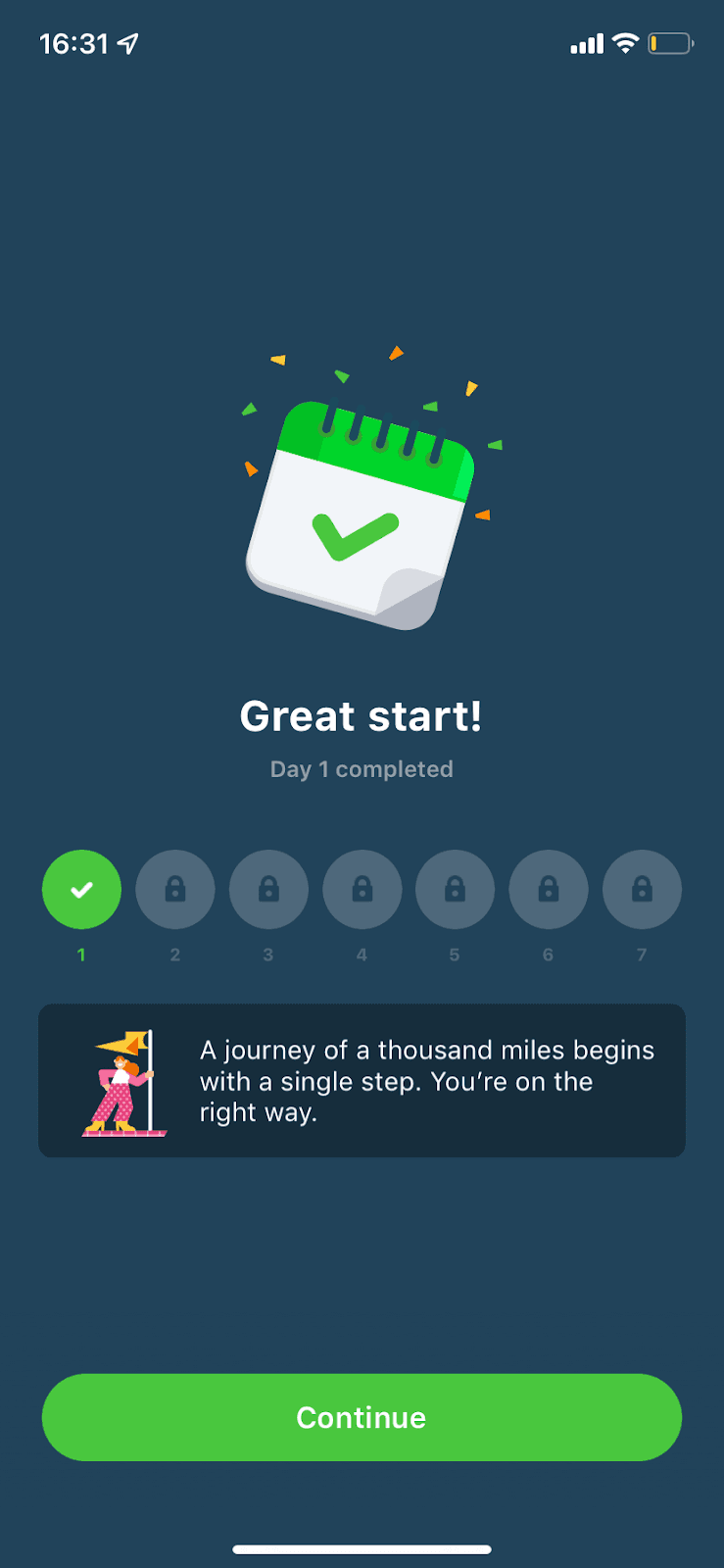
A gamified screen isn't onboarding in the strict sense, but it can do an onboarding job on day one: show new users how the app works and why it's worth coming back. Impulse uses a gamified progress screen for this. At the time of the screenshot, finishing the first day shows a calendar with a green tick and confetti, "Great start! Day 1 completed", and a row of seven numbered circles with day 1 ticked and days 2 to 7 locked. Below is a card with an illustration and the line "A journey of a thousand miles begins with a single step. You're on the right way.", then a Continue button.
Why it works
- Celebration you can see: the confetti and the ticked calendar make finishing day one feel like an achievement, which is the moment a new user most needs a reason to return.
- The plan at a glance: the locked days 2 to 7 show that the app is a daily habit over a week, without a word of explanation.
- A friendly nudge: the short quote is encouraging rather than pushy and points towards tomorrow.
More on this pattern: mobile app onboarding and gamification and B2C user onboarding.