User onboarding
HubSpot’s survey widget wants to know what you think
HubSpot uses a small widget to ask how users feel about its new Overview tab, with a three-face rating, a comment box and a thank-you.
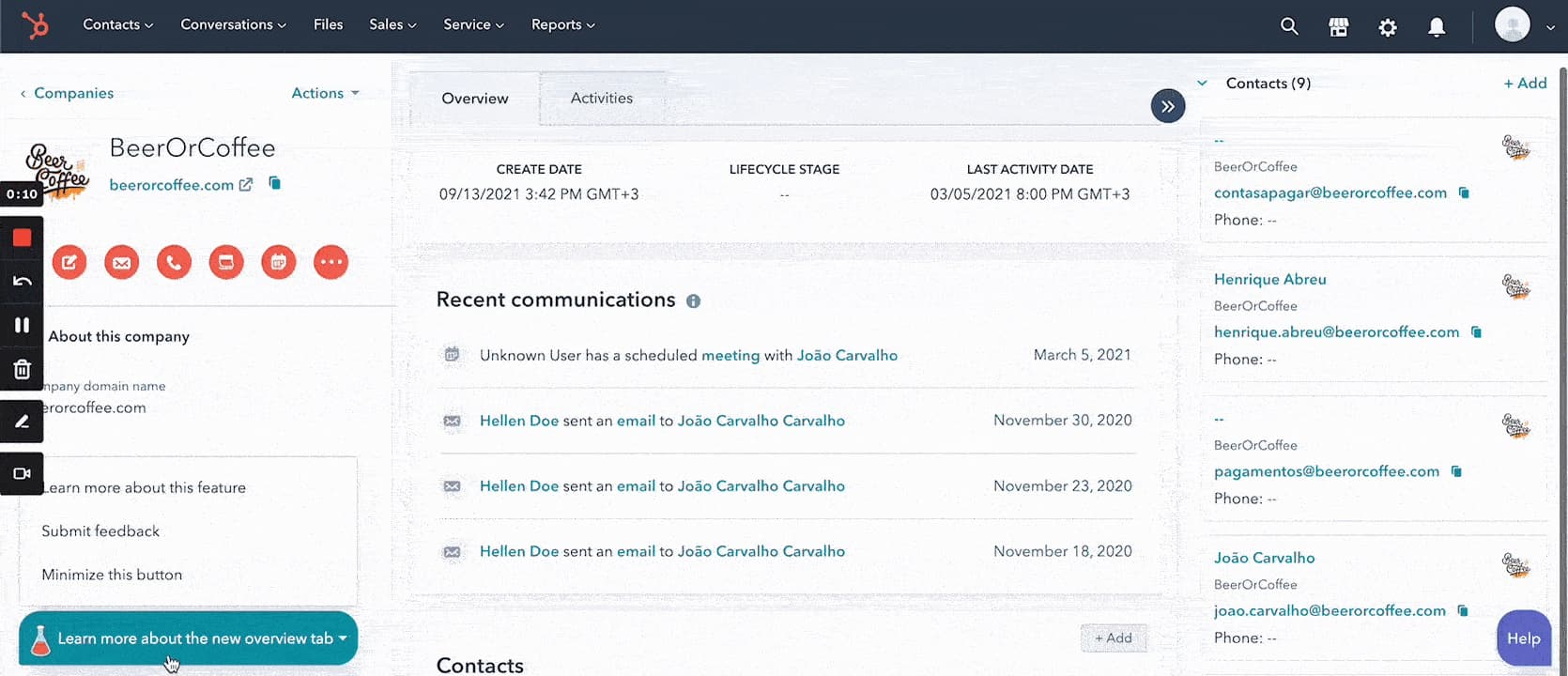
At the time of the screenshot, HubSpot gathered feedback on its new Overview tab through a small survey widget. A teal button in the bottom-left corner of a company record reads "Learn more about the new overview tab" and opens three options: learn more about this feature, submit feedback, or minimise the button. Submitting feedback brings up a card asking "How happy were you with the Record Overview tab?" with three faces, then a text box inviting users to say more, and finally a thank-you: "Thanks so much. Your feedback means the world to us."
Why it works
- An eye-catching widget: the teal button with a small flask icon stands out at the bottom of a busy record page without covering any of it.
- Simple survey options: three faces take one tap to answer, and the follow-up text box is there for users who want to explain.
- A thank-you message: closing with a thank-you, a step many surveys skip, shows users their answer was heard.
More on this pattern: in-app survey types and new feature onboarding.