Tooltip · Contextual help
HubSpot’s browser notification tooltip is prompted contextually
HubSpot asks users to turn on browser notifications in a tooltip shown when they open Notifications, and explains the browser prompt before it appears.
Screenshot added to the library in January 2023; its exact capture date wasn’t recorded, and the product may look different today. Write-up reviewed 22 Oct 2026.
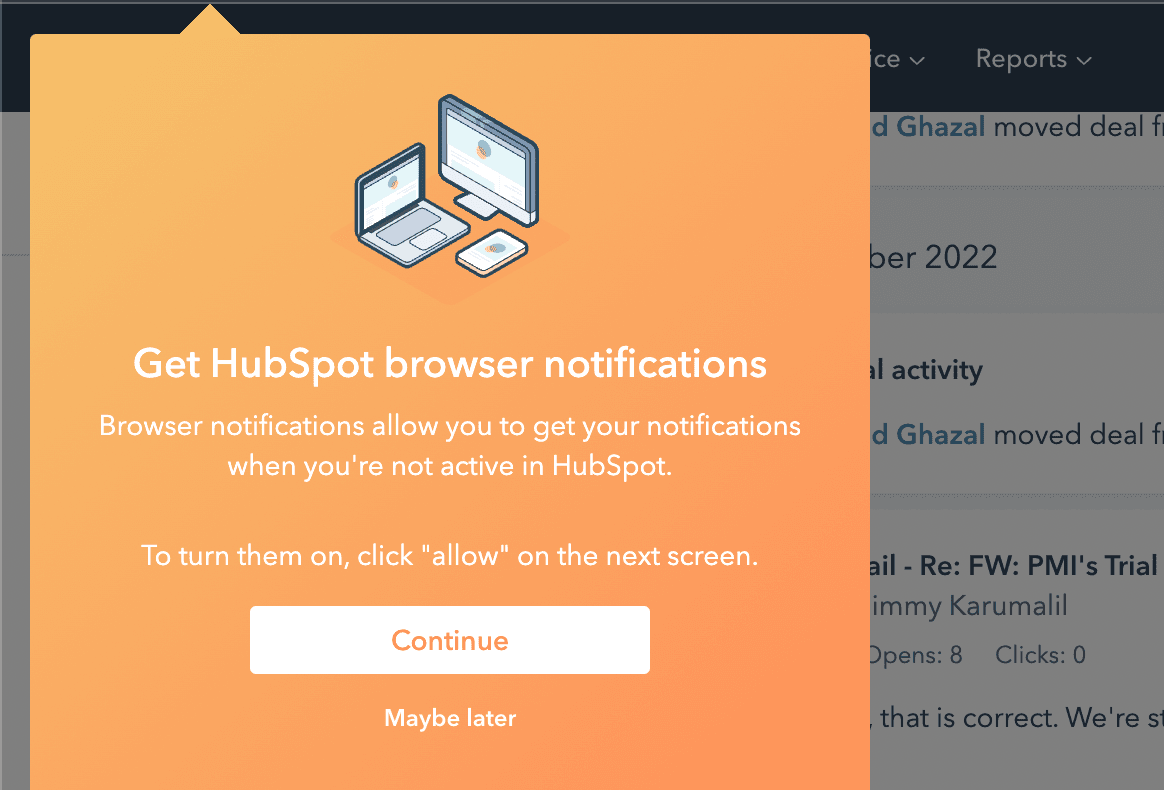
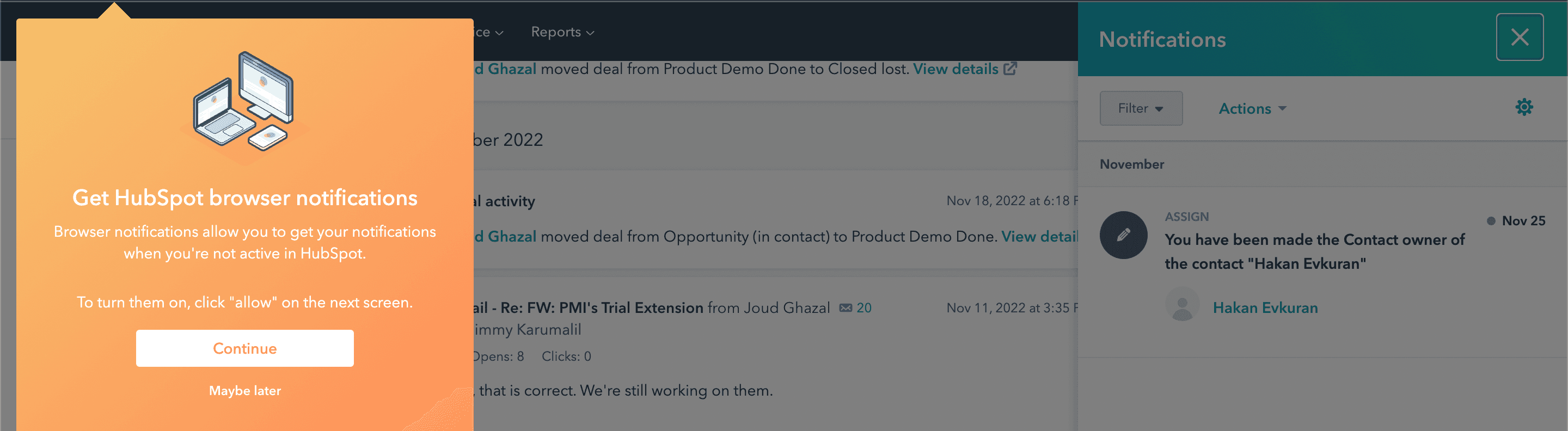
At the time of the screenshot, HubSpot showed a contextual tooltip asking users to turn on browser notifications when they opened the Notifications panel. The orange tooltip dims the page behind it and has an illustration of a laptop, a desktop screen and a phone. It explains that browser notifications reach you when you're not active in HubSpot, tells you to click "allow" on the next screen, and offers Continue and Maybe later.
Why it works
✅ Design: the tooltip uses HubSpot's own orange, which still contrasts enough with the interface to catch the eye, and the dimmed background helps it stand out further.
✅ Illustration: the small drawing of three devices draws attention and quietly suggests that notifications will follow the user from one device to another.
✅ Prepares the user for the browser prompt: by saying in advance that the next screen will ask them to click "allow", the tooltip makes the browser's own permission dialog less of a surprise. Maybe later leaves the door open without a hard no.
More on this pattern: contextual onboarding and tooltips.