User onboarding · Built with UserGuiding
Grove HR’s in-modal videos make it easier for video learners
Grove HR puts short videos inside its modals, from the first welcome screen to the announcement for a new Performance Enablement module.
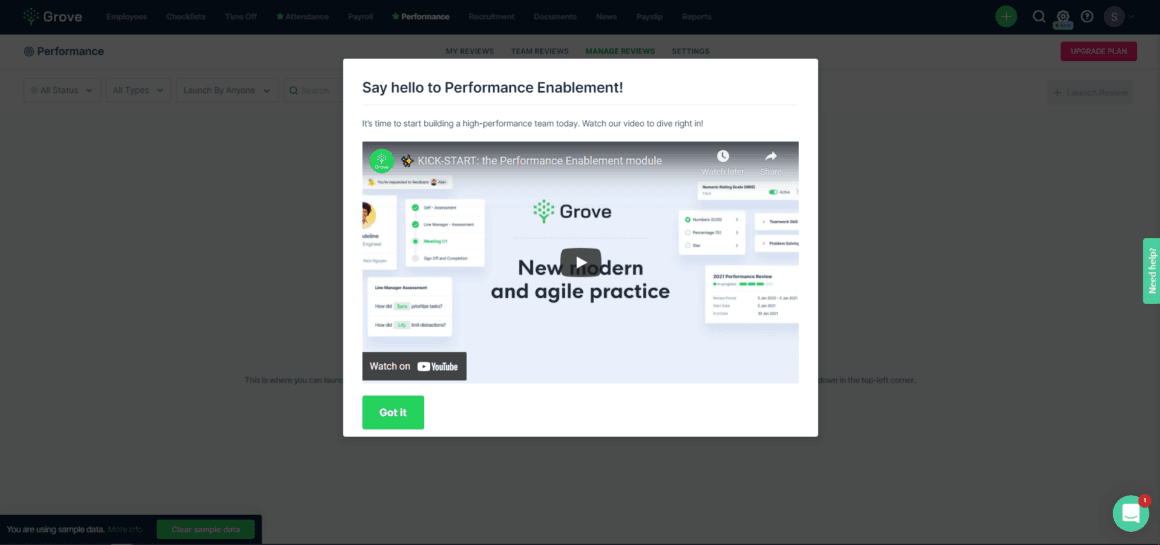
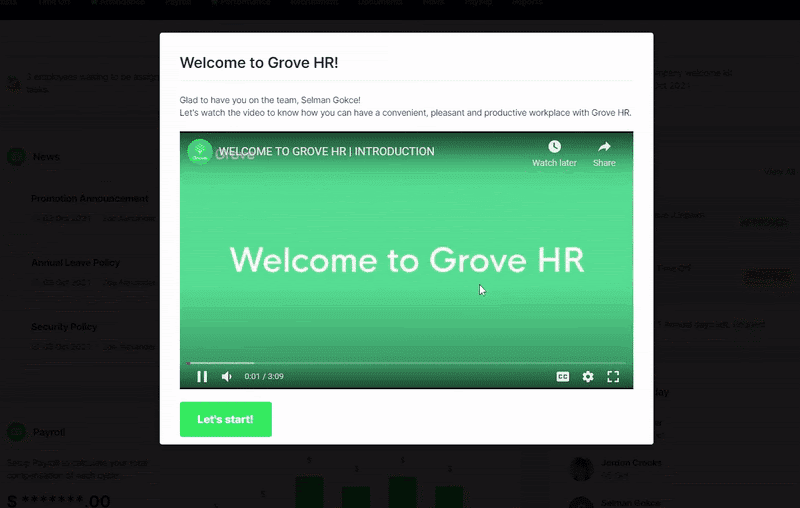
At the time of the screenshots, Grove HR used in-modal videos at more than one point in the journey. The welcome modal greets a new user by name, says what the video covers, embeds a three-minute introduction and ends with a "Let's start!" button. Later, a modal announcing the Performance Enablement module follows the same pattern: a title, one line ("Watch our video to dive right in!"), the video and a Got it button. The modals were built with UserGuiding.
Why it works
✅ Catches attention: a video player in the middle of the screen is hard to overlook, and a short one asks little of the user.
✅ Easy to find: training videos often sit unwatched in a help centre. Placing one in the very first modal means users meet it without looking for it.
✅ A shortcut through the product: a few minutes of video can cover what would otherwise take a long tour, and the same format works again for each new module.
More on this pattern: onboarding videos and UI modals.