Modal · Personalisation
Google Calendar’s personalization feature is introduced
Google Calendar asks users to set a default working location in a modal, explaining that it helps colleagues schedule time with them.
Screenshot added to the library in May 2023; its exact capture date wasn’t recorded, and the product may look different today. Write-up reviewed 22 Oct 2026.
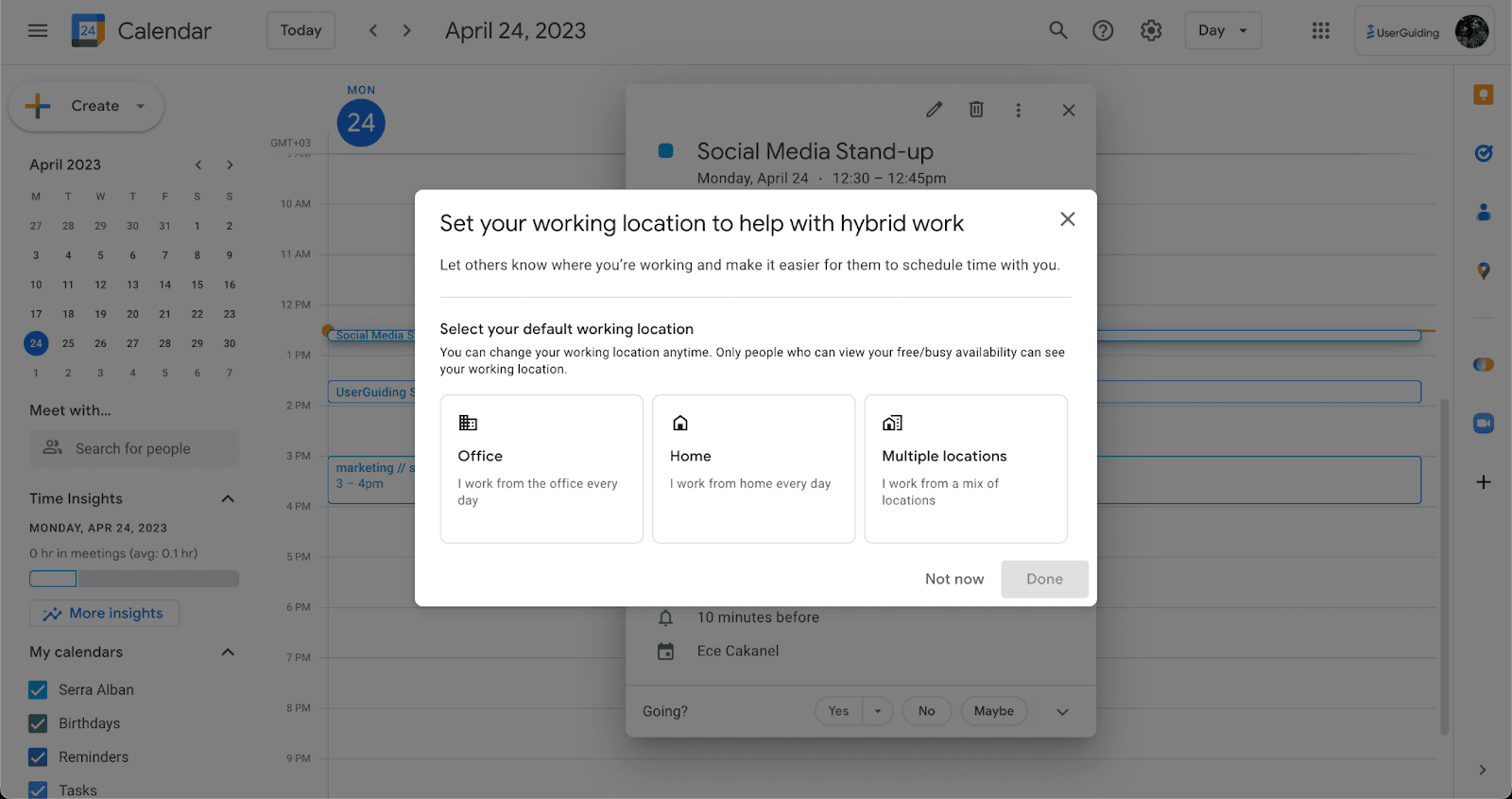
At the time of the screenshot, Google Calendar asked users to personalise their calendar with a personalisation modal headed "Set your working location to help with hybrid work". One line gives the reason ("Let others know where you’re working and make it easier for them to schedule time with you."), then three cards offer a default: Office, Home or Multiple locations. A note adds that the location can be changed anytime and is only visible to people who can see the user’s free/busy availability. Not now and Done close the modal.
Why it works
- Personalisation: one choice tailors the calendar to how the user actually works, which gives them a reason to engage with it.
- The right UI element: a modal over the calendar signals that the setting matters, without taking users away from their day view.
- Clear value: the modal says why it’s asking (so colleagues can schedule around you) and who will see the answer, so users understand the request before they make it.
More on this pattern: personalised onboarding and UI modals.