User onboarding
Frase’s update modal features a feedback option
Frase announces its updated editor in a modal with a YouTube video, emoji reactions and a feedback field, shown when users log in.
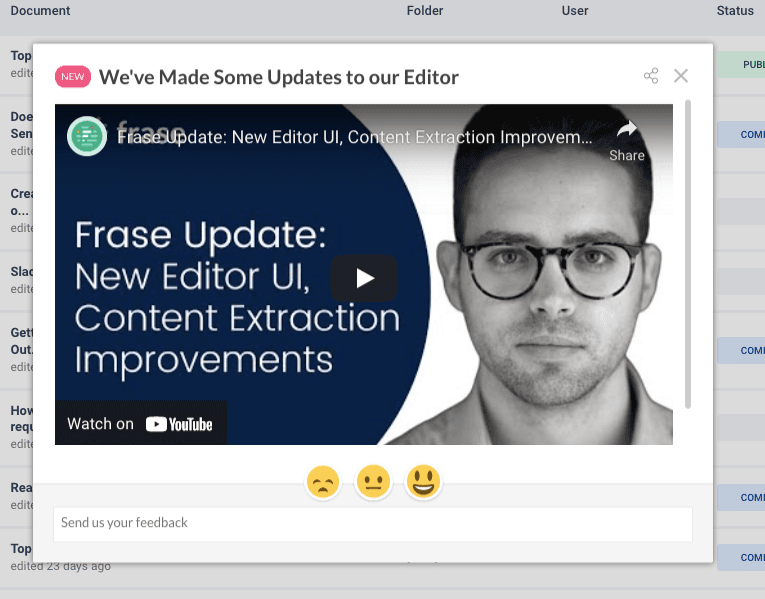
At the time of the screenshot, Frase announced a new version of its editor with an update modal shown when users first logged in. Under a "NEW" label and the heading "We’ve Made Some Updates to our Editor", an embedded YouTube video ("Frase Update: New Editor UI, Content Extraction Improvements") walks through the changes. Below it, three emoji faces (unhappy, neutral and happy) and a "Send us your feedback" field ask users what they think of the update.
Why it works
- Video content: a short video can show an update faster than text, and hosting it on YouTube also leaves a public record of each release.
- The right pattern for the content: a video needs room, so a modal is the natural fit, and the "NEW" label signals news worth a look.
- Update and feedback in one place: the emoji scale and feedback field sit right under the video, so users can react while the change is fresh. It tells them Frase cares what they think and gives the team feedback it can use.
More on this pattern: UI modals and in-app survey types.