User onboarding
Figma's slideout modal grabs attention with fun icons
Figma promotes its FigJam templates for product managers with a corner slideout modal, a NEW sticker, one line of copy and a Try FigJam button.
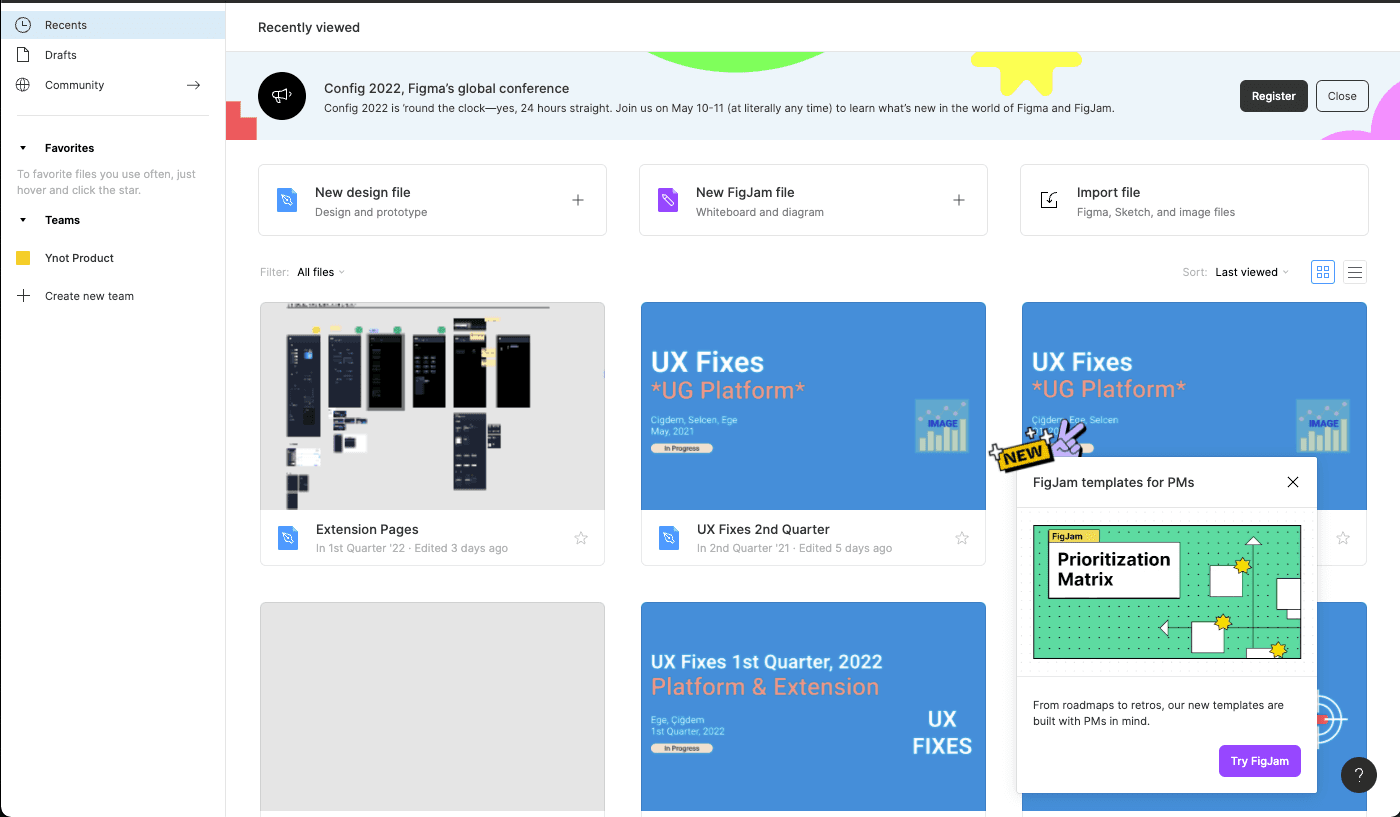
At the time of the screenshot, Figma announced new FigJam templates for product managers with a slideout modal in the bottom-right corner of the file browser. Stickers sit on its top edge (a yellow "NEW" tag and a peace-sign hand), above a preview of a Prioritization Matrix template. The copy is a single sentence ("From roadmaps to retros, our new templates are built with PMs in mind.") and a purple Try FigJam button leads to the templates.
Why it works
✅ Non-disruptive: the slideout takes one corner of the screen, so users can keep opening files and ignore it until they're ready.
✅ Catches the eye: the stickers and the bright template preview make a small panel stand out on a busy page.
✅ Short copy: one sentence under a clear title says who the templates are for and what they cover, and the button does the rest.
More on this pattern: UI modals and new feature onboarding.