User onboarding
Canva’s celebration modal marks a milestone
Canva's mobile app celebrates a user's tenth design with a bottom-sheet modal, shown right after a save, that invites them to edit an award.
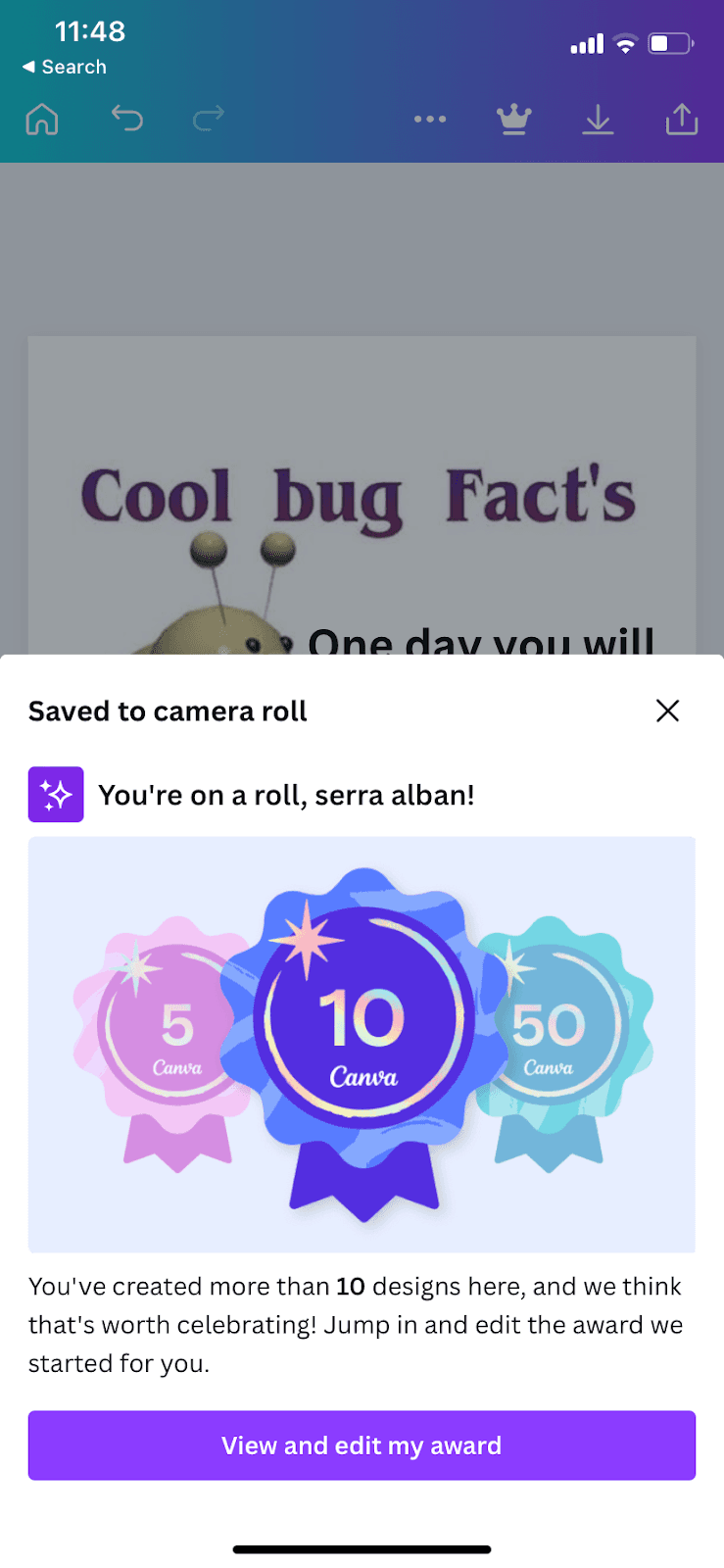
At the time of the screenshot, Canva's mobile app showed a celebration modal right after a user saved a design to their camera roll. The sheet slides up from the bottom, greets the user by name ("You're on a roll"), shows three award badges for 5, 10 and 50 designs, and explains: "You've created more than 10 designs here, and we think that's worth celebrating!" A purple button reads "View and edit my award".
Why it works
✅ Celebratory design: the badge artwork feels like a reward, and the sheet covers only the lower half of the screen, so the design the user just saved stays in view.
✅ Engaging: the modal doesn't stop at congratulations. It hands the user a ready-made award to open and edit, which is one more design in Canva.
✅ Good timing: it appears the moment a design is saved, when the user has just finished something and is most open to a pat on the back.
More on this pattern: UI modals and mobile app onboarding.